
Every name. Every story. One screen.

A real Tellcase Honor Wall with sample honorees. Yours uses your people and school colors.
Your hall of fame on a touchscreen
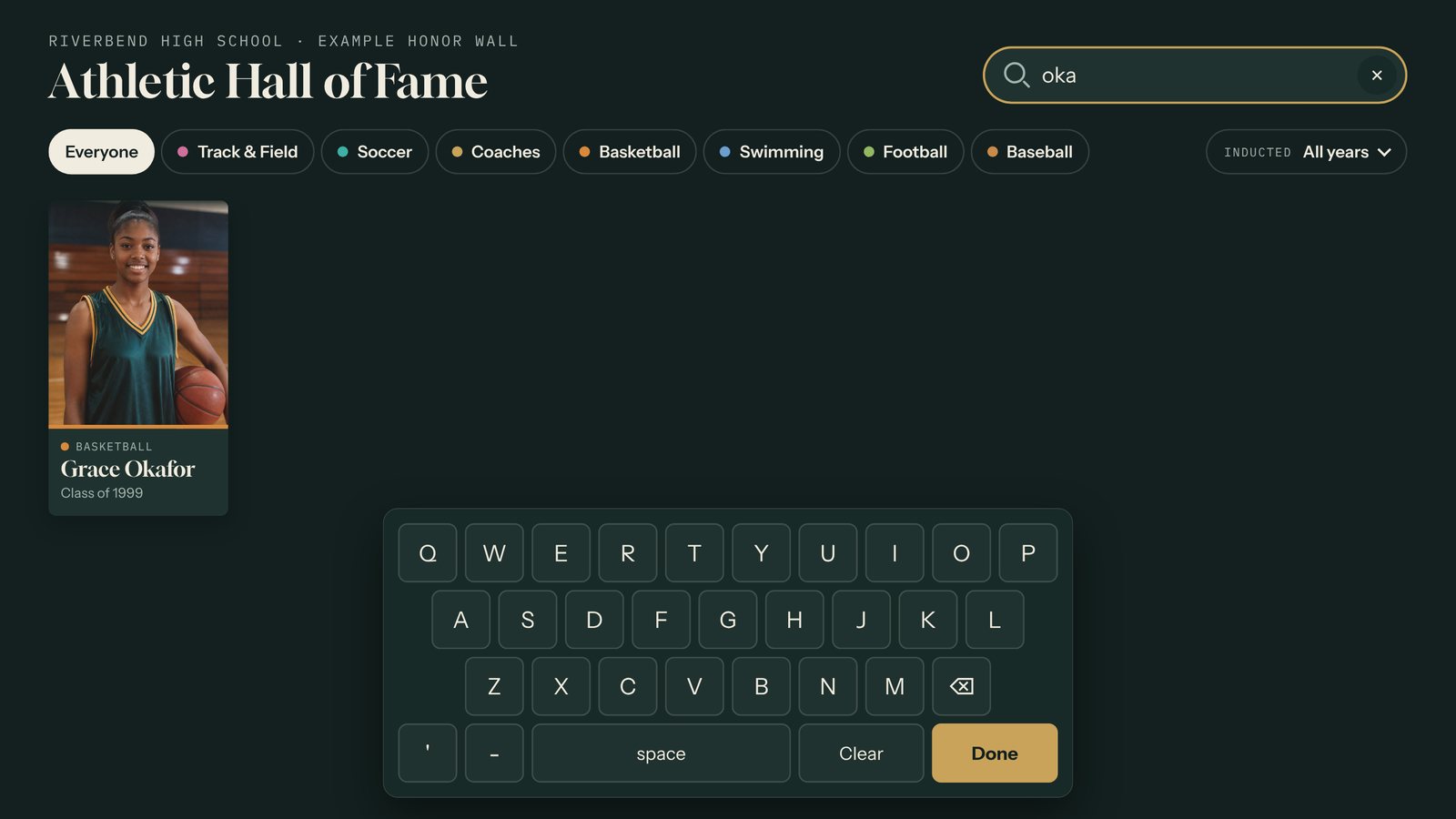
Find anyone in seconds.
Type a name on the on-screen keyboard. Filter by sport, category, or decade.

Every name gets a story.
Photo, bio, highlights, and video for each honoree.
- Add a class
- Import a spreadsheet
- No photo yet
- Initials hold the spot
- No network
- Runs offline
- Idle
- Welcome screen
Room for every class to come.
Tellcase is a digital wall of fame for schools. Its Honor Wall template shows every honoree as a photo tile on a touchscreen. Visitors search by name, filter by sport or category and decade, and tap a person for their bio, highlights, and video. Staff add honorees from a web browser or import a class from a spreadsheet. It runs on a Mac mini, a Windows PC, or a BrightSign player, with or without the school network. Plans start at $49 a month with a 14-day free trial.
More about the Honor Wall template · Pricing · Planning guide
Quick answers
How much does a digital wall of fame cost?
Tellcase Starter is $490 a year (or $49 a month) for one kiosk, Pro is $1,490 a year (or $149 a month) for up to five, and Tellcase Lifetime is $7,000 one time for up to five kiosks with 3 years of updates and support. Every plan includes unlimited walls. The touchscreen and computer or BrightSign player are separate.
Who adds new inductees each year?
Whoever runs the induction, such as the athletic director, the alumni office, or a booster volunteer. Import the class from a spreadsheet, then add photos, highlights, and video from any browser.
Can we have separate walls for athletics and alumni?
Yes. Build as many walls as you need, or one wall with categories. Each wall can play on its own kiosk.
Does it need the school network?
No. Copy an offline package to the kiosk with a USB stick or onto a BrightSign player’s SD card. On the network, new honorees appear on their own after you publish.