
Build your own touchscreen exhibits.
No developer needed. Pick a template, swap in your photos and stories, and publish to a kiosk, a BrightSign player, or your website. It keeps running when the Wi-Fi doesn't.
Build it, brand it, and put it on a screen
Three steps.
No developer.
Build it in your web browser, and your kiosks pick up each change by themselves.
Pick a template
Choose from eight templates, from a timeline to a prize wheel. Each one comes filled with example content, so you can see how it works before you change a thing.
Add your logo, colors, and fontsSwap in your content cards
A content card is one piece of your interactive, like a label on the wall: a photo, a title, a few lines of text, and a date if it has one. Replace the examples with yours, or import a spreadsheet.
Example: "1904 · The Ice Jam Flood" with two photosPut it on a kiosk
Pair the kiosk computer with a six-digit code and it picks up what you publish by itself. No internet there? Copy an offline package over on a USB stick, and copy a fresh one when you make changes.
Connected or fully offline, your choice
Plays on
Mac mini
Any Mac mini from 2018 on. Connected, or offline from a USB stick.
Windows PC
Any small PC that runs Windows 11. Connected, or offline from a USB stick.
NewBrightSign
No computer needed. Plays from a microSD card with a USB touchscreen.
NewiPad
For counters and booths. Pairs in Safari and locks with Guided Access.
Every template, from your laptop to the screen
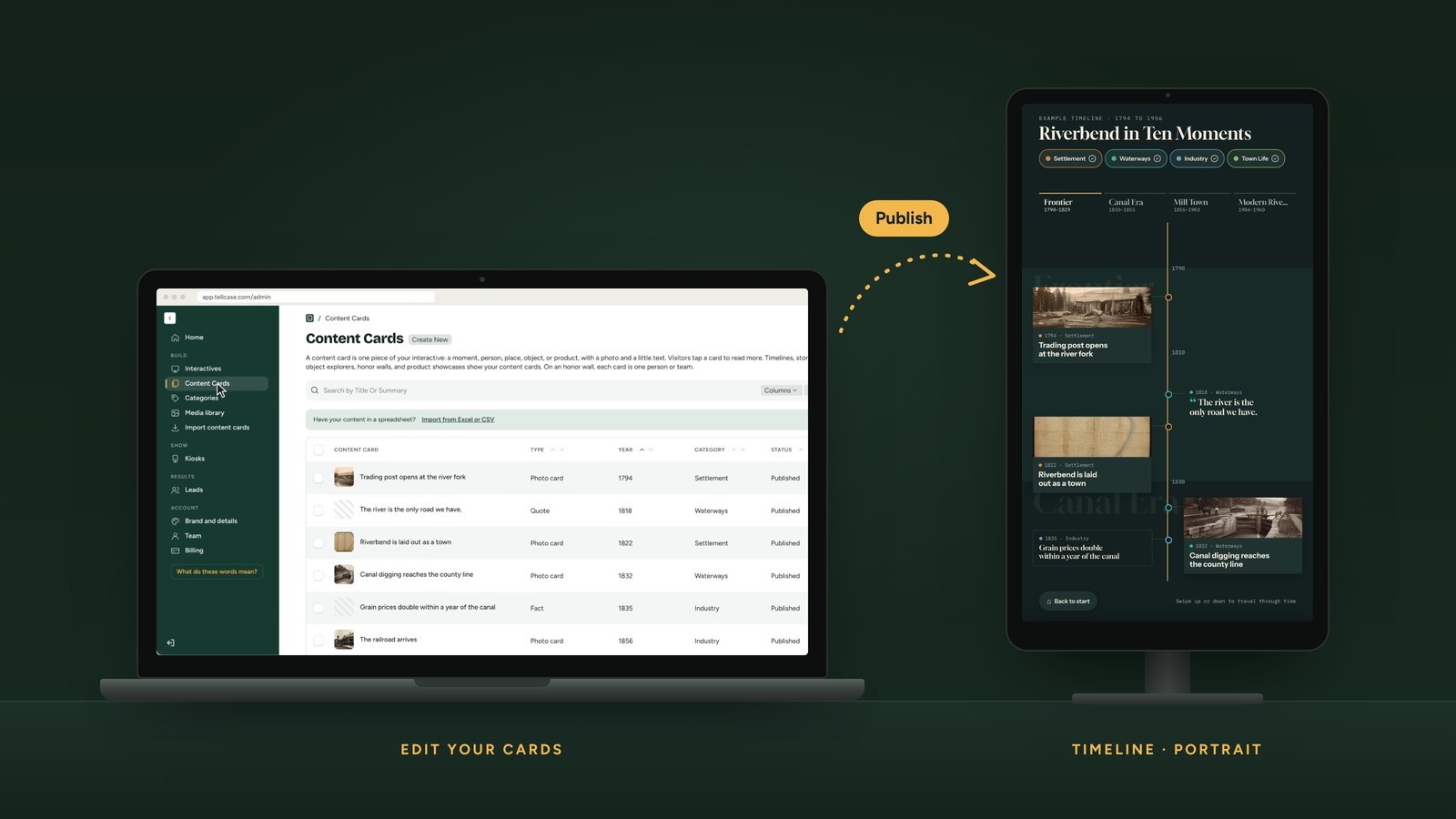
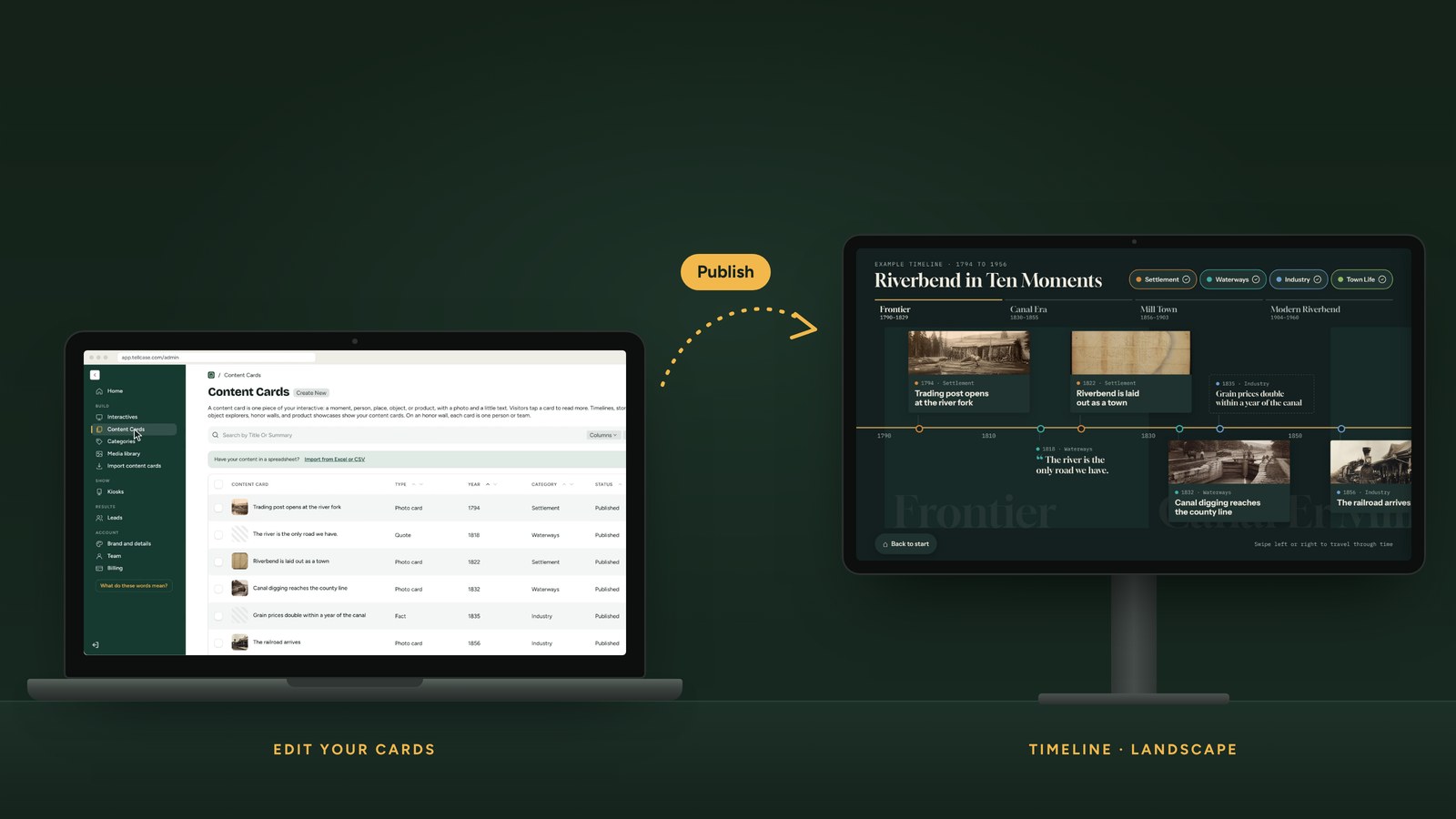
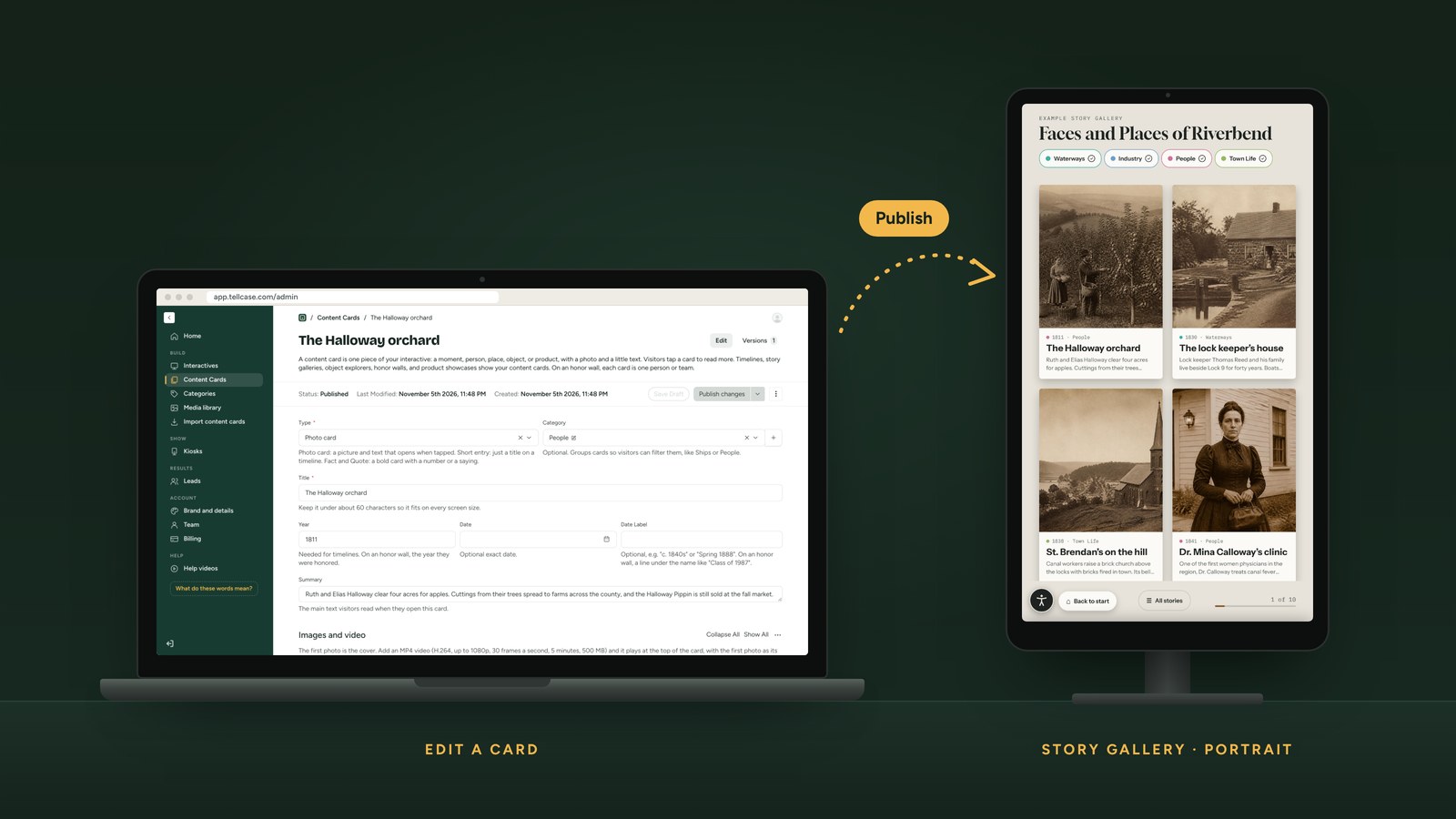
Each pair is real: the editor screen you fill in, and the kiosk it plays on. Every template plays in portrait or landscape, so flip the switch to see both.
Timeline
Add a card with a year and it lands in the right era.
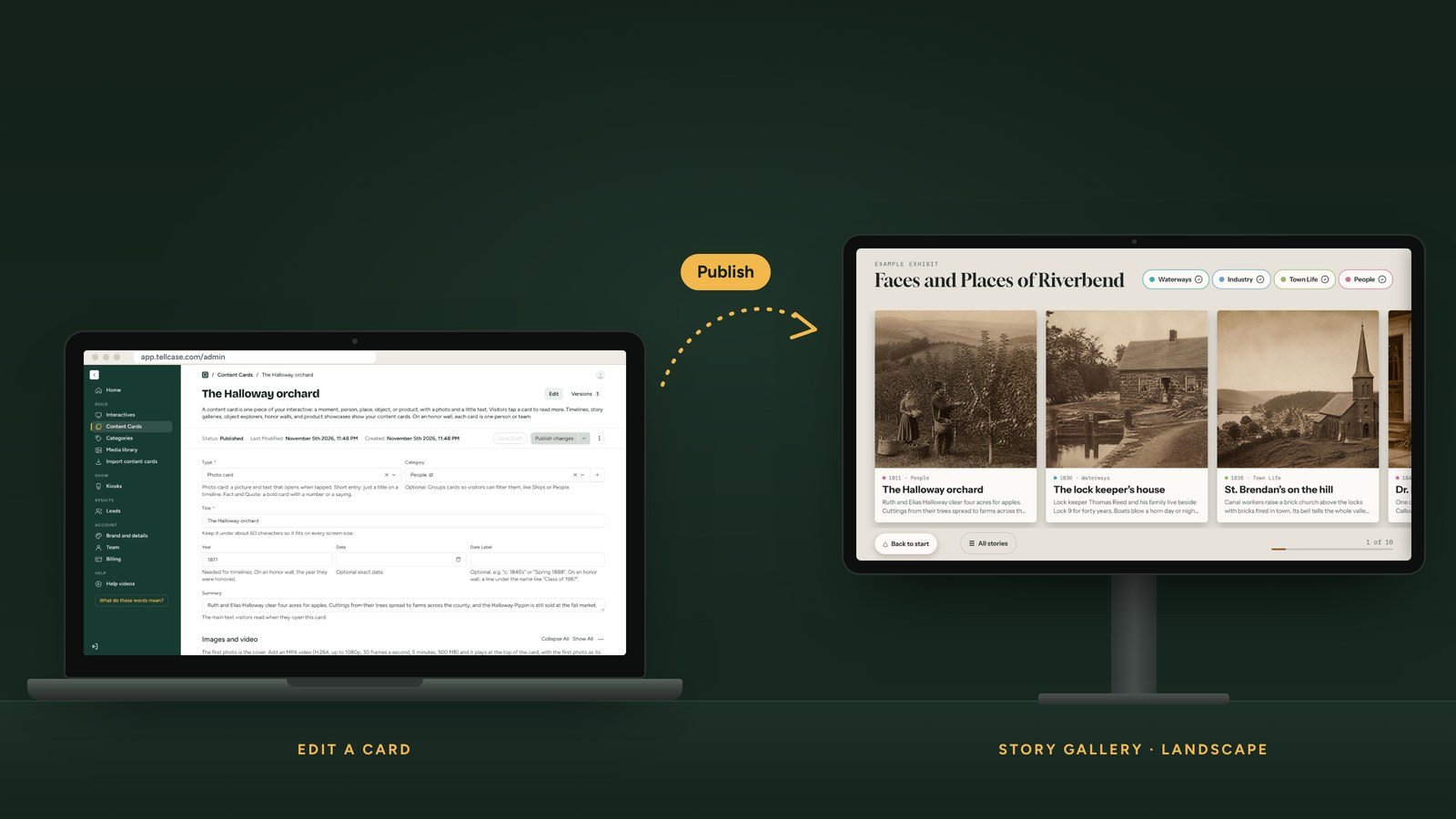
Story Gallery
Write a card on the laptop. It joins the gallery on the wall.
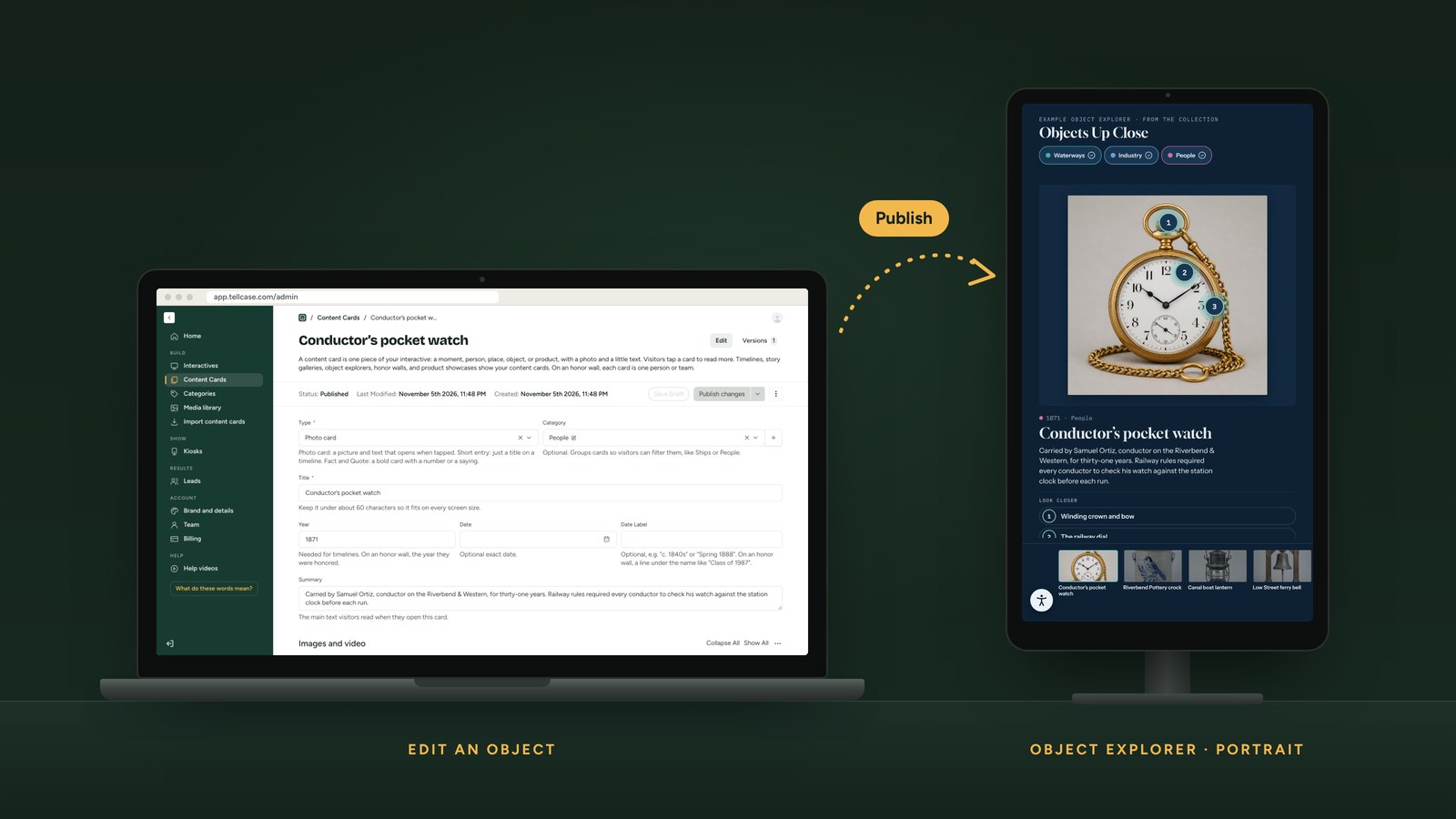
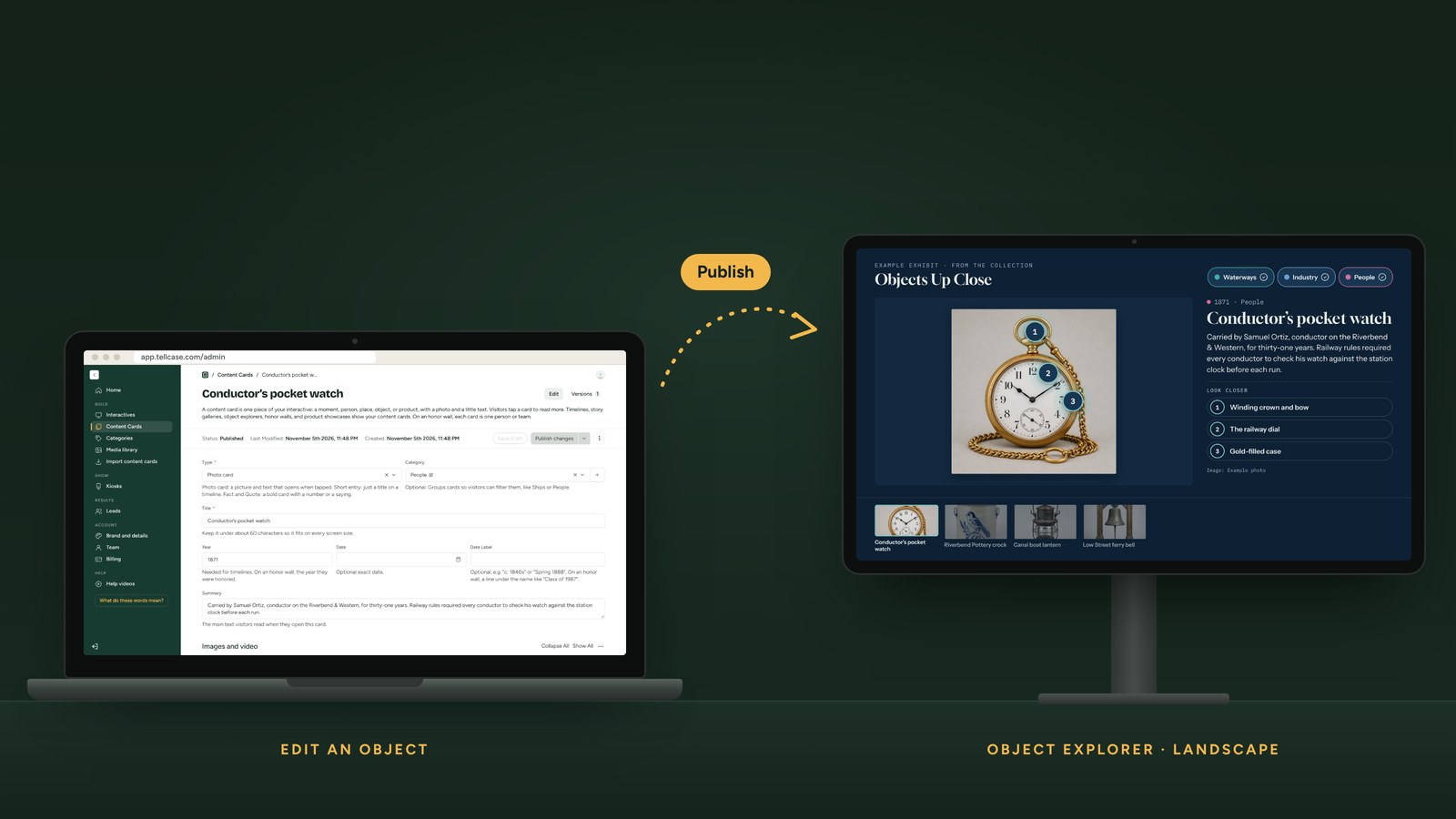
Object Explorer
Describe the object and its details. Visitors tap the hotspots.
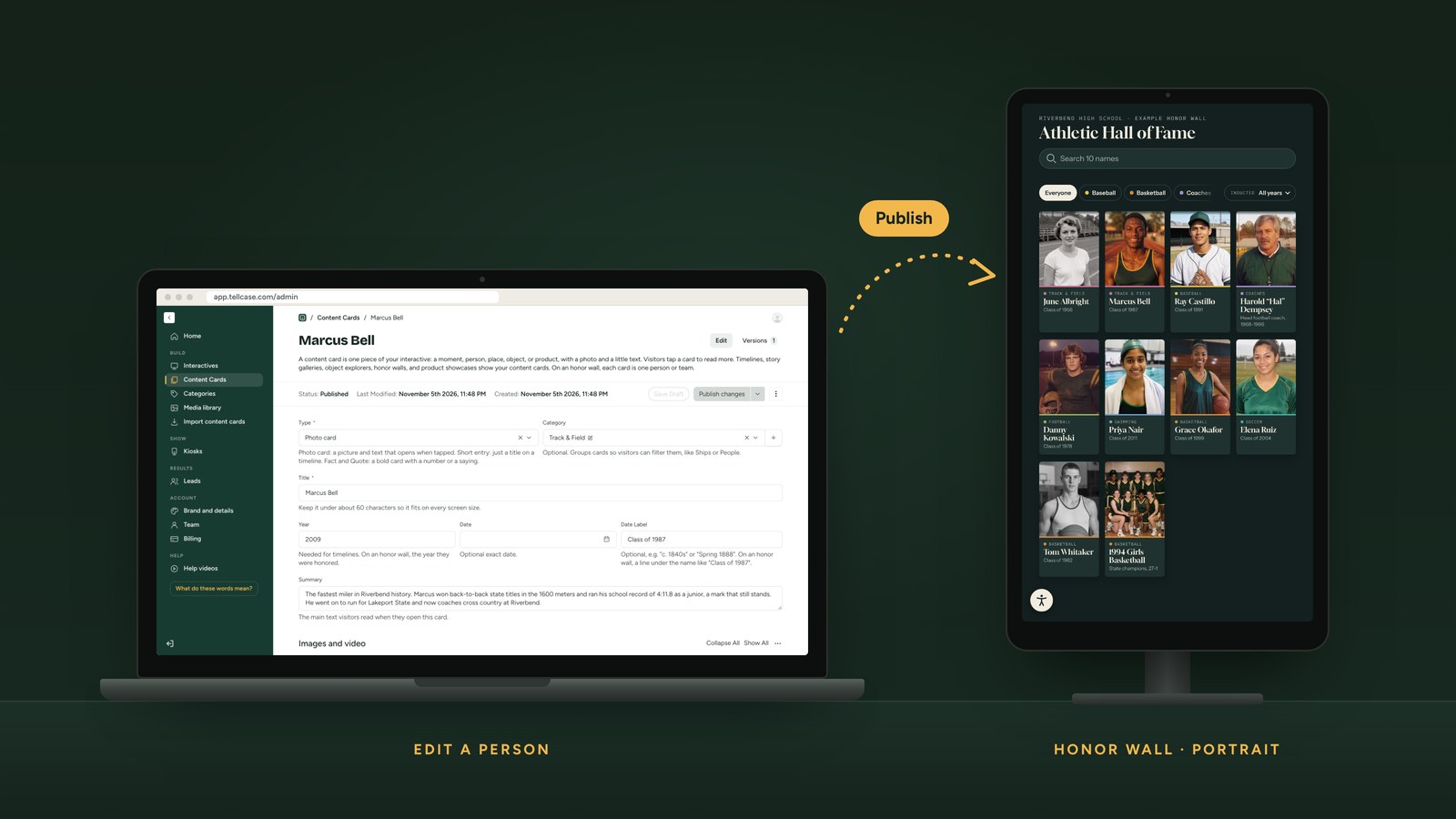
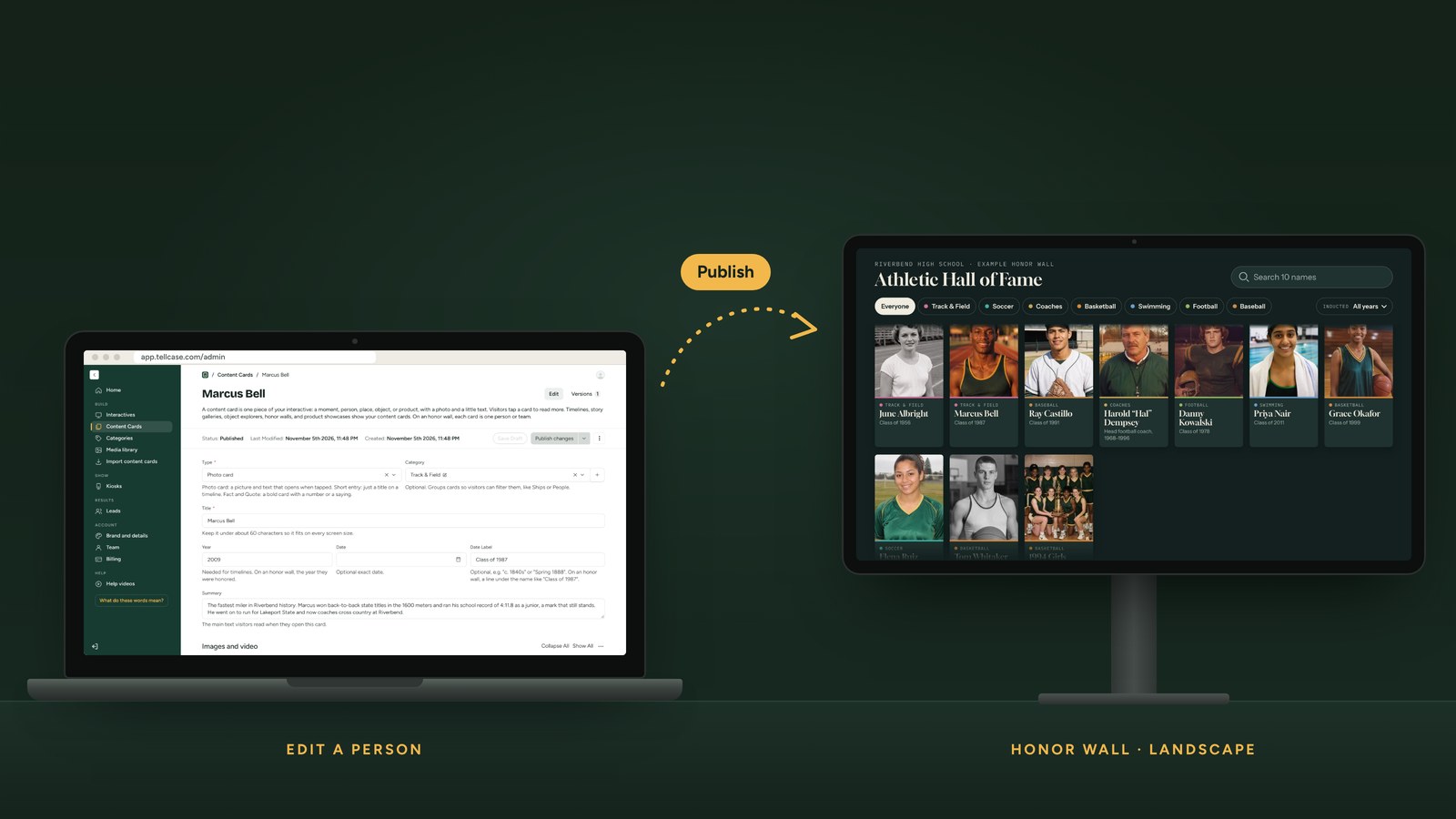
Honor Wall
One card per person. Next year’s class takes minutes.
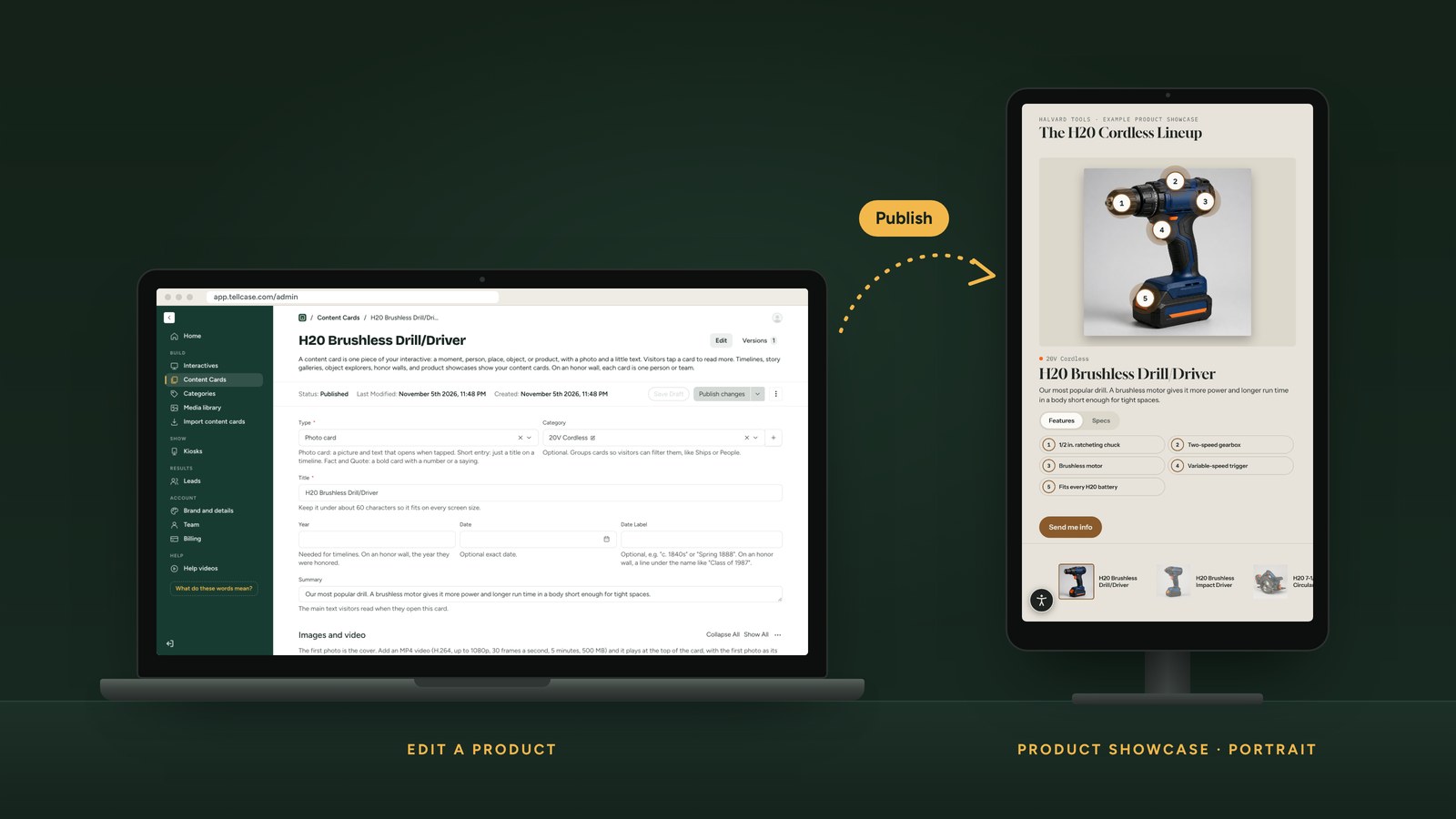
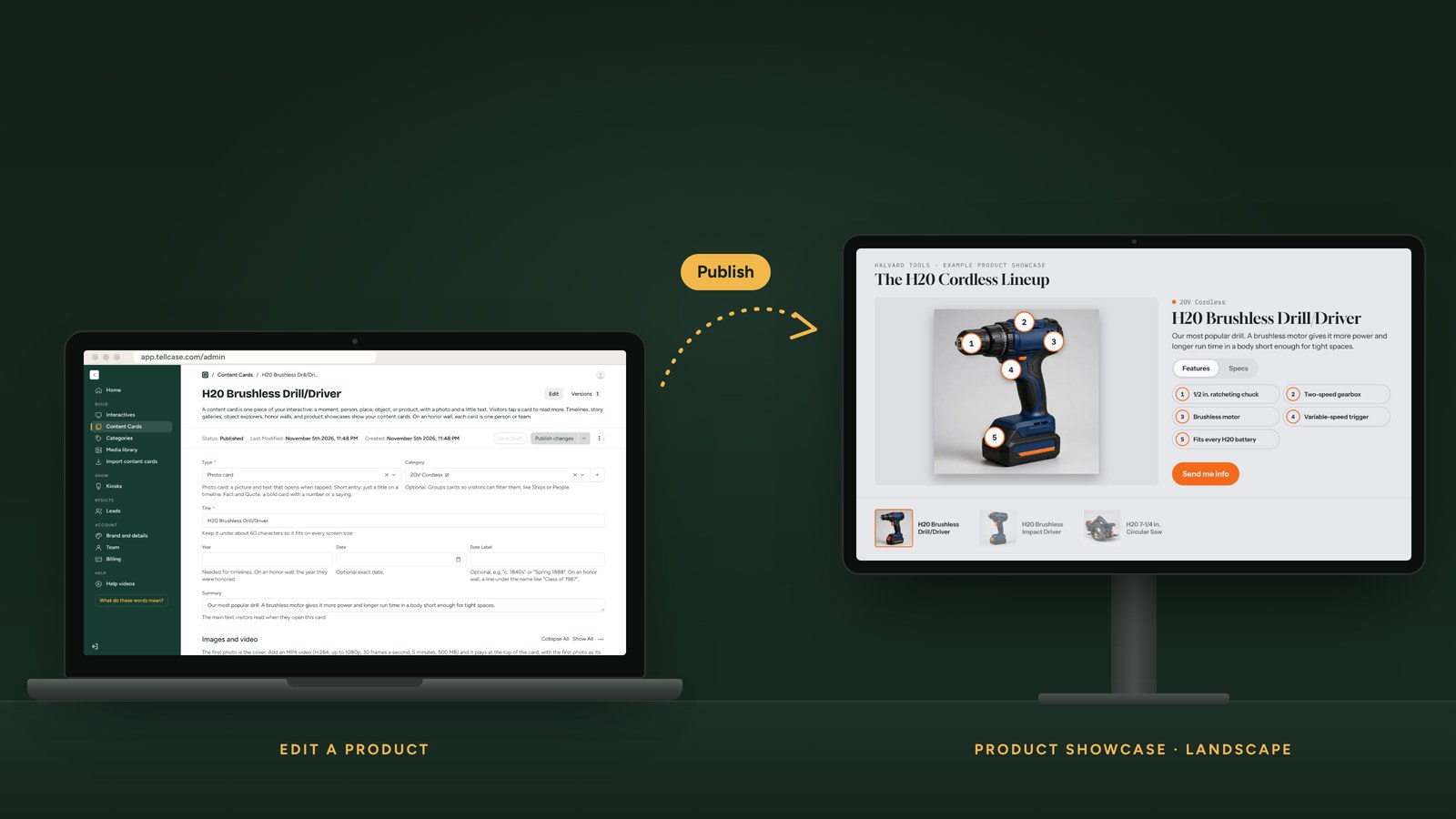
Product Showcase
Each product is a card, with features, specs, and video.
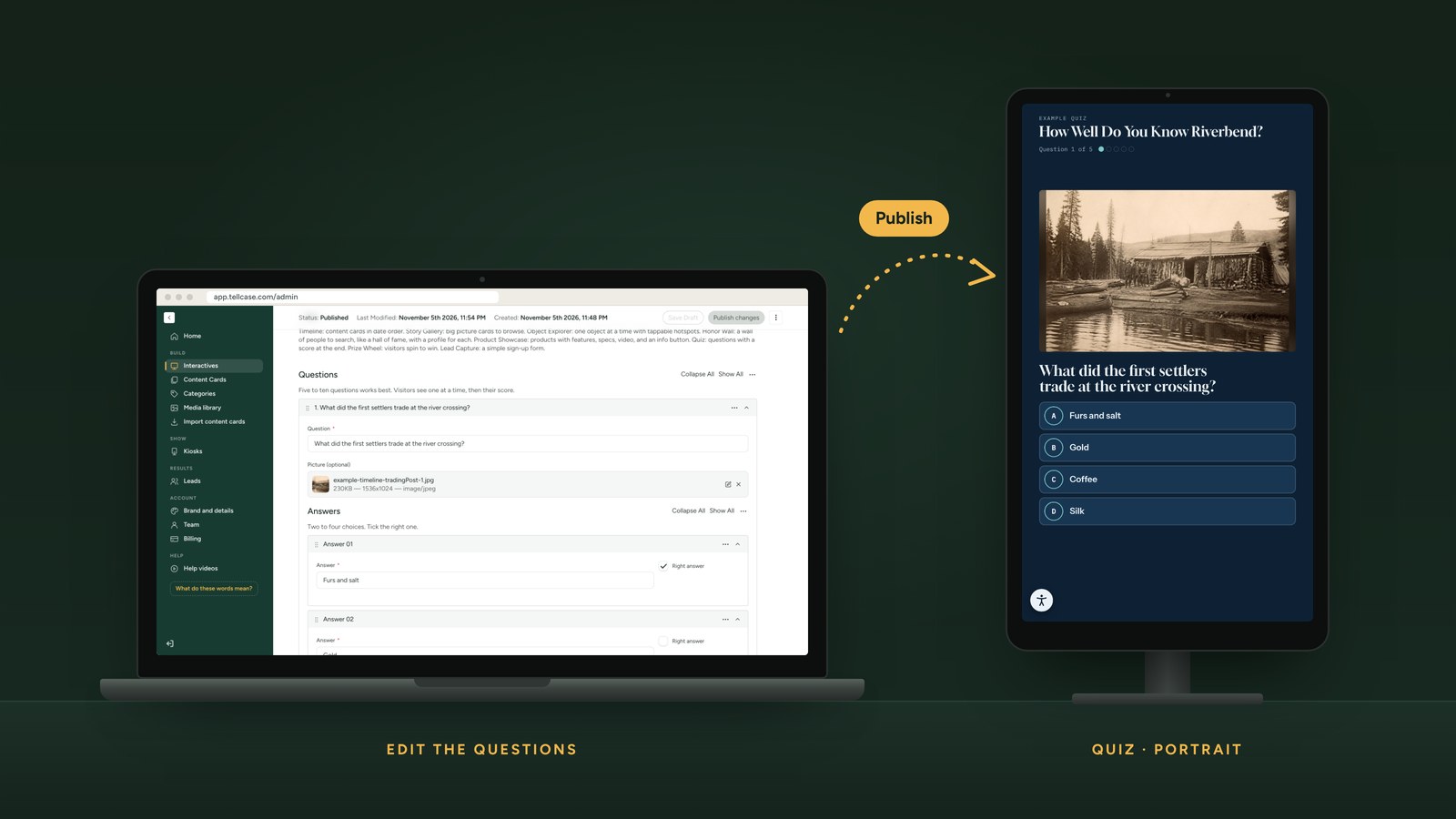
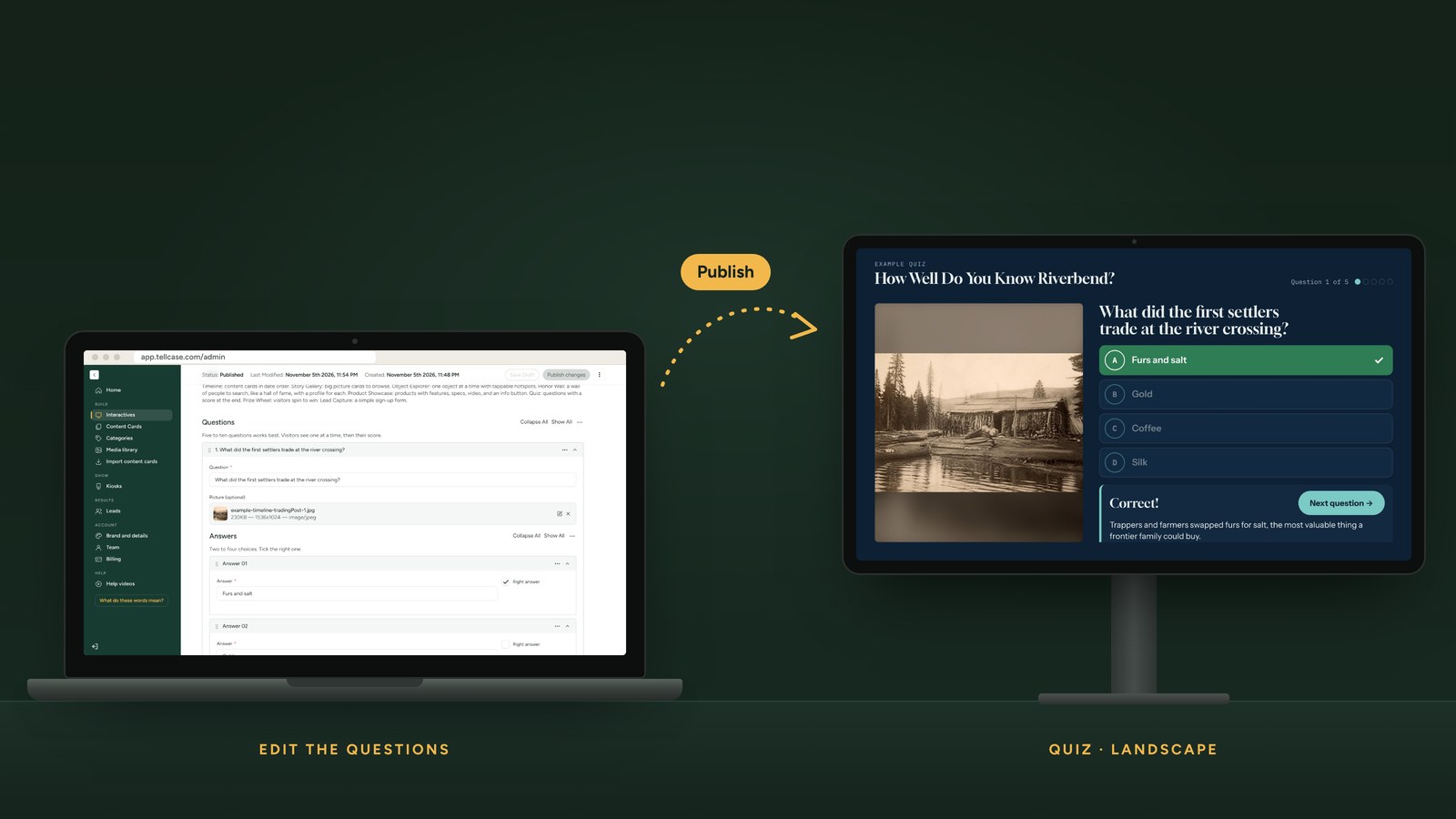
Quiz
Type the questions, tick the right answer, add a short explanation.
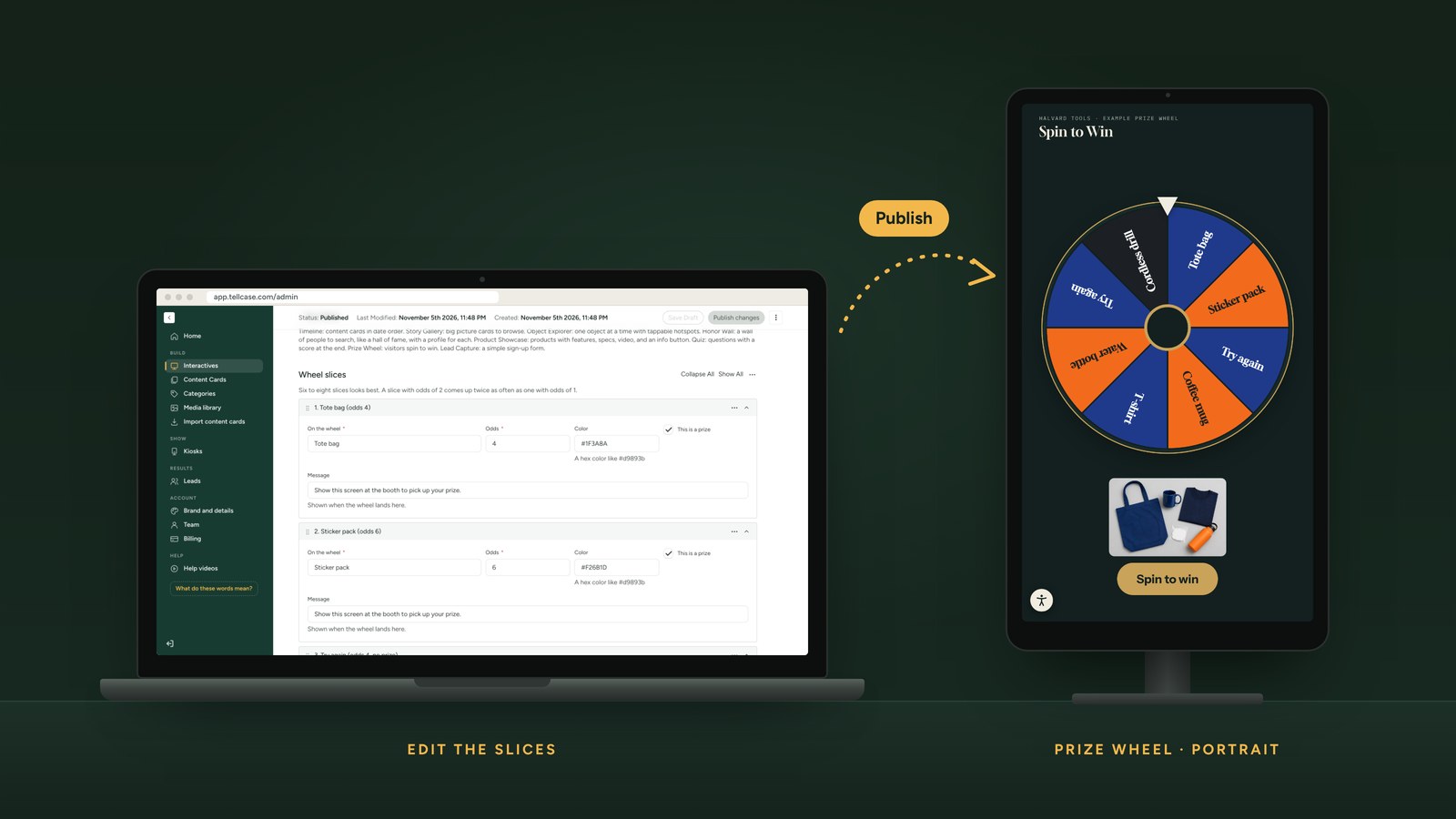
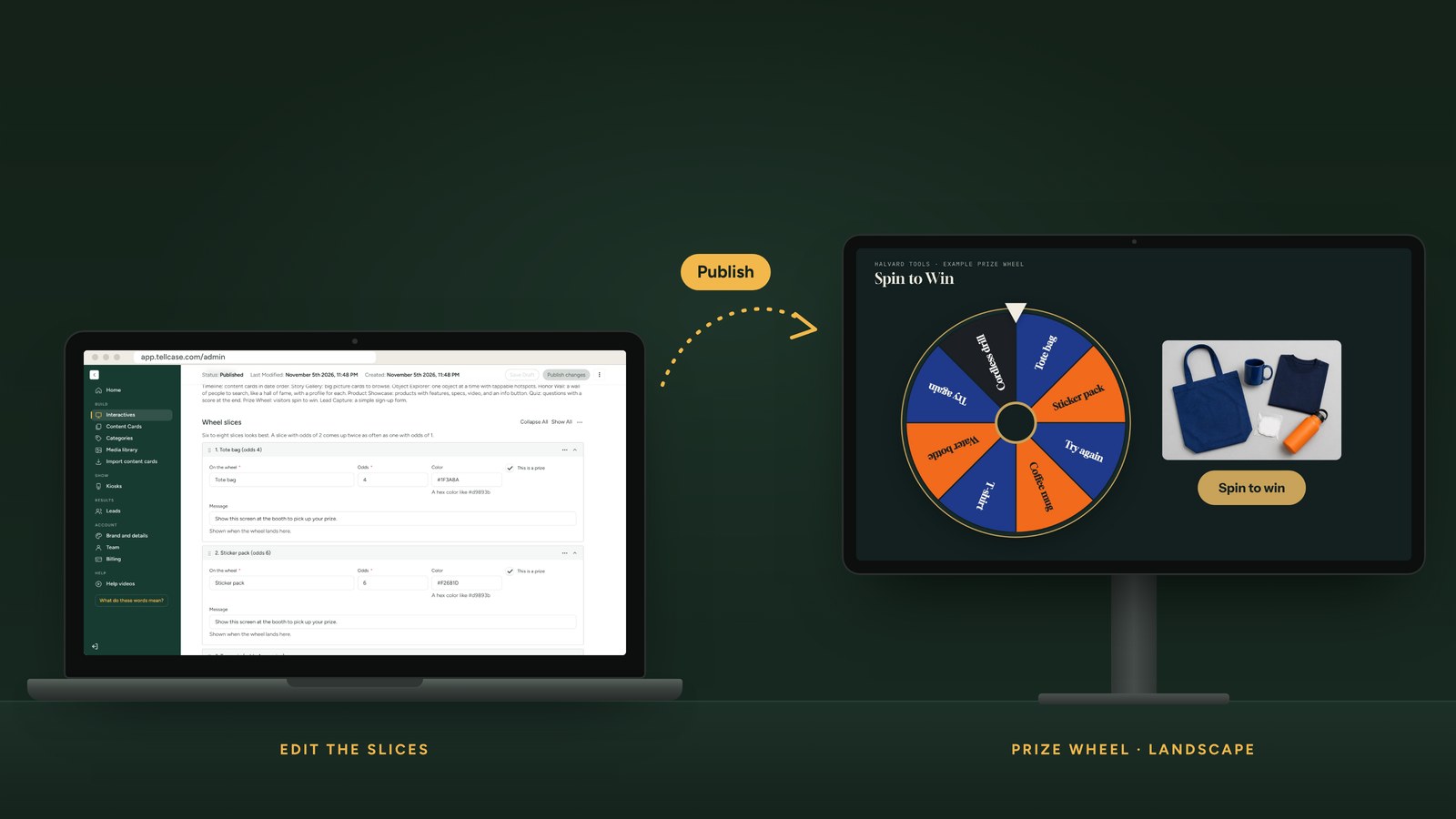
Prize Wheel
Name the prizes and set the odds. Change them between shows.
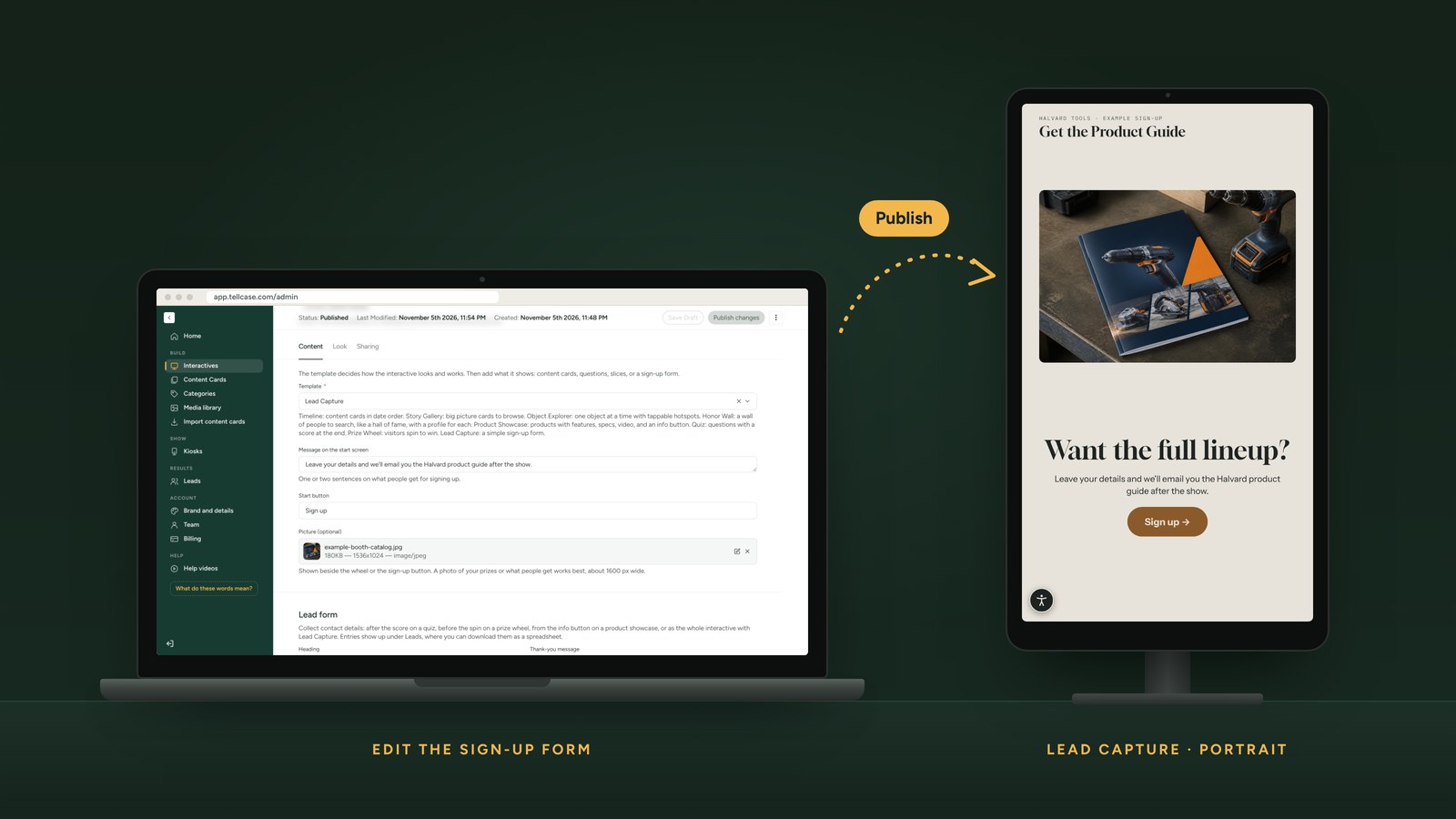
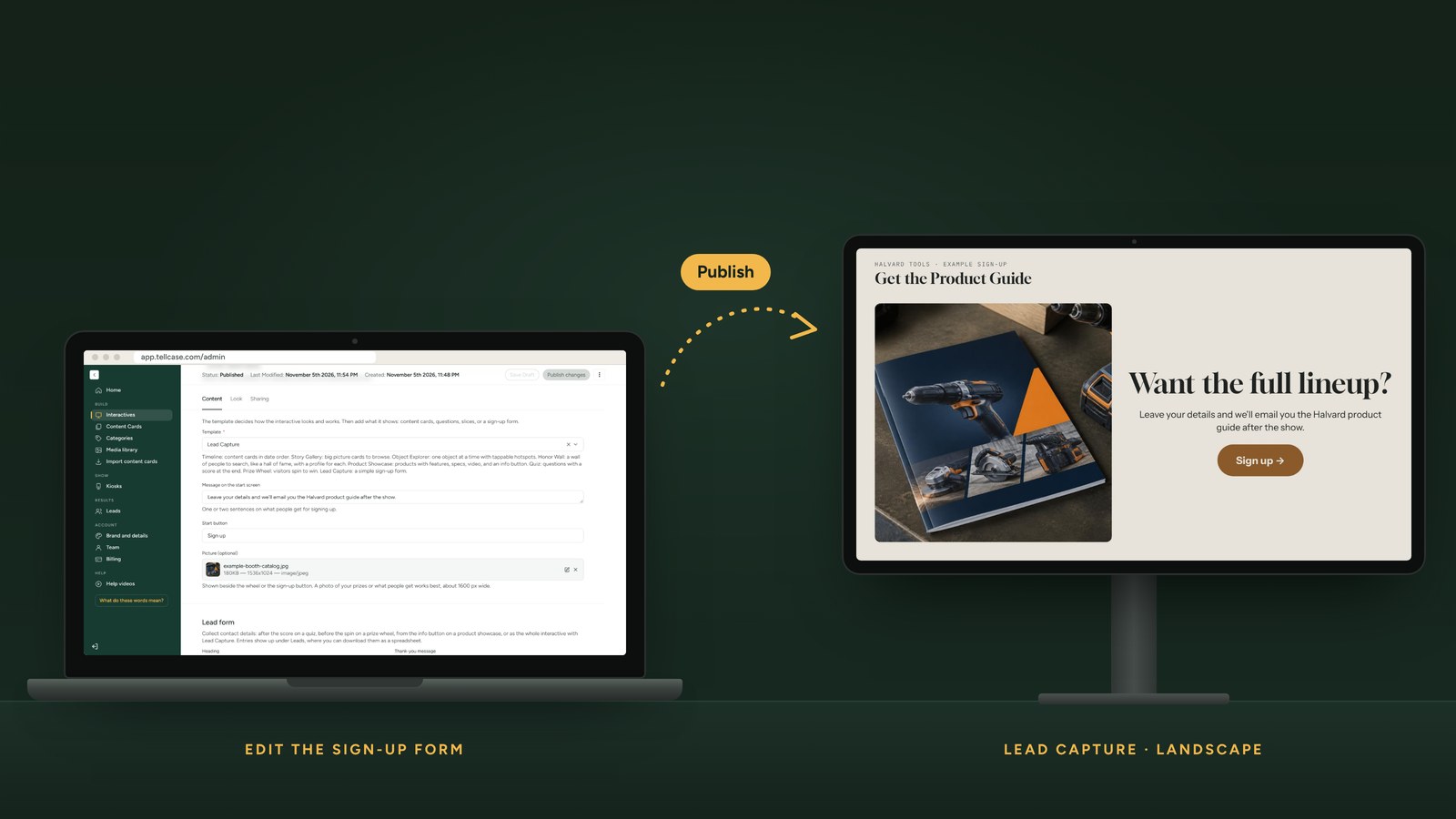
Lead Capture
Write the offer and the button. Entries land in your Leads list.
1 of 8
Eight templates for three jobs
Every screen below is real, built with example content. Your interactive uses your own cards, photos, and brand.
Tell a story
Turn history, collections, and places into something visitors can explore.
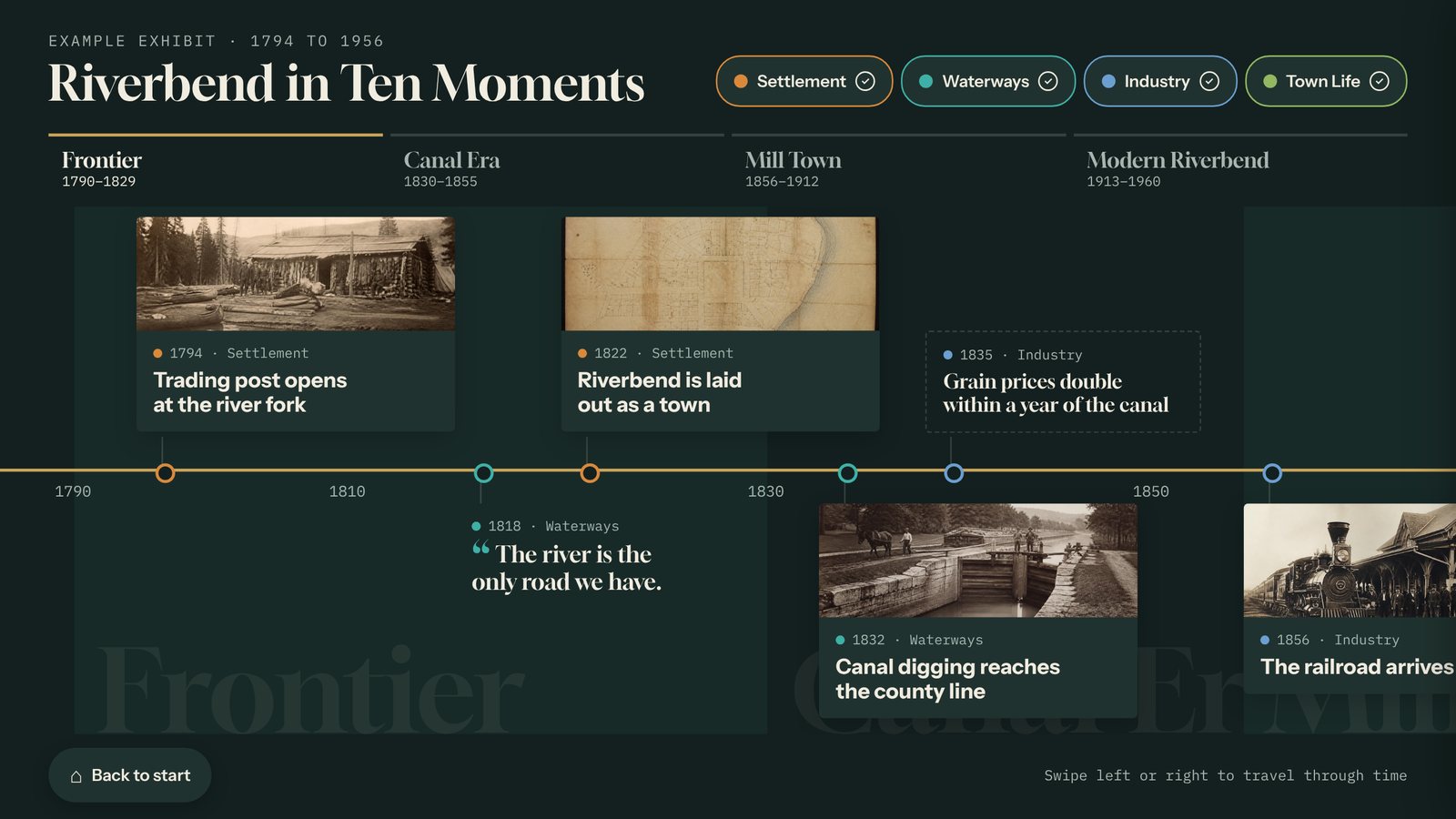
Timeline
Visitors swipe through the decades, jump between eras, and tap any moment to open the full card.
Local history, anniversaries, company stories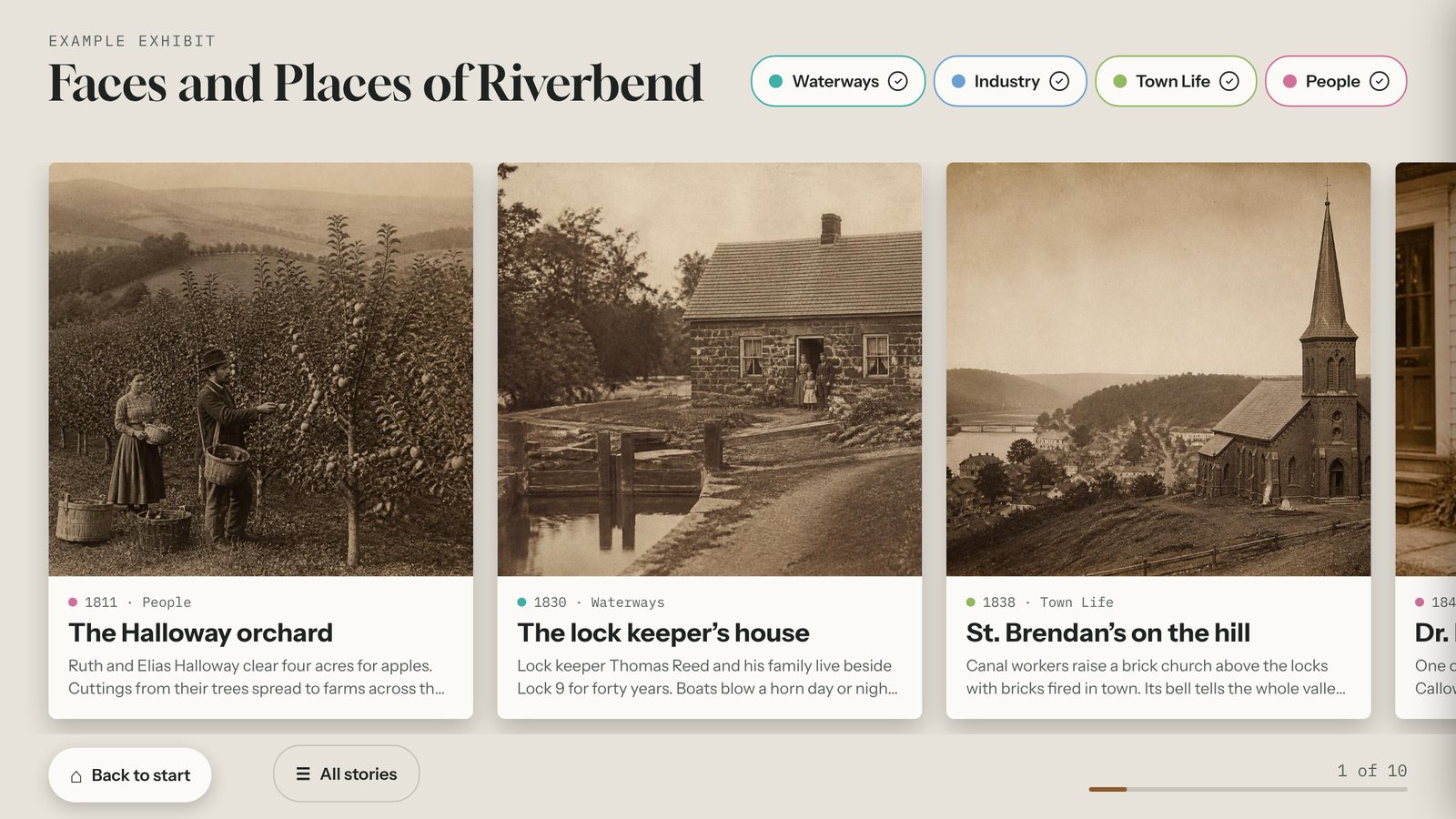
Story Gallery
A swipeable wall of large photo cards that visitors browse at their own pace.
People, places, oral histories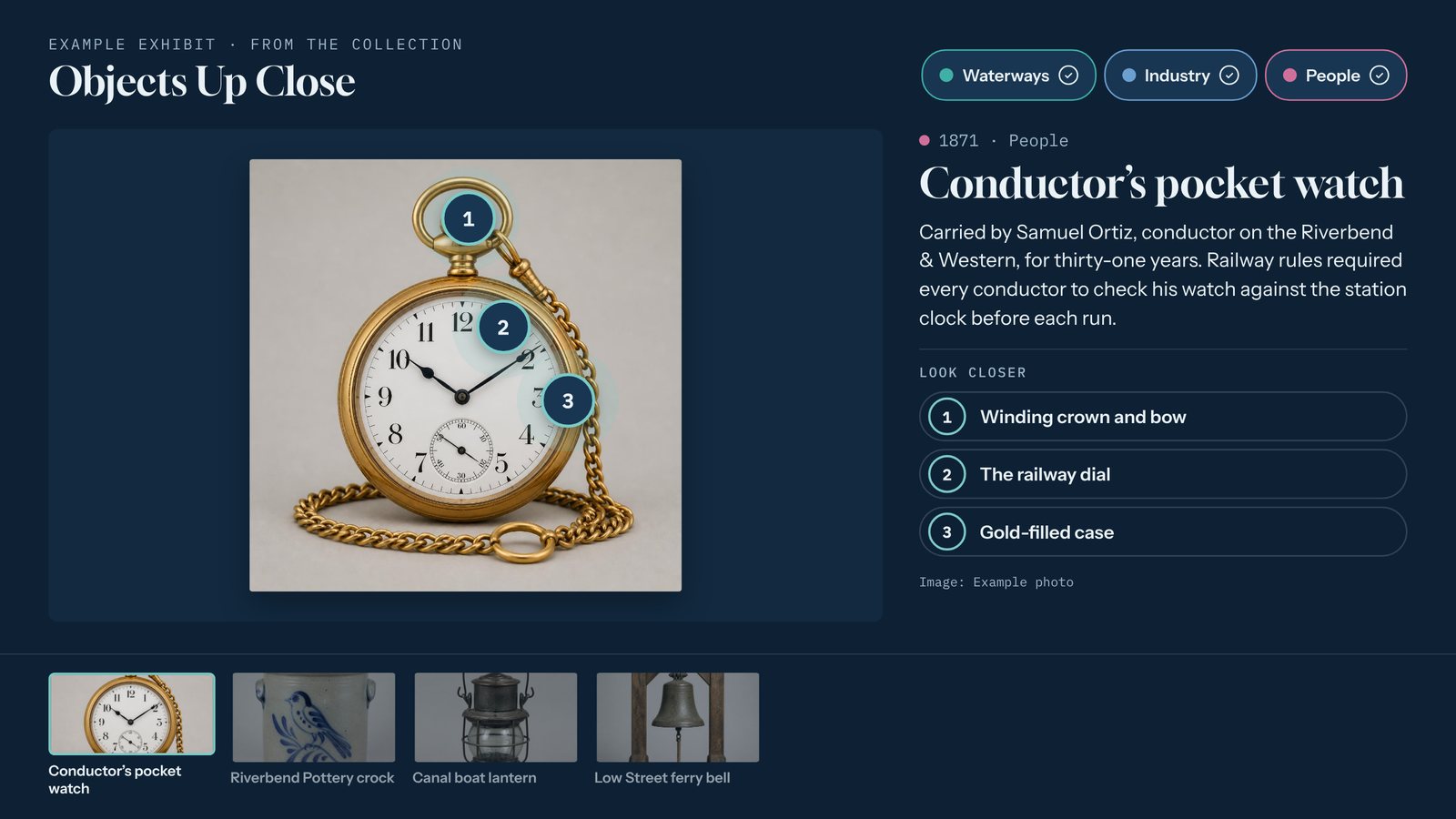
Object Explorer
One object up close, with numbered hotspots that reveal the details.
Artifacts, machinery, maps, buildingsHonor people
Give every name the room a plaque never could.
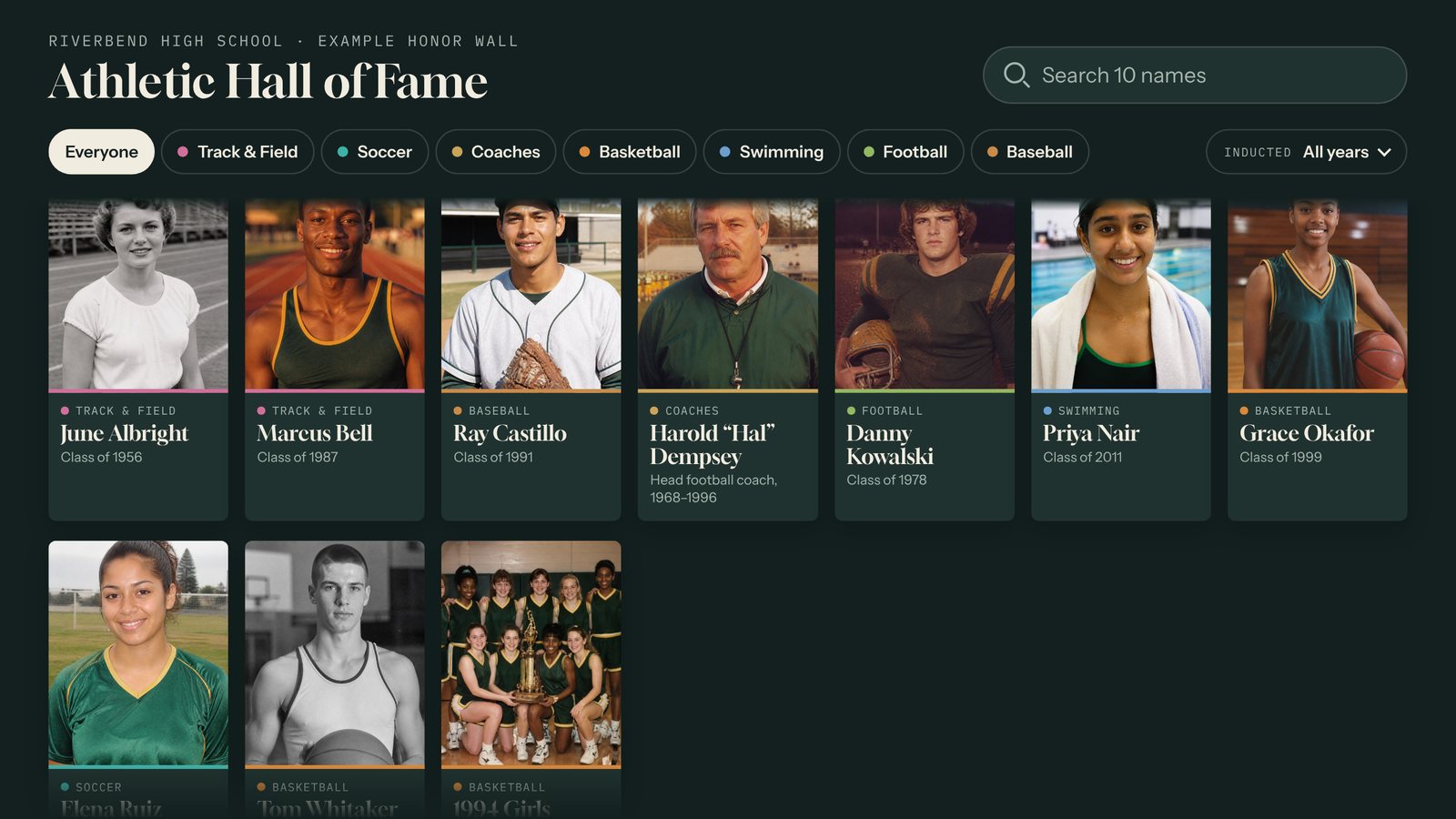
Honor Wall
A searchable wall of people with photos. Visitors type a name on the on-screen keyboard, filter by sport, group, or decade, and tap anyone to read their bio and highlights or watch a video. Adding next year's class takes minutes.
Halls of fame, veterans, distinguished alumni, donorsEngage visitors and collect leads
Draw people in, show off your products, and leave with names and emails.
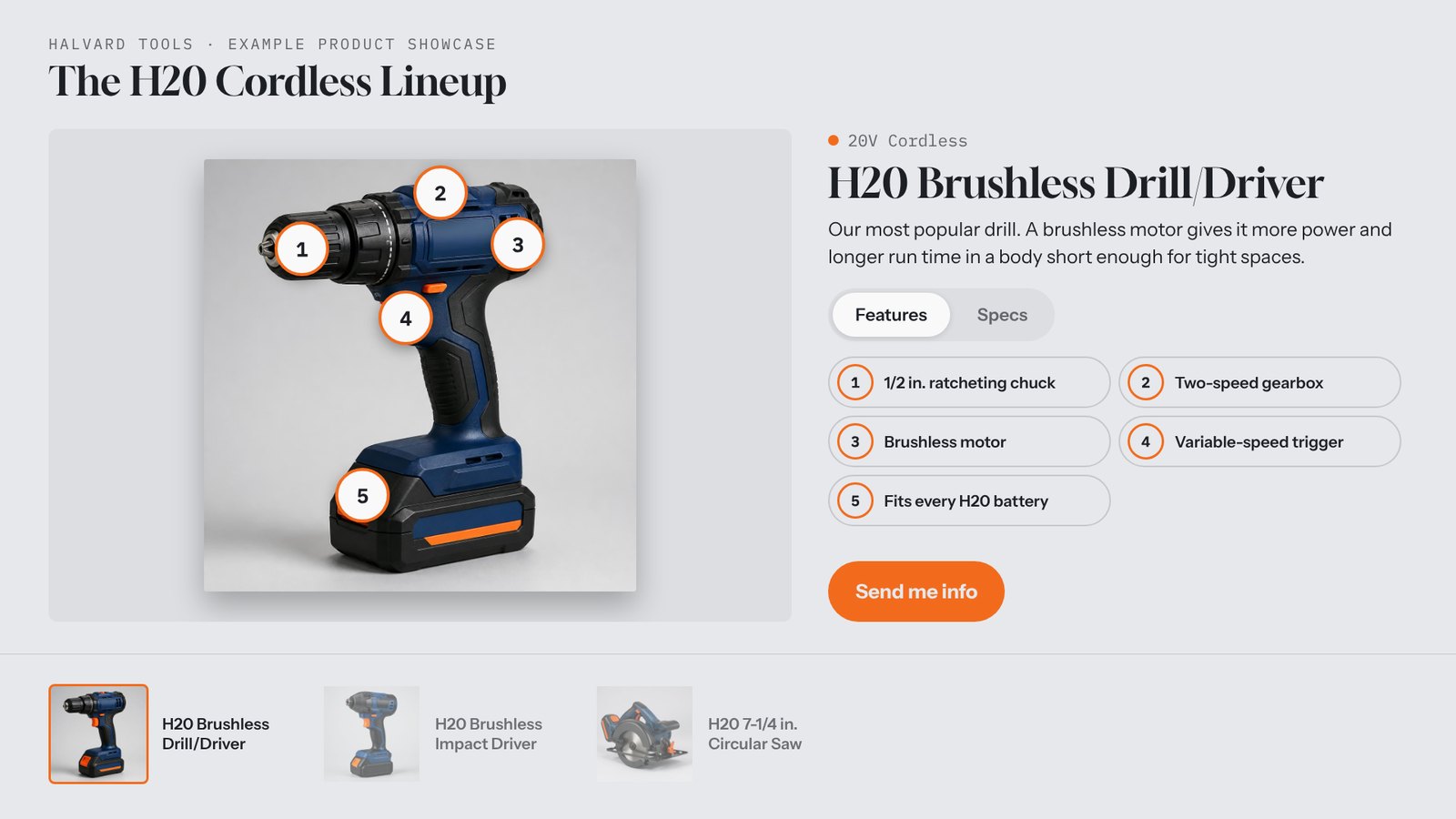
Product Showcase
Your lineup, one product at a time, with feature hotspots, specs, video, and a "Send me info" button.
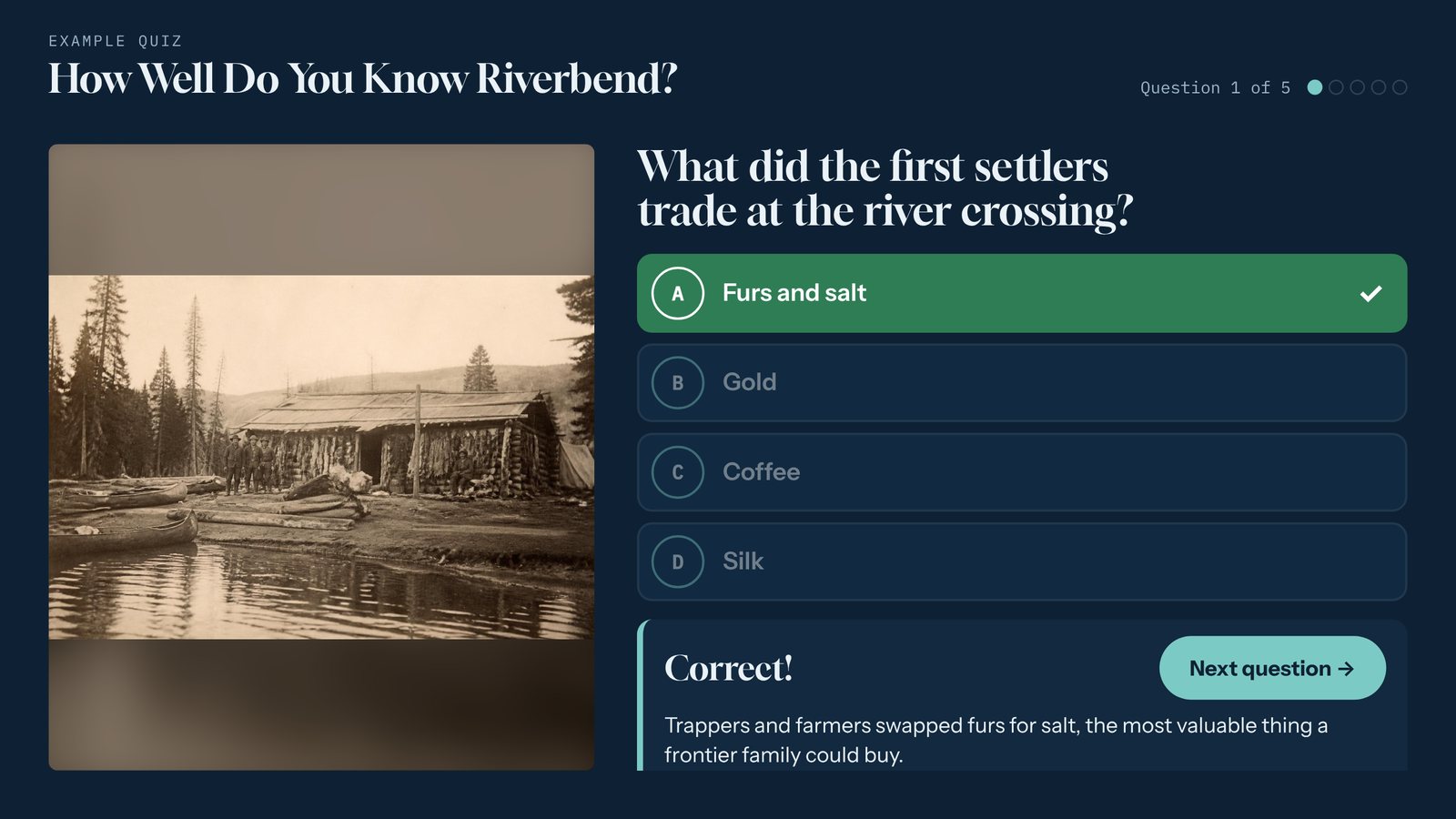
Quiz
Multiple-choice trivia with instant feedback, a short explanation, and a final score.
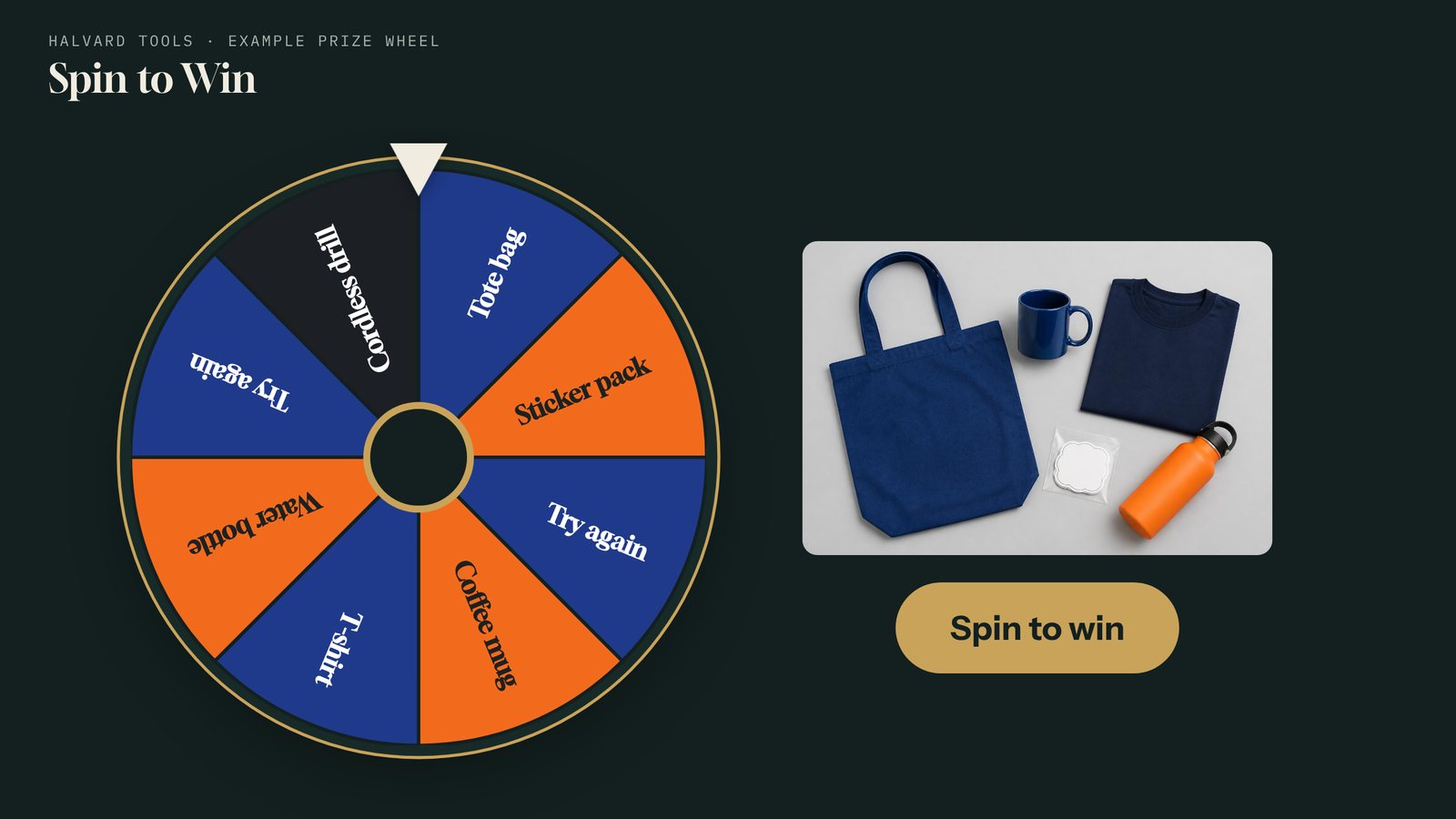
Prize Wheel
Visitors spin for your giveaways. You choose the prizes and how likely each one is to land.
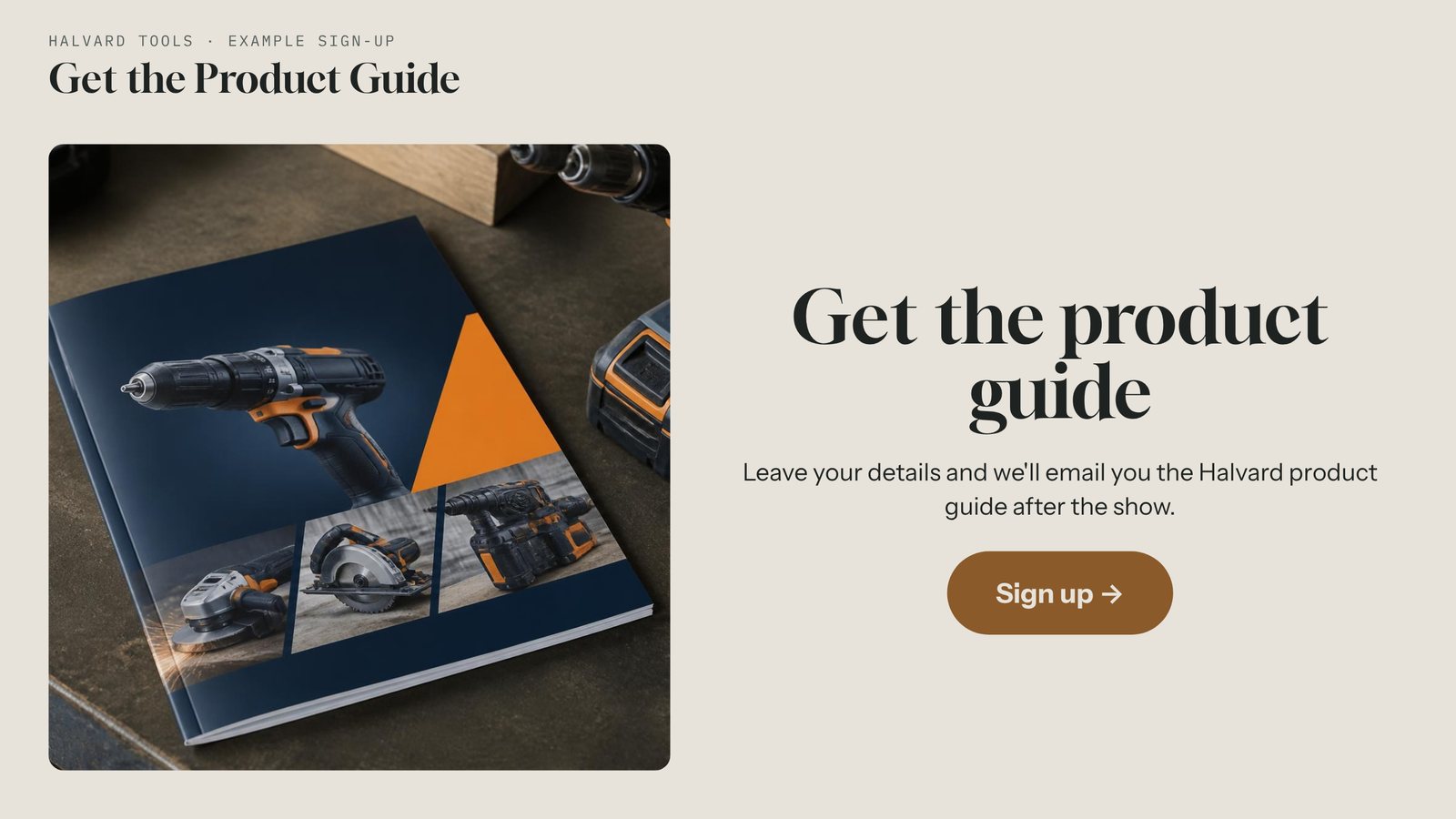
Lead Capture
A simple sign-up screen. Lead forms also work inside the showcase, quiz, and wheel.
Built for the people who run the exhibit
Fix it from the floor
Spot a typo while you walk the room? Fix it from your phone, tap Publish, and every connected kiosk updates within minutes. No laptop, no trip back to the office.
It looks like you
Upload your logo and set your colors and fonts. Every template takes on your brand, so each interactive feels built for your space.
It runs without internet
Kiosks keep playing when the network drops, or run fully offline from a package you copy over on a USB stick. How each setup works
Stories worth stopping for.
Try it free for 14 days and picture it on your wall.