
Touchscreen software for exhibit fabricators.
Include the touchscreen in the exhibits you already build. Your team builds the interactive in a browser, you install the screen, and your client keeps it current on their own.
- No developers or software subcontractor needed
- One partner account for every client project
- Spec a Windows PC, Mac mini, or BrightSign player
- License in the client’s name, partner pricing with margin
14 days free, no card needed. Or send the form and we will walk you through it.
What is Tellcase?
Tellcase is touchscreen interactive software that exhibit fabricators, designers, and AV integrators include in their exhibit work. Your team builds the interactive in a web browser from a template, such as a timeline, story gallery, object explorer, honor wall, or product showcase, in the client’s brand. You install the screen with a Windows PC, a Mac mini, or a BrightSign HD1025 or HD1026 player, connected or fully offline. The account and license are in the client’s name, and the client gets their own login at handover. Partners get partner pricing with room for a margin.
- Templates
- Timeline, Story Gallery, Object Explorer, Honor Wall, Product Showcase, and three more
- Who builds it
- Your team, in a browser. No code
- Hardware
- Windows PC, Mac mini, or BrightSign HD1025/HD1026, plus a touchscreen
- Internet
- Connected or fully offline from a USB stick or SD card
- License
- In the client’s name, with their own login at handover
- Pricing
- Partner pricing with room for a margin
Your client wants an interactive. You should not have to hire developers to deliver one.
Today that line item usually goes to a software subcontractor. That means another vendor on your schedule, another invoice in your bid, and a client who calls them for every typo.
With Tellcase, your own team builds the interactive in a web browser and the client updates it themselves after handover.
Interactives you can deliver
Real screens from sample projects we built to show each template. Your client’s version uses their own content and brand.
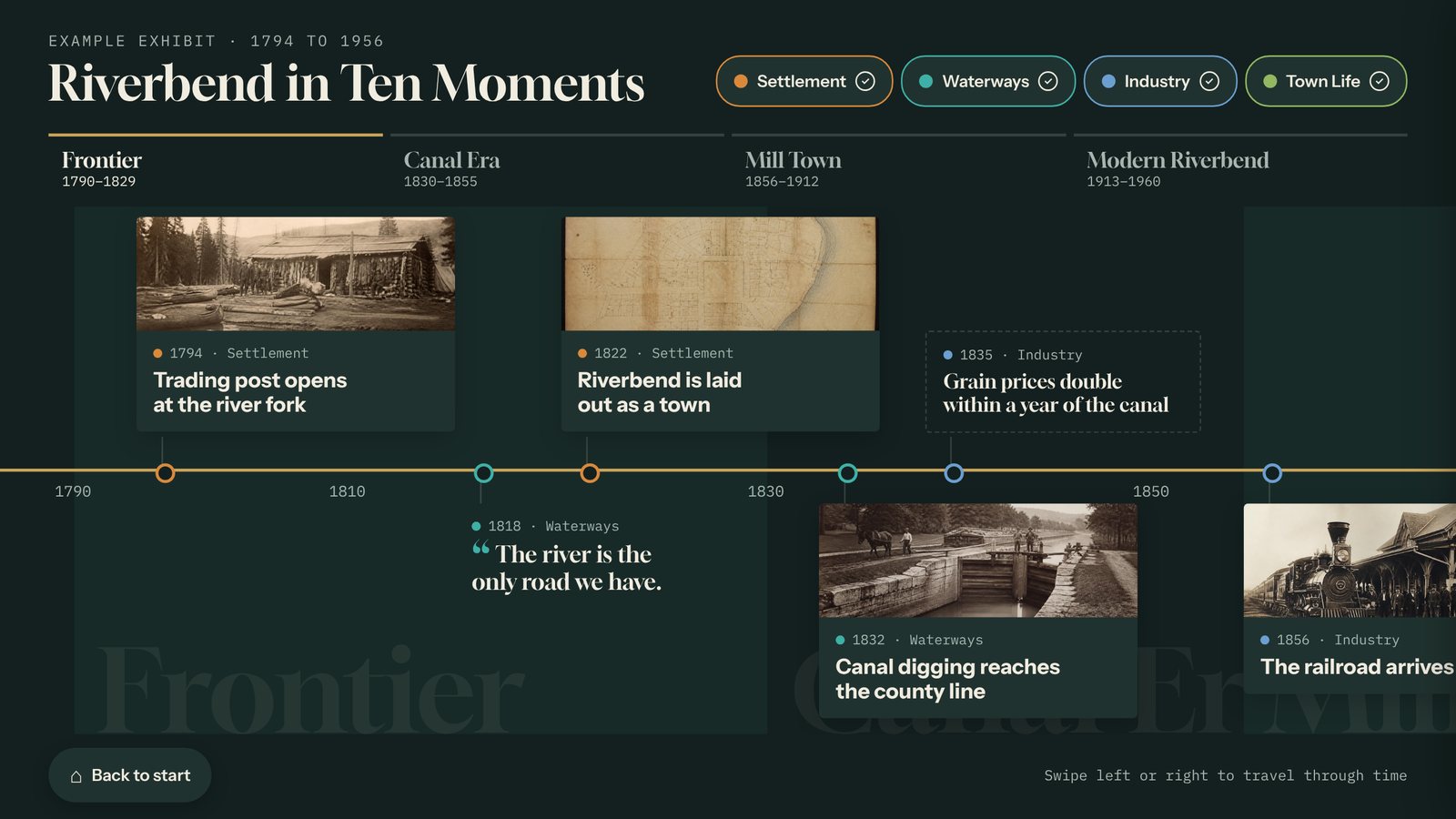
Timeline
Dates and eras with category filters, for history exhibits, anniversaries, and visitor centers.
Museums, visitor centers, corporate lobbies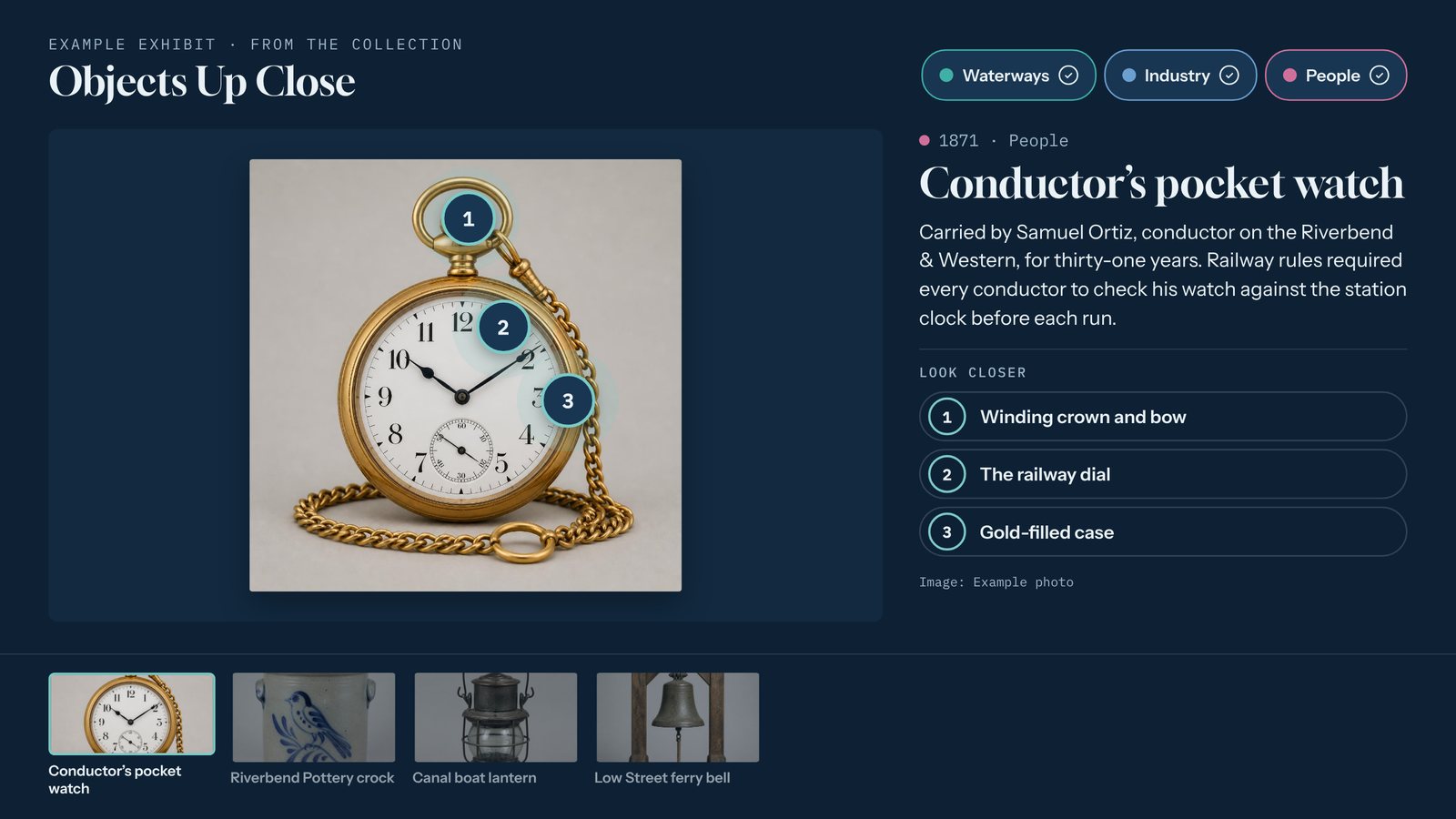
Object explorer
One large image with numbered hotspots that open close-up details.
Artifacts, machinery, maps, buildings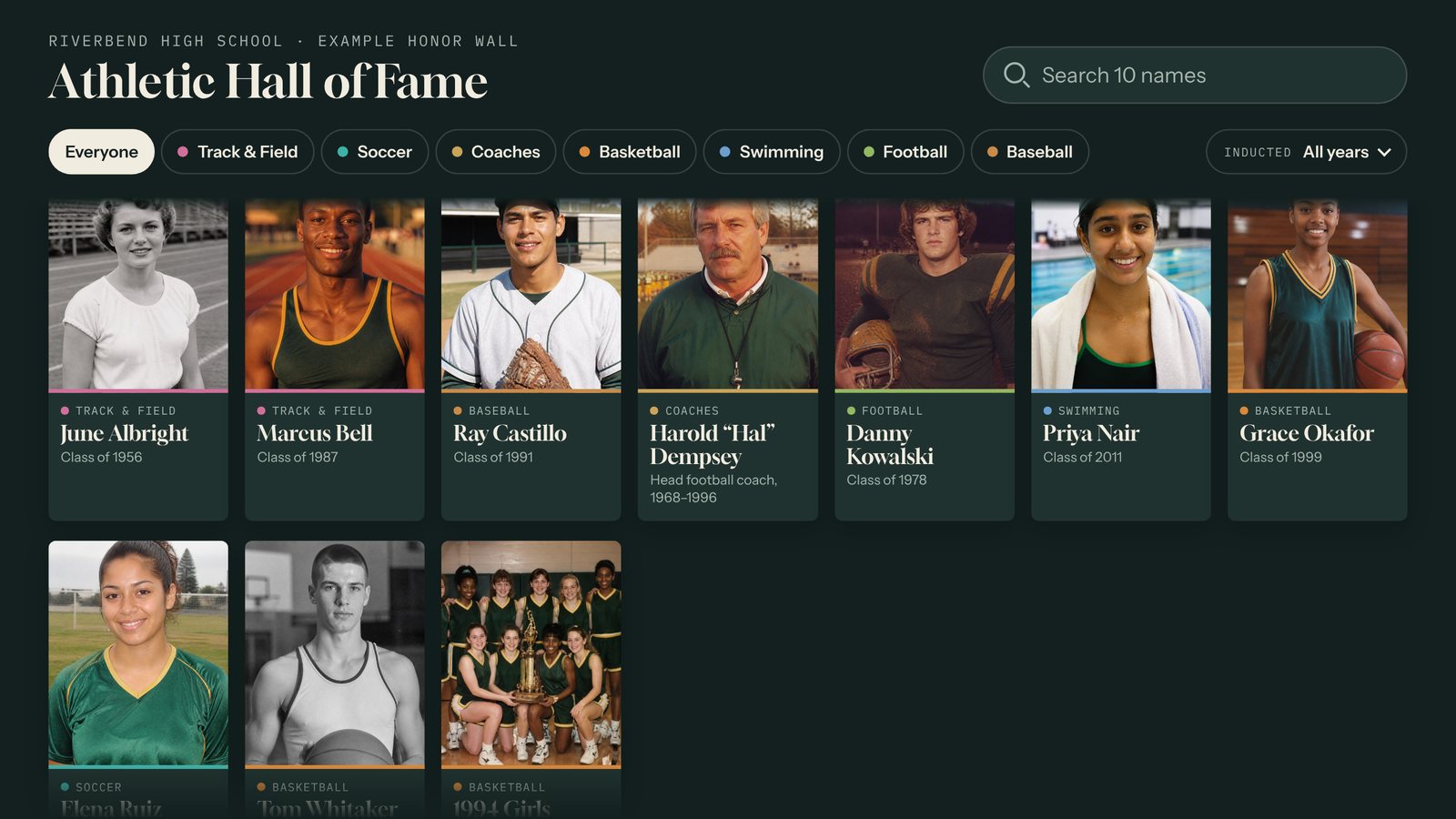
Honor wall
A searchable wall of people with profiles, for halls of fame, donors, and veterans.
Schools, universities, memorialsThree roles, clearly split
You build and install
Sell the interactive in your bid, set it up in the client’s brand, load their first content, and mount the hardware.
Tellcase supplies the software
Templates, the editor, hosting, connected updates, offline packages, and software support after handover.
The client keeps it current
They hold the account and license in their own name, get their own login, and fix dates or add cards themselves.
Every client in one account
One partner account holds every project. Each client’s content stays separate, and each client only sees their own.
Works where the exhibit lives
Connected if the spot has internet, an offline package if it does not. Landscape or portrait, up to 4K.
No typo calls after handover
Clients update content from any browser, even a phone, so your team is not on the hook for every edit.
Plays on the hardware you choose
Pair any of these with a commercial touchscreen, in landscape or portrait. Hardware is not included, so you can use what you already own. See the kiosk setup guide.
Mac mini
A 2018 or newer Mac mini on macOS 13 or later. Apple silicon is recommended.
Windows PC
Any small PC that can run Windows 11, with 8 GB of memory and an SSD.
BrightSign HD1025 or HD1026New
Plays an offline package from its SD card with a USB touchscreen. No computer needed.
From template to touchscreen in three steps
Bid it
Include the touchscreen interactive in your proposal as part of the exhibit package.
Build it
Pick a template, set it up in the client’s brand, and load their content from any browser.
Install and hand over
Mount the screen, pair it with a six-digit code or load the offline package, and give the client their login.
Pricing your client will understand
Clients choose from the published plans below, and partners get partner pricing with room for a margin. Hardware is not included. Compare every plan.
Tellcase Lifetime: $7,000 once
The usual fit for exhibit projects: up to 5 kiosks, every template, 3 years of cloud editing, updates, and support, and kiosks that keep playing for good.
Or a monthly plan
Starter is $49 a month for one kiosk and Pro is $149 a month for up to 5, for clients who prefer a subscription.
Partner pricing
We are setting partner rates with our first partners now. Send the form with your next project and we will walk you through it.
What partners ask first
Do exhibit fabricators need developers to deliver a touchscreen interactive?
No. If your team can use a website builder, they can build a Tellcase interactive: pick a template, swap in the client’s text and photos, and publish.
Can fabricators resell Tellcase?
Yes, as part of their exhibit work. Partners include Tellcase in their bids and set it up in the client’s brand. The account and license are in the client’s name, and the client gets their own login at handover. Partner pricing leaves room for a margin.
How do I manage several client projects?
One partner account holds every project. Each client’s content stays separate, and each client only sees their own.
What hardware should I spec for an exhibit touchscreen?
A commercial touchscreen, landscape or portrait, with a Windows PC that can run Windows 11, a Mac mini (2018 or newer), or a BrightSign HD1025 or HD1026 player. BrightSign models without a USB port, such as the HD225 and HD226, cannot take touch input.
Can the interactive run without internet at the install site?
Yes. An offline package is the whole interactive in one downloaded file that runs with no internet. The client updates it later by copying a new package over with a USB stick or SD card.
Who supports the software after handover?
Tellcase supports the software. Your client keeps the content current on their own, so they do not need to call you, or us, for a typo.
You build the exhibit. We supply the software inside it.
Send the form with your next project, or start a free trial to try it yourself.