
A touchscreen timeline your own team can build and update.
Visitors swipe through the decades, jump between eras, and tap any moment to open the full story. You add the dates, photos, and text from a browser, with no developer and no vendor ticket when something changes.
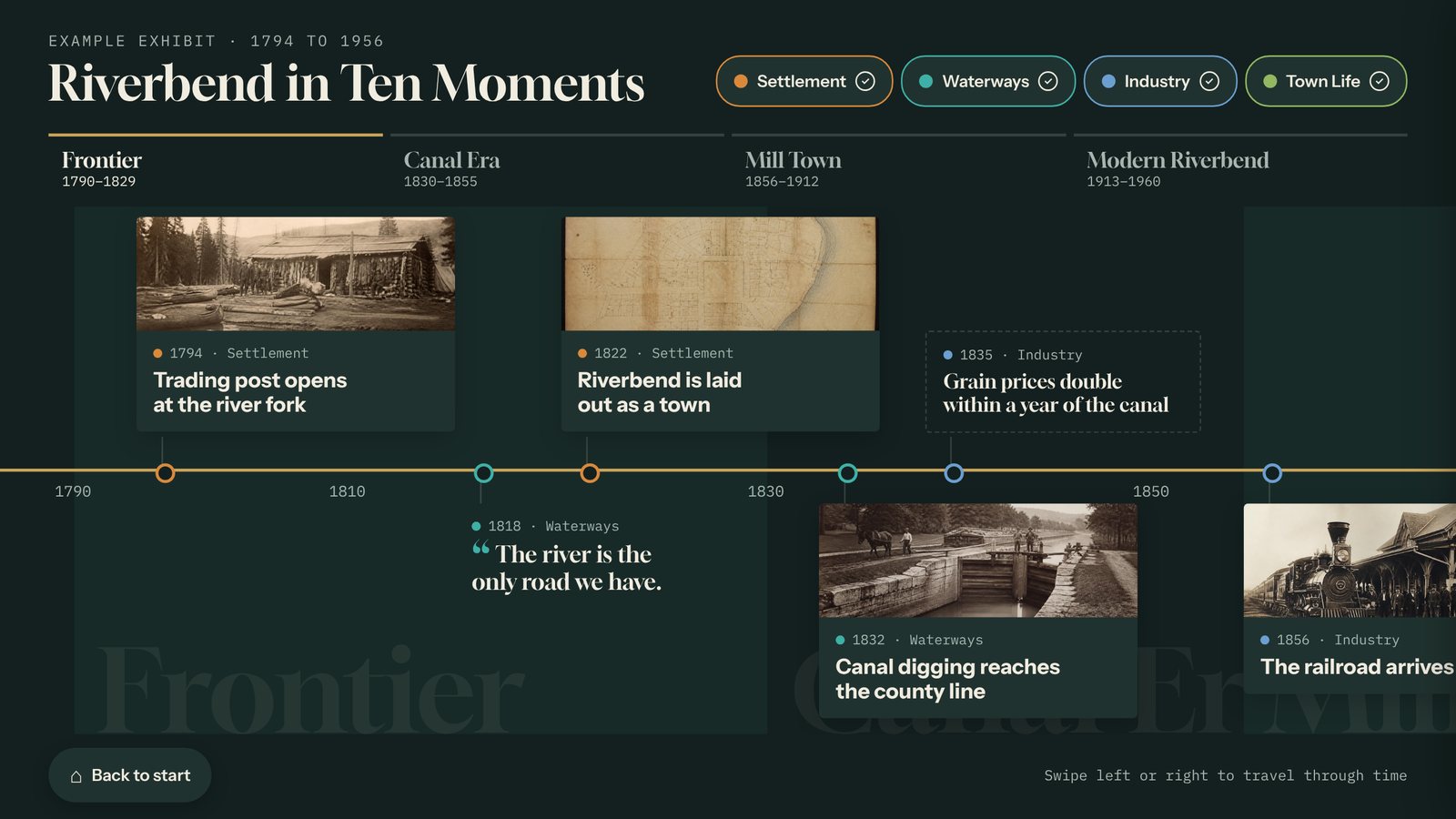
A real screen from a sample interactive built with the Timeline template. Yours uses your own content, photos, and brand.
What the Timeline template does
- Named eras across the top, like "Canal Era, 1825 to 1860", so visitors can jump straight to a period.
- Category filters with their own colors, like People, Places, or Industry.
- Four kinds of cards: photo cards that open full screen, short entries, bold facts, and quotes.
- Photos and video on every card, with alt text and a credit line.
- Year spacing you choose: true to scale, balanced, or even, so empty decades don’t leave gaps.
- Import a spreadsheet of dates and captions instead of typing each one.
Where it works best
- County and town history
- A company or building anniversary
- The life of a person or a place
- School and university history
Made for museums and historical societies and schools and universities.
Three steps. No developer.
Start from the example
The Timeline template opens with a sample town history already in place, so you can see how eras, filters, and cards work.
Add your dates
Type cards one at a time or import a spreadsheet. Each card takes a year, a title, a few lines of text, and photos or video.
Name your eras and publish
Set the eras and categories, preview it in landscape or portrait, and click Publish. Connected kiosks pick it up on their own.
Every Tellcase template comes with
Your brand
Your logo, colors, and fonts on every screen, plus large text and reduced motion options.
Runs without internet
Connected kiosks keep playing when the network drops, and offline packages run from a USB stick. How it runs
Landscape or portrait
Fits a wall screen, a touch table, or a standing kiosk, and returns to a welcome screen when visitors walk away.
On your website too
Share any interactive by link or embed it on your site. One update changes the kiosk and the web page.
Unlimited interactives
Every plan includes unlimited interactives. Plans start at $49 a month, or $7,000 once for Lifetime. See pricing
Mac or Windows
Runs on a Mac mini or small Windows PC with a touchscreen. Our kiosk setup guide walks through it.
Timeline questions
How many dates can a Tellcase timeline hold?
There is no set limit on cards, and every plan includes unlimited interactives. For visitors, a timeline is easiest to explore with a few dozen well-chosen moments and clear eras, rather than every date in the archive.
Can a timeline card show more than one photo?
Yes. Each card can hold several photos and a video, each with alt text and a credit line. Visitors tap a card to open it full screen.
Can I reuse my timeline cards in other interactives?
Yes. Cards live in your account, so the same cards can also feed a Story Gallery or Object Explorer. Fix a date once and every interactive that uses that card is updated.
Does a touchscreen timeline need internet?
No. A connected kiosk keeps playing once it has downloaded the timeline, and an offline package runs with no internet at all and is updated from a USB stick.
Pairs well with
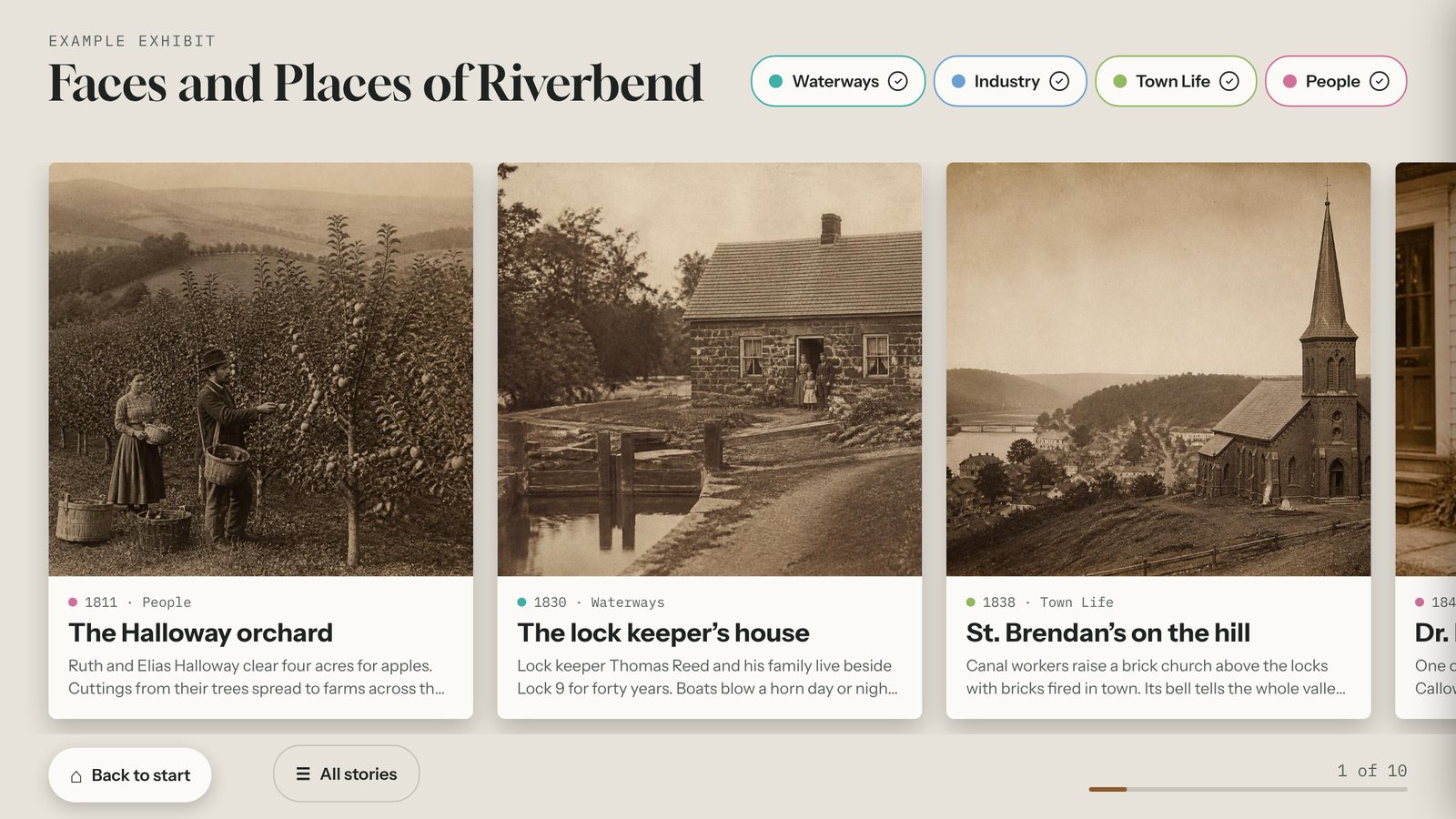
Story Gallery
A swipeable touchscreen wall of large photo cards about people, places, and objects. Build it from your own photos and stories and update it from any browser.
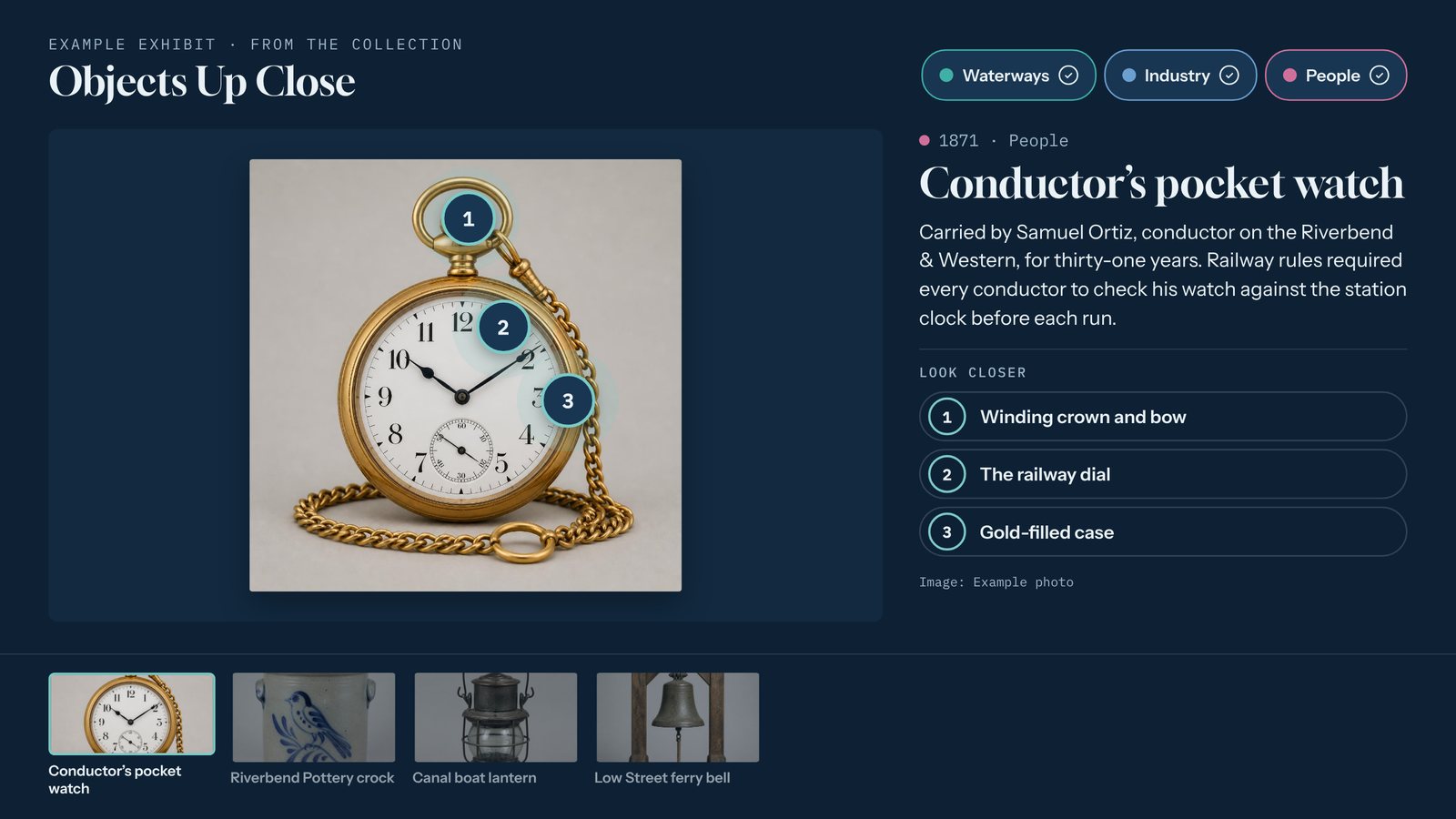
Object Explorer
Show one object up close on a touchscreen, with numbered hotspots that open close-up details. Build it from your own photos, no coding, and update it from any browser.
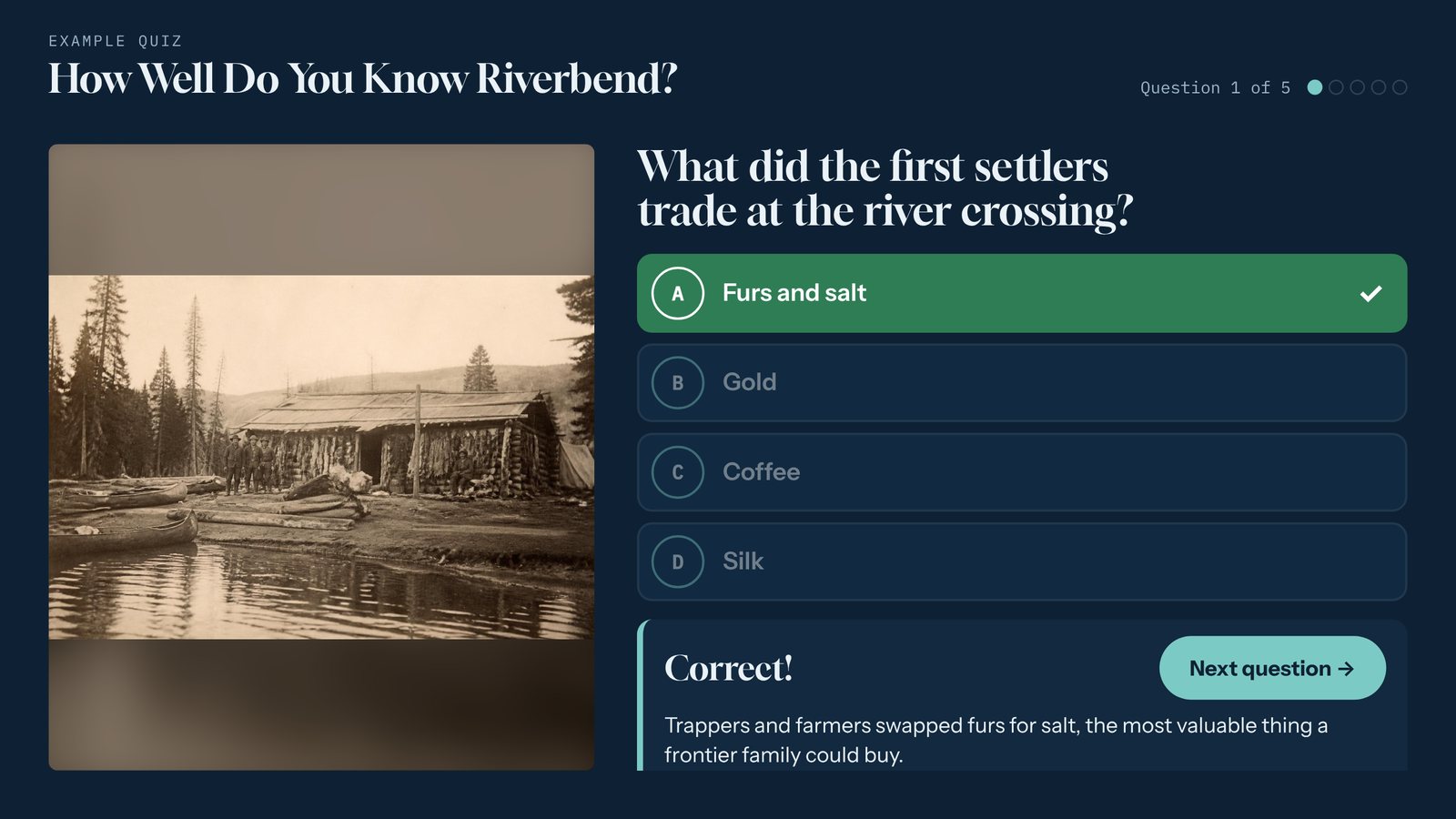
Quiz
Build a touchscreen trivia quiz with instant feedback, short explanations, and a final score. Optional "Enter to win" lead form for booths. No coding, works offline.
Build your first timeline today.
Start free for 14 days with example content already in place. No card needed.