
Content people reach out and touch.
Turn your brand story, product lineup, and campaign content into interactives people explore on their own. Put them on a screen at your event, in your lobby or showroom, and on your website. You build and update them in a browser, with no developer or agency.
One interactive, three places to use it
At your events
Trade shows, conferences, product launches, and open houses. A touchscreen gives people a reason to stop, and it keeps working when the venue Wi-Fi doesn't.
In your space
Lobbies, showrooms, visitor centers, and retail floors. Tell your story to everyone who walks in, even when nobody is free to give the tour.
On your website
Share any interactive by link or embed it on a page, so people can explore it before or after they see it in person.
Formats that beat another PDF
Real screens built with example content. Yours uses your own copy, photos, video, and brand.
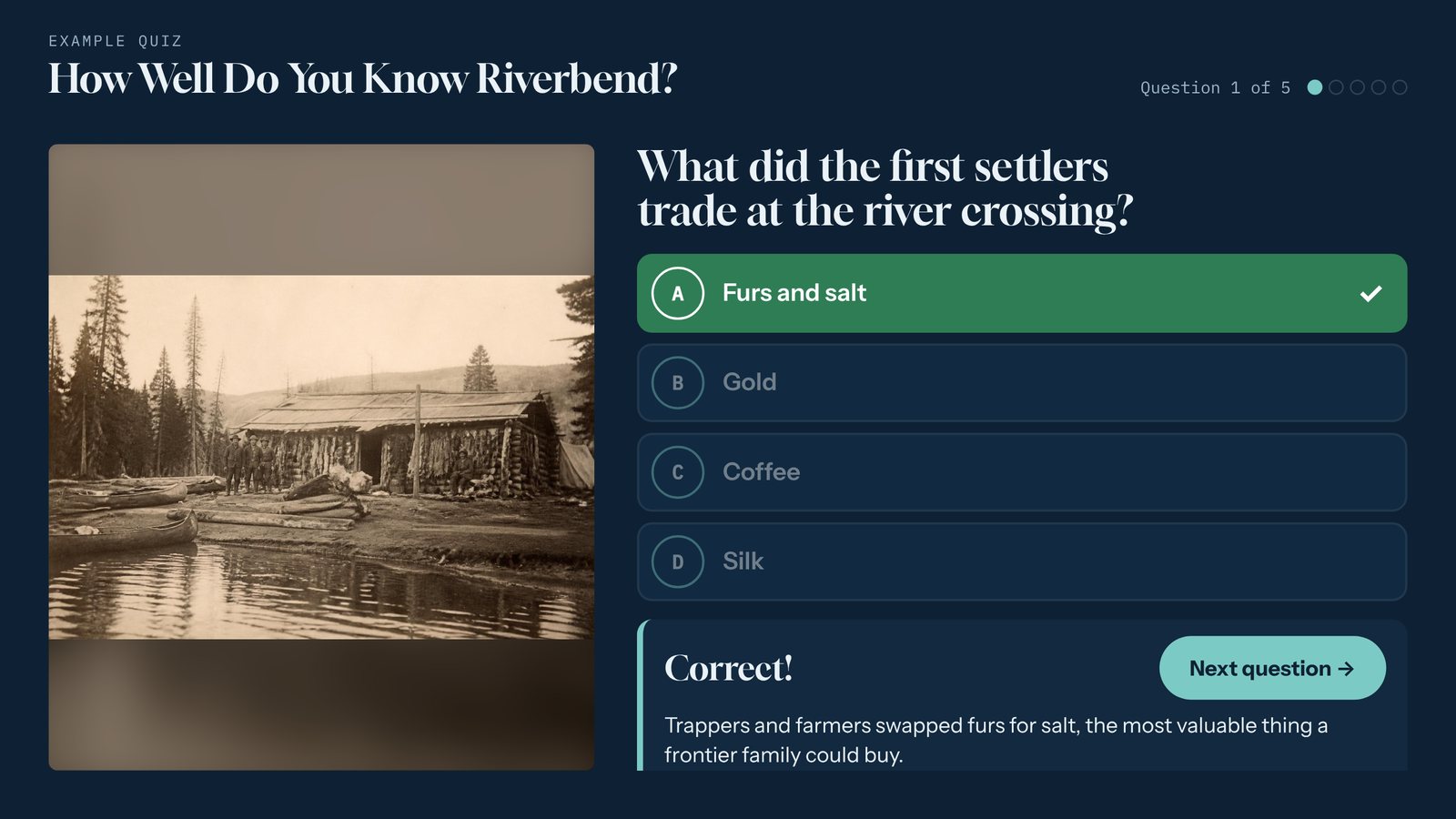
Quiz
Trivia that teaches while it entertains. Add a sign-up form at the end and the quiz becomes a lead magnet.
Lead generation, product education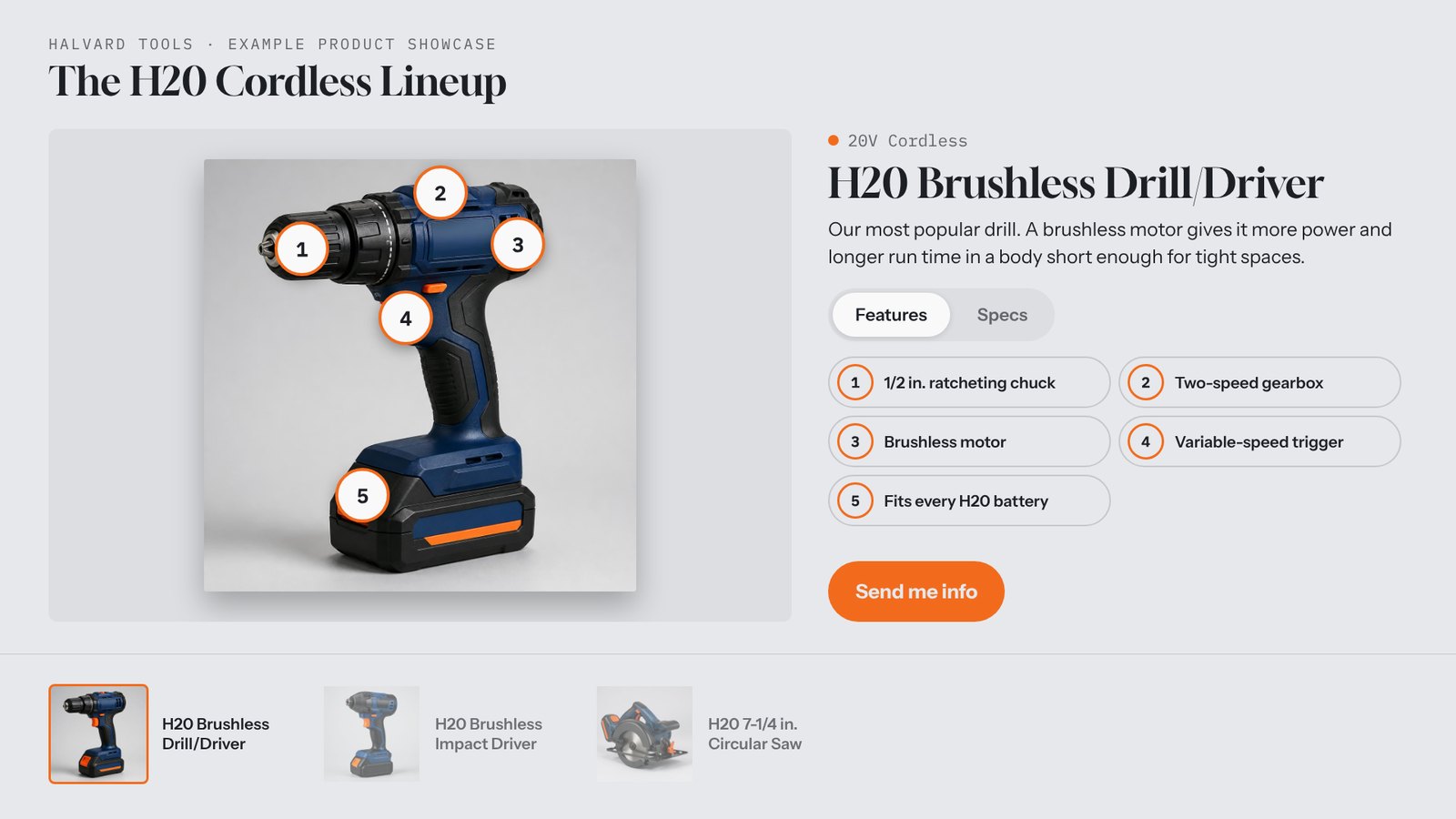
Product Showcase
Your lineup with feature hotspots, specs, video, and a "Send me info" button that records which product they wanted.
Launches, showrooms, sales events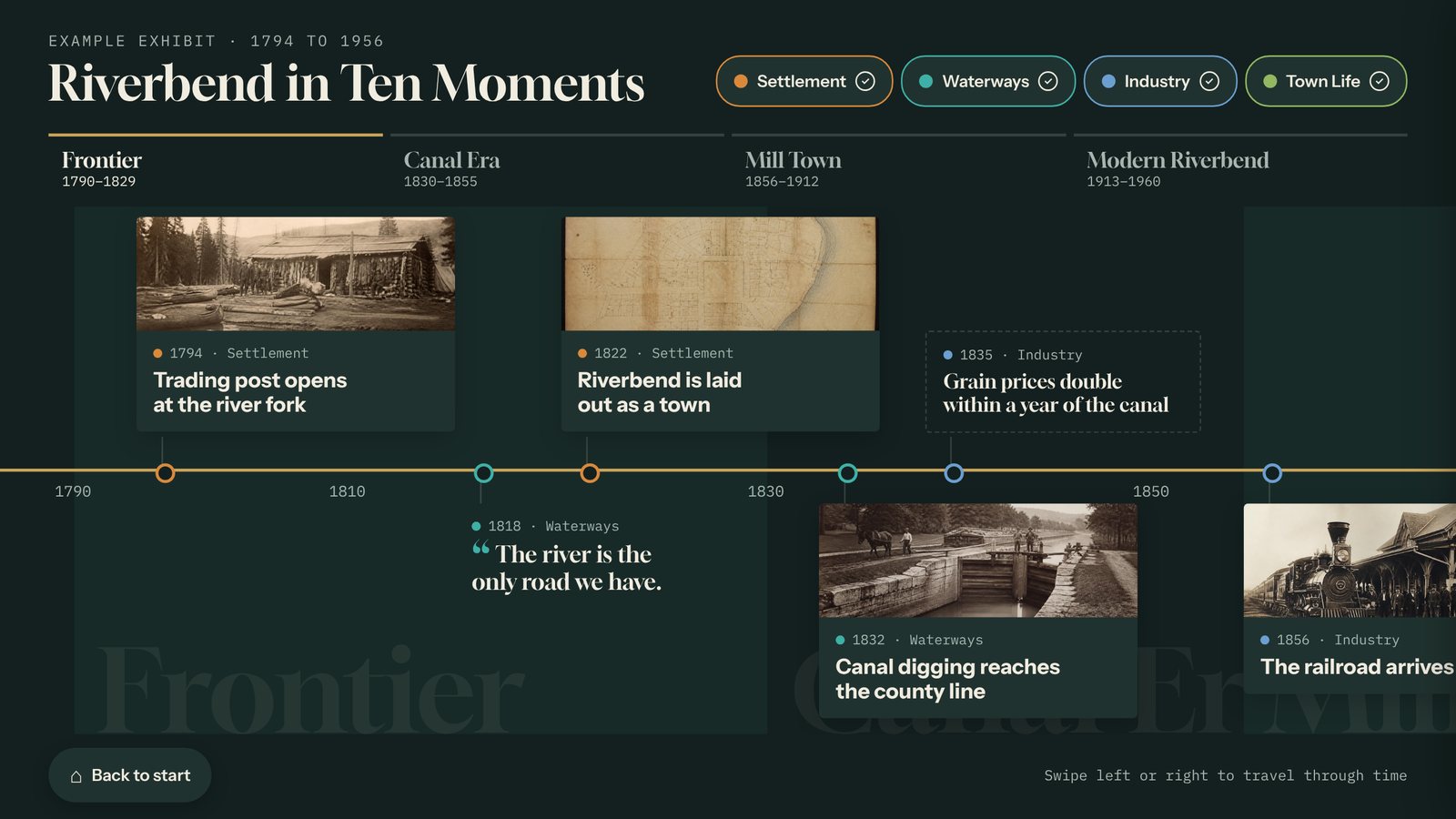
Timeline
Your company's story, decade by decade. A natural fit for an anniversary campaign or a new headquarters.
Anniversaries, brand historyStory Gallery
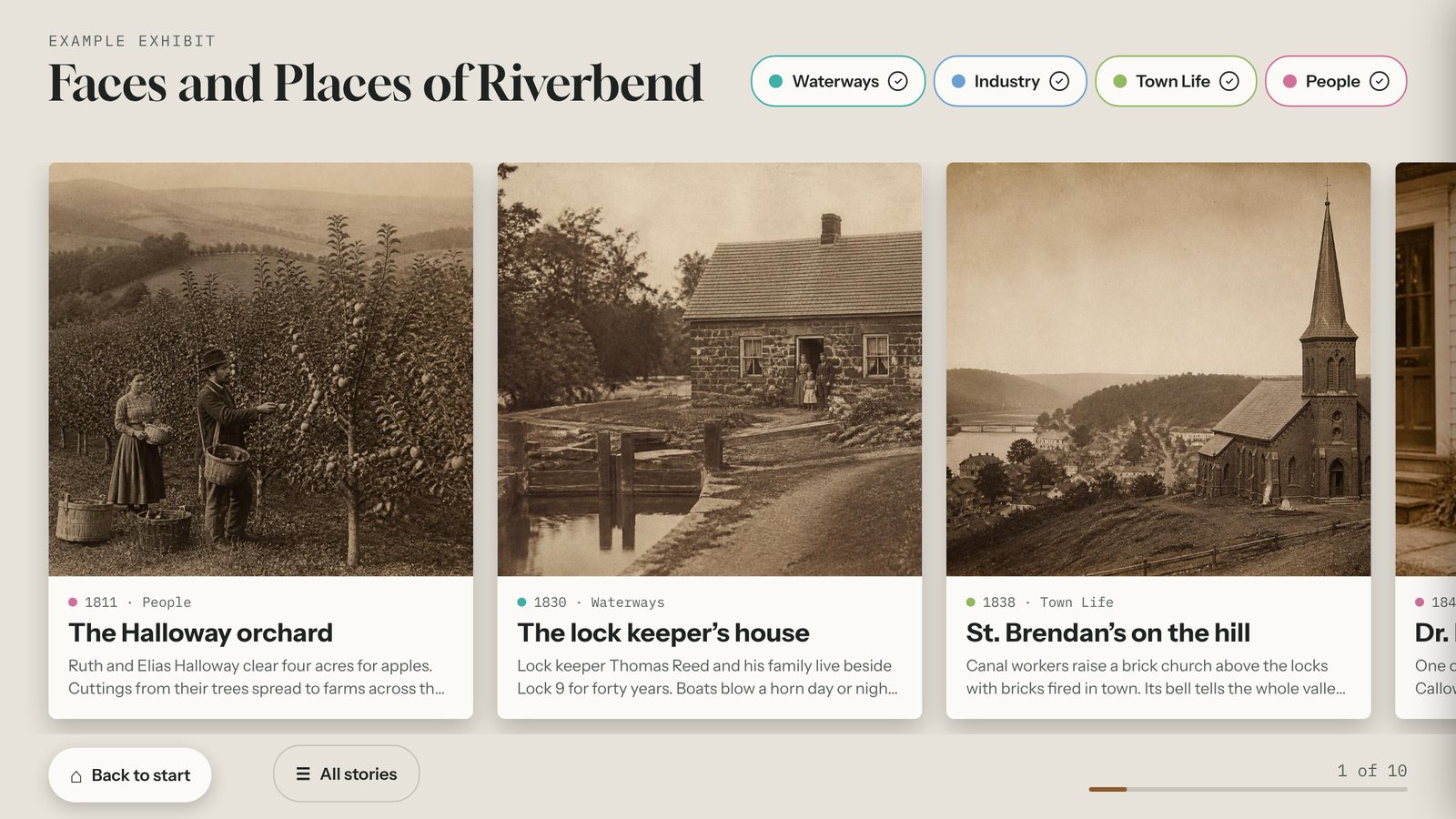
Customer stories, team profiles, or projects, as big photo cards people swipe through at their own pace.
Case studies, culture, portfoliosPlus a Prize Wheel, Lead Capture screen, Object Explorer, and Honor Wall. See all eight templates.
Built for the person who owns the brand
If you can update a web page, you can run Tellcase. No tickets, no waiting on a developer.
- Your logo, colors, and fonts on every screen.
- Start from a template filled with example content, then swap in yours.
- Import cards from a spreadsheet.
- Preview, click Publish, and every connected kiosk updates on its own.
- Leads download as a spreadsheet you can bring into your email or CRM tool.
- Runs with or without internet. See how it runs.
- Landscape or portrait, up to 4K.
What marketers ask first
How do content marketers use Tellcase?
Marketers use Tellcase to turn brand stories, product lineups, and campaign content into touchscreen interactives. The same interactive can run on a kiosk at an event, in a lobby or showroom, and on your website by link or embed. Quizzes, prize wheels, and product showcases can collect leads as people use them.
Do I need a developer or an agency?
No. You pick a template filled with example content, swap in your own copy, photos, and video, and click Publish. Your logo, colors, and fonts carry through every screen, so it looks on brand without design work.
Can I put an interactive on our website?
Yes. Any interactive can be shared by link or embedded on a page of your website, so people can explore it outside of the event or building too.
Where do the leads go?
Every lead is saved in your account and downloads as a spreadsheet, which you can import into your email or CRM tool. At events, entries are saved on the kiosk even if the Wi-Fi drops and send when it reconnects.
How fast can we update content for a new campaign?
As fast as you can edit a form. Change a card, preview it, and publish. Connected kiosks pick up the change on their own, and offline kiosks get a fresh package on a USB stick.
Give your content a second life.
Tell us about your brand and we'll show you what it looks like on a screen.