
Every name gets a story.
A touchscreen hall of fame that never runs out of wall. Visitors search for a name, filter by sport or decade, and tap anyone to see their photo, bio, highlights, and video. Your athletic director or alumni office adds each new class from a web browser.
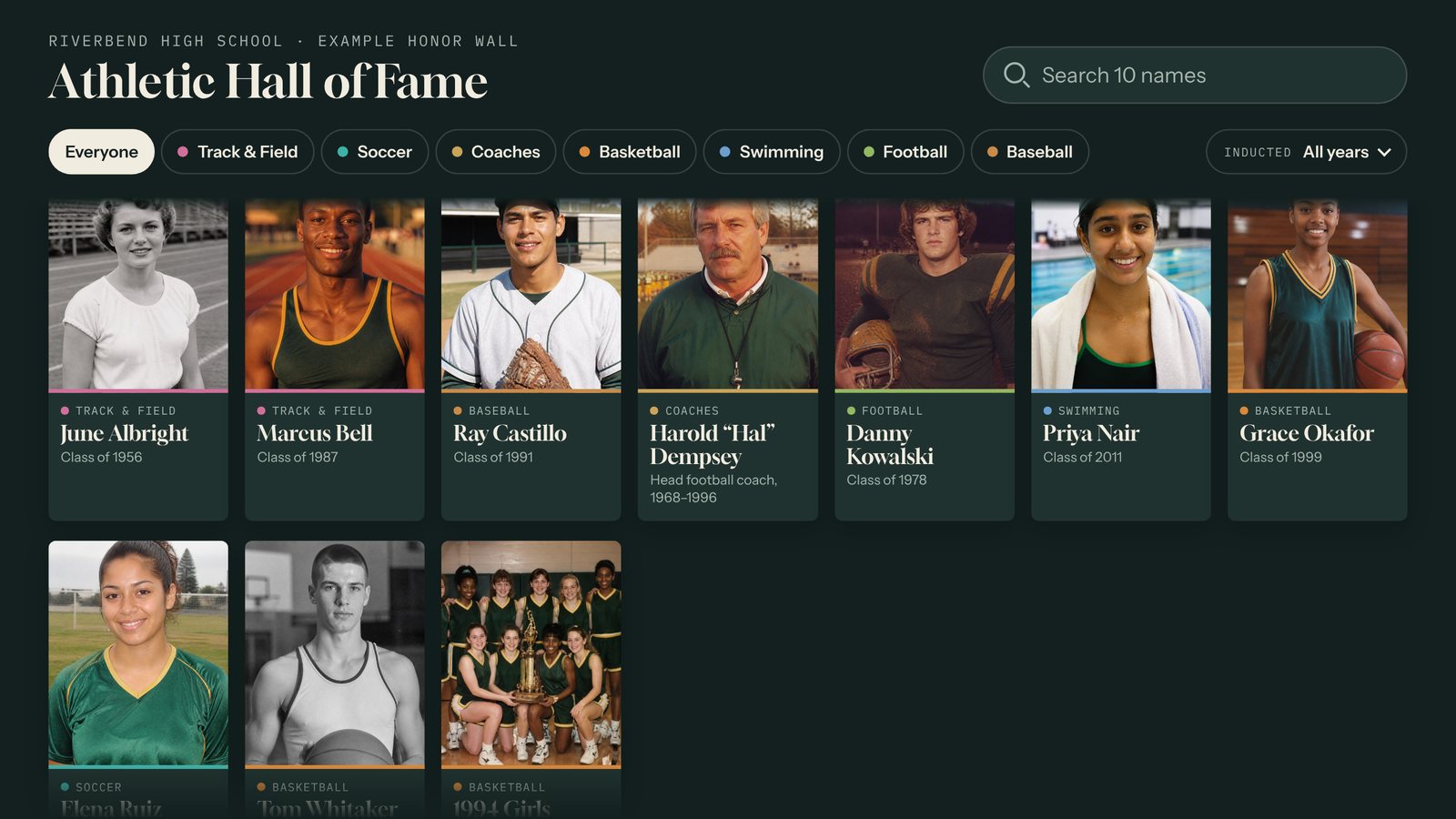
The plaque wall filled up years ago.
Plaques hold a name and a year. A digital honor wall holds the whole story, and adding next year's inductees takes minutes instead of a work order.
- Name search with an on-screen keyboard, so visitors find a parent or a coach fast.
- Filters by sport or any category you choose, plus a decade picker.
- A profile for every honoree with a photo, bio, highlights, and video.
- Import a whole class from a spreadsheet, then add highlights and video to each person.
- No photo yet? The tile shows their initials until you add one.
More than a hall of fame
Real screens from Riverbend, a sample town we built to show each template. Your interactive uses your own people, photos, and school colors.
Honor Wall
Athletic halls of fame, distinguished alumni, veterans, retired faculty, and donor walls. Run one wall with categories or a separate wall for each.
Gym lobbies, alumni centers, main offices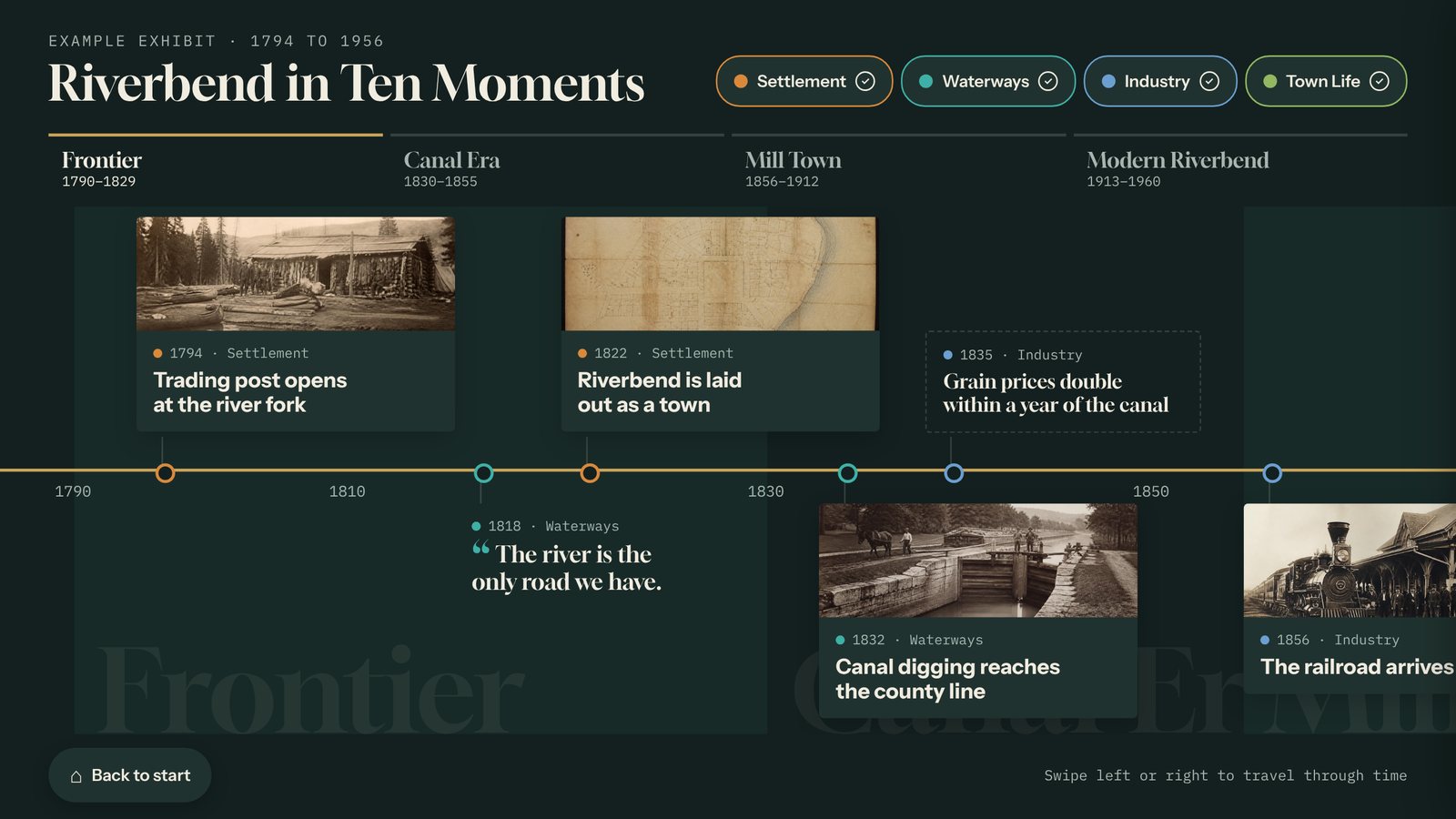
Timeline
Your school's history, from the first building to this year's championship. Perfect for a centennial or a new building's opening.
Anniversaries, school history, campus growth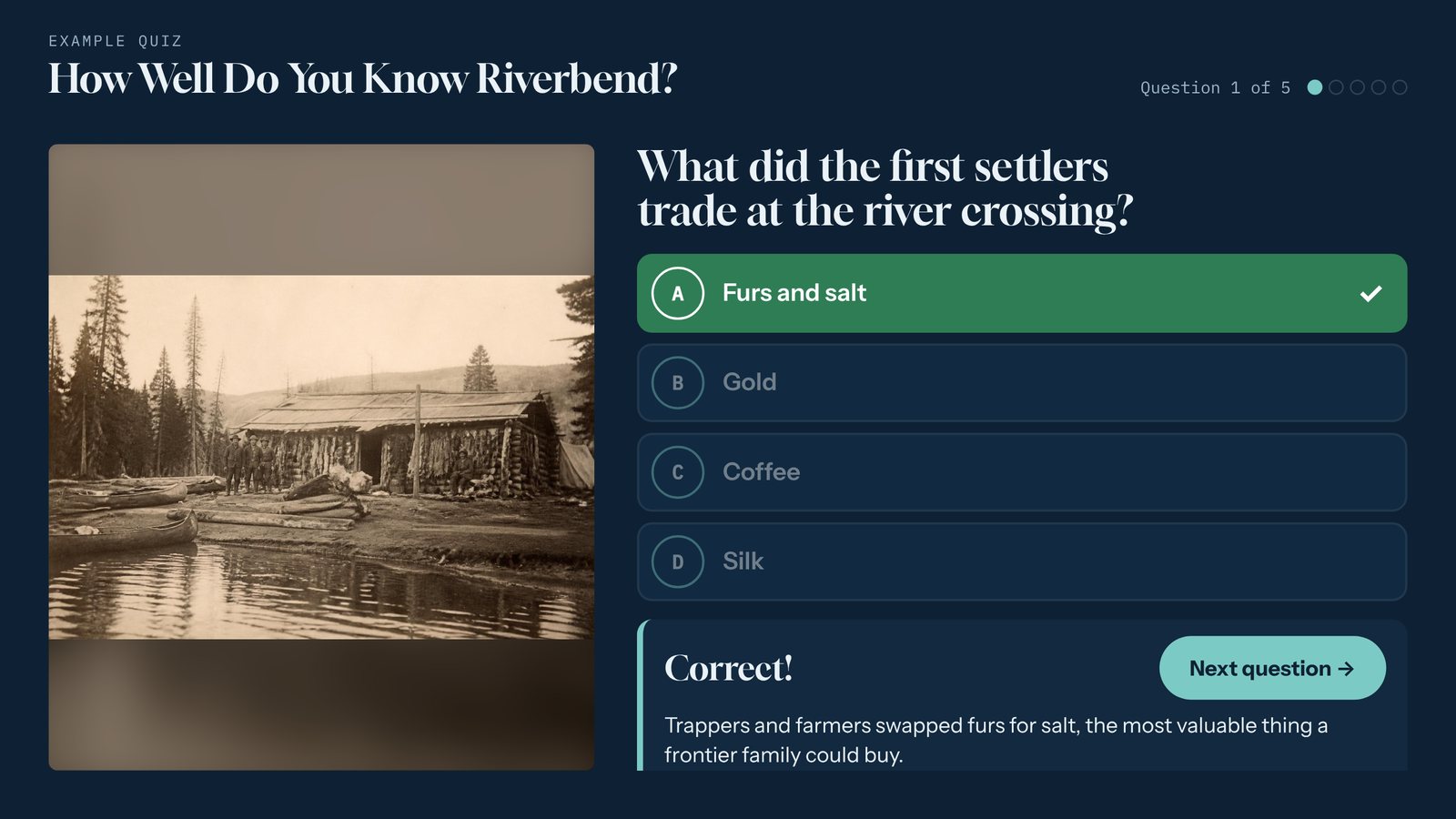
Quiz
School-spirit trivia for open houses, reunions, and campus tours, with instant feedback and a final score. Add a sign-up form at the end to collect interested families.
Open houses, reunions, admissions eventsRun by the people who run the induction
No IT ticket, no vendor call. If you can fill in a form, you can add an honoree.
- Add an honoree, preview it, and click Publish.
- Click a face to set how each photo is cropped on the wall.
- Your school logo, colors, and fonts on every screen.
- When nobody is using it, the welcome screen shows with the wall gently moving behind it.
- Runs in landscape on a wall or portrait on a kiosk stand.
- Works with or without the school network. See how it runs.
- Put the same wall on your website so alumni can find themselves from home.
Guides for your first wall
What schools ask first
Can Tellcase run a digital hall of fame for a school?
Yes. The Honor Wall template is a searchable wall of people with photos. Visitors type a name on the on-screen keyboard, filter by sport or any category you set, pick a decade, and tap an honoree to see their bio, highlights, and video. When nobody is using it, it shows your welcome screen with the wall gently moving behind it.
Who keeps the honor wall up to date?
Whoever already runs the induction, such as the athletic director, the alumni office, or a booster volunteer. Adding an honoree works like filling in a form, and you can import a whole class from a spreadsheet, then add highlights and video to each person.
What if we do not have a photo for every honoree?
Add them anyway. A person with no photo shows their initials on the wall until you add one. Any photo shape works, and the editor lets you click a face to set how the tile is cropped.
Can one school run more than one wall?
Yes. Build a separate wall for athletics, distinguished alumni, or veterans, or keep them on one wall with categories. Each wall can play on its own kiosk.
Does it need the school network?
No. A kiosk can run fully offline from a package copied over on a USB stick. If it is on the network, new honorees show up on their own after you publish.
Room for every class to come.
Tell us about your school and we'll show you the Honor Wall template.