
Interactive content ideas for marketers: 6 formats people actually touch
Six interactive formats that turn campaign content into something people explore on a kiosk and on your website, plus how to plan, brand, and measure them with leads.
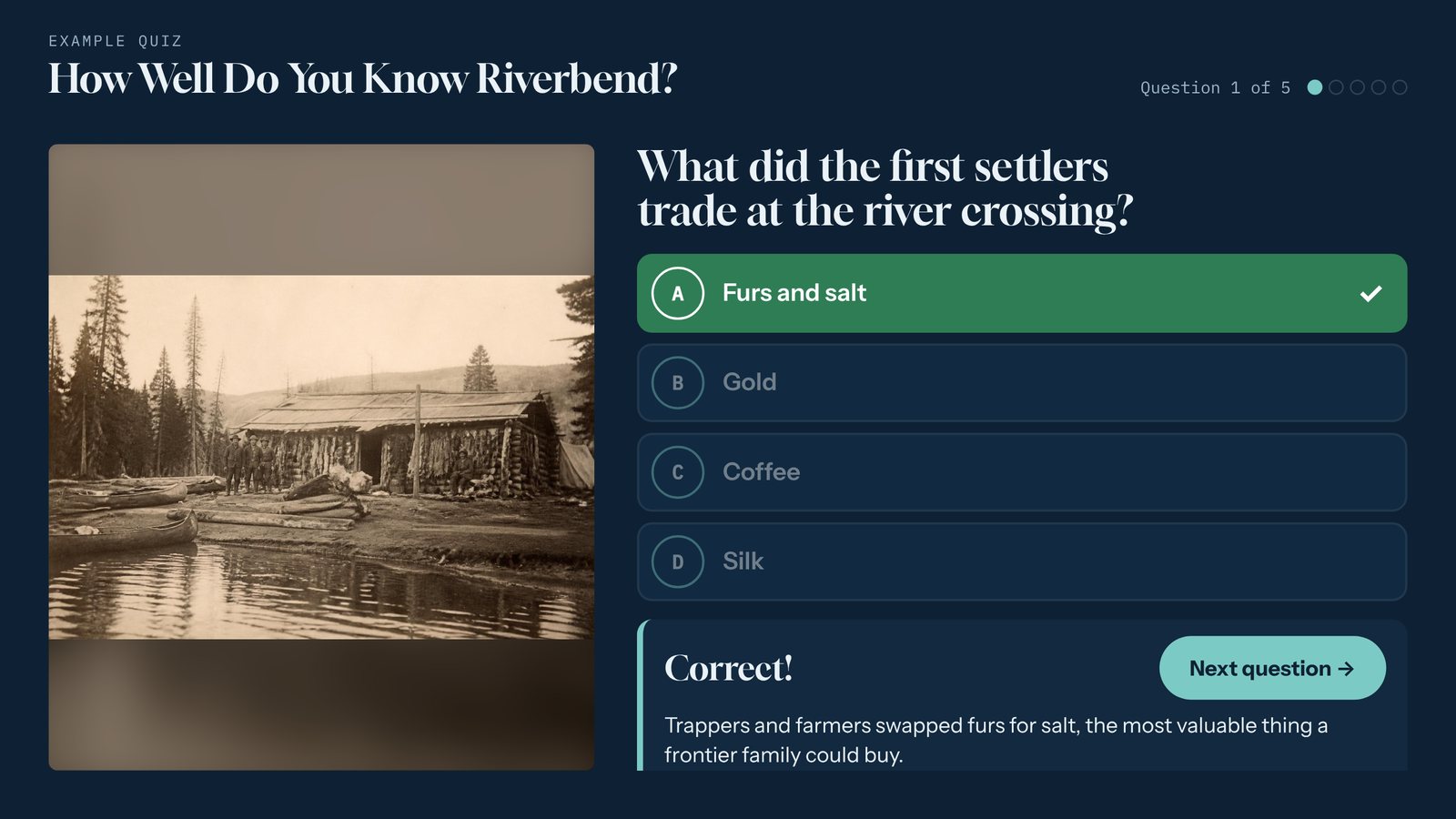
Most content gets scrolled past. A blog post gets a skim, a PDF gets downloaded and forgotten, and a booth banner gets a glance. Interactive content asks for something different: a tap. Once someone taps, they’re choosing what to see next, and that’s when your story starts to stick.
Here are six formats that work on a touchscreen and on your website, and what each one is good for.
1. A quiz that doubles as a lead magnet
A short quiz is the easiest win. Five to eight questions about your industry, your product, or a surprising fact people should know. Each answer gets a one-line explanation, so people learn something whether they’re right or wrong.
Where it works: booths, open houses, product launches. The marketing move: put a sign-up form at the end, when people want their score. In Tellcase, the Quiz template can include an “Enter to win” form, and every entry downloads as a spreadsheet.
2. A product showcase people explore on their own
Your sales team can’t talk to everyone. A product showcase lets people tap through your lineup, zoom in on the features that matter, check the specs, and watch the video.
Where it works: trade shows, showrooms, retail floors. The marketing move: add a “Send me info” button. In Tellcase, each request records which product the person asked about, so follow-up starts with context instead of a cold email.
3. A brand timeline for your anniversary campaign
Turning 25, 50, or 100? A timeline turns a company history into something people swipe through decade by decade, with photos, short stories, and video.
Where it works: headquarters lobbies, anniversary events, the “About” page of your website. The marketing move: reuse the same cards across the campaign. The kiosk, the website embed, and your social posts can all pull from one set of content.
4. A gallery of customer stories
Case studies are some of your strongest content and some of the least read. Put them in a gallery of large photo cards with a short story on each, and people will browse them at their own pace.
Where it works: sales offices, conferences, a “Customers” page. The marketing move: lead with the photo and a one-line result, and keep each story under 120 words. Link to the full case study from your website version.
5. A prize wheel that earns the spin
A prize wheel draws a crowd from across the room. Pair it with a short form before the spin and it becomes the most popular lead form at the show.
Where it works: booths, festivals, community events. The marketing move: make most prizes small and branded, with one prize worth talking about. In Tellcase you set the odds for each slice, and the prize won is saved with each lead.
6. An object or product up close
Some things are best explained by pointing at them. One large image with numbered hotspots lets people tap into the details of a product, a building, a map, or a piece of equipment.
Where it works: showrooms, visitor centers, product pages. The marketing move: keep it to five to eight hotspots, each with a short title and two or three sentences.
How to plan your first interactive
Start with the goal, not the format. If you want leads, start with a quiz or prize wheel. If you want people to understand a product, start with a showcase. If you want people to feel something about your brand, start with a timeline or story gallery.
Write short. People read standing up, often with someone waiting behind them. Aim for a headline and two or three sentences per card.
Use your brand, not a template’s. In Tellcase, you upload your logo and set your colors and fonts once, and every interactive takes them on.
Plan for bad Wi-Fi. Convention centers and big lobbies are famous for it. A Tellcase kiosk saves leads when the connection drops and sends them when it’s back, and it can run fully offline from a USB stick.
Put it online too. Share the same interactive by link or embed it on your website, so the content you made for one event keeps working after the event is over.
Measure what matters
Don’t judge an interactive by how many people walked past it. The useful numbers are the leads it collects, which products people asked about, and what happens to those leads afterward. Download them, bring them into your email or CRM tool, and follow up while the event is still fresh. Our trade show lead capture guide has more on the follow-up.
Want to see these formats with your own brand? Join early access and we’ll show you around.
Quick answers
What is interactive content?
Interactive content is content people do something with instead of only reading or watching, like a quiz, a timeline they swipe through, or a product they tap to explore. Because people choose what to look at, they tend to stay longer and remember more.
Where can interactive content run?
On a touchscreen at an event, in a lobby, showroom, or visitor center, and on your website. With Tellcase, the same interactive can play on a kiosk and be shared by link or embedded on a page.
How do you collect leads with interactive content?
Ask for a short form at the moment of interest, such as the end of a quiz, before a prize wheel spin, or behind a "Send me info" button on a product. Keep it to name and email, with anything else optional.
Do you need a developer to make interactive content?
Not with a template tool. In Tellcase you start from a template with example content, swap in your copy, photos, and video, and publish. Your brand colors, fonts, and logo carry through automatically.