
Let visitors see the details they’d miss through the glass.
One large image with numbered hotspots. Visitors tap a number to zoom in on a detail and read a short note, then move to the next object. You place the hotspots by clicking on the photo.
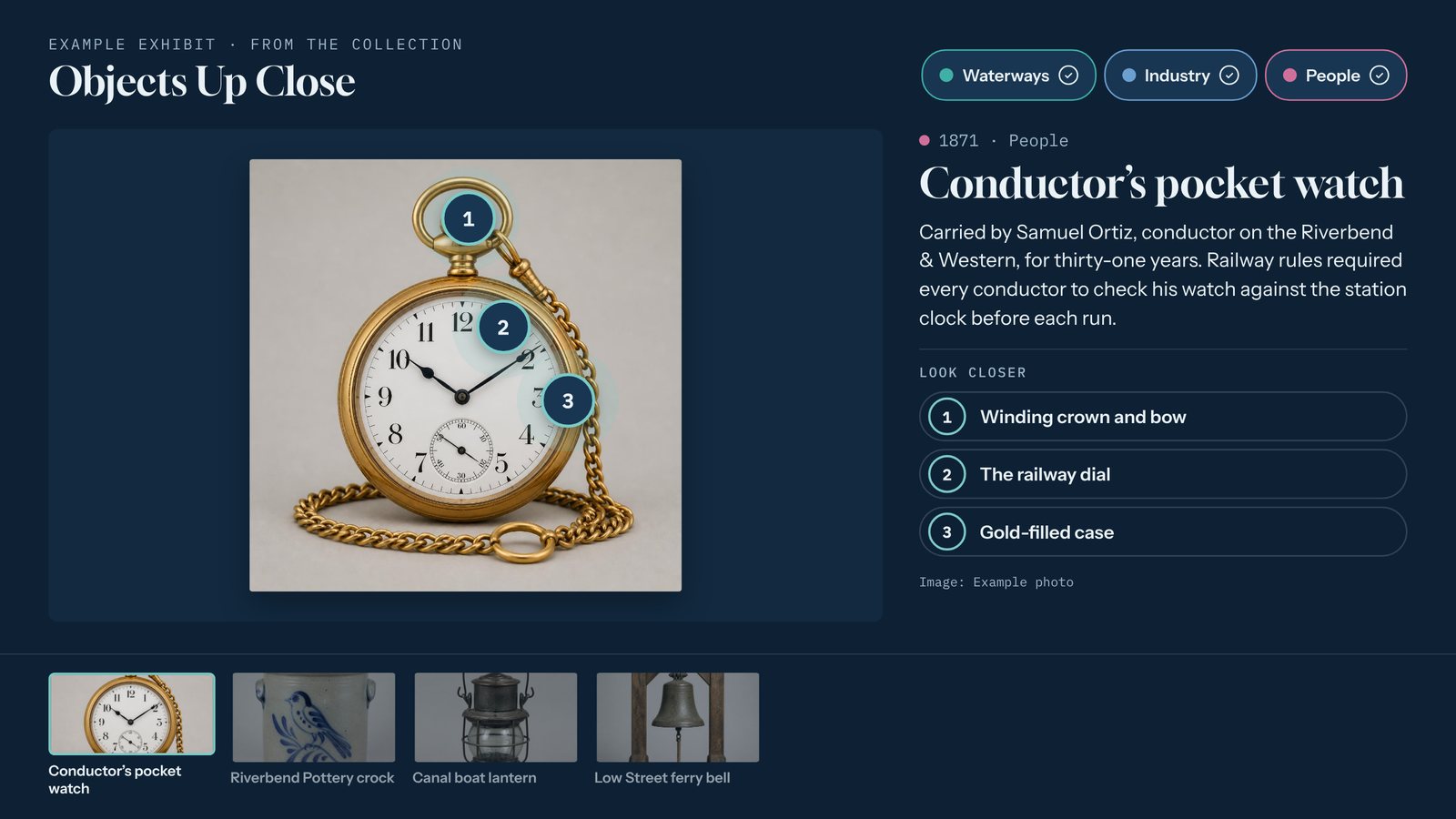
A real screen from a sample interactive built with the Object Explorer template. Yours uses your own content, photos, and brand.
What the Object Explorer template does
- Up to eight numbered hotspots per object, placed by clicking on the photo, each with a label and a short note.
- Tap a hotspot to zoom in on that part of the image.
- Several objects in one interactive, with a row of objects along the bottom to switch between them.
- Full card text, extra photos, and video for each object.
- Works with any large image: an artifact, a map, a machine, or a building.
- Runs in landscape or portrait, online or fully offline.
Where it works best
- Cased artifacts and small objects
- Historic maps and documents
- Machinery and vehicles
- Buildings and architectural details
Made for museums and historical societies.
Three steps. No developer.
Upload a sharp photo
Use the largest, clearest image you have. Tellcase handles images up to 4K.
Click to add hotspots
Click on the photo where each detail is, then give it a label and a sentence or two.
Add more objects and publish
Add as many objects as you like, preview, and publish to your kiosks or website.
Every Tellcase template comes with
Your brand
Your logo, colors, and fonts on every screen, plus large text and reduced motion options.
Runs without internet
Connected kiosks keep playing when the network drops, and offline packages run from a USB stick. How it runs
Landscape or portrait
Fits a wall screen, a touch table, or a standing kiosk, and returns to a welcome screen when visitors walk away.
On your website too
Share any interactive by link or embed it on your site. One update changes the kiosk and the web page.
Unlimited interactives
Every plan includes unlimited interactives. Plans start at $49 a month, or $7,000 once for Lifetime. See pricing
Mac or Windows
Runs on a Mac mini or small Windows PC with a touchscreen. Our kiosk setup guide walks through it.
Object Explorer questions
How many hotspots can one object have?
Up to eight. Four to six usually reads best on a kiosk. Each hotspot has a short label and a note of up to 300 characters.
Can I use the Object Explorer for something that isn’t an artifact?
Yes. It works with any large image, such as a map, a building, a piece of machinery, or a product. For products at a booth, the Product Showcase template adds specs and a request-info button.
Do I need a special camera?
No. A sharp, well-lit photo from a good phone or camera works. The bigger and clearer the original, the better the zoom looks.
Pairs well with
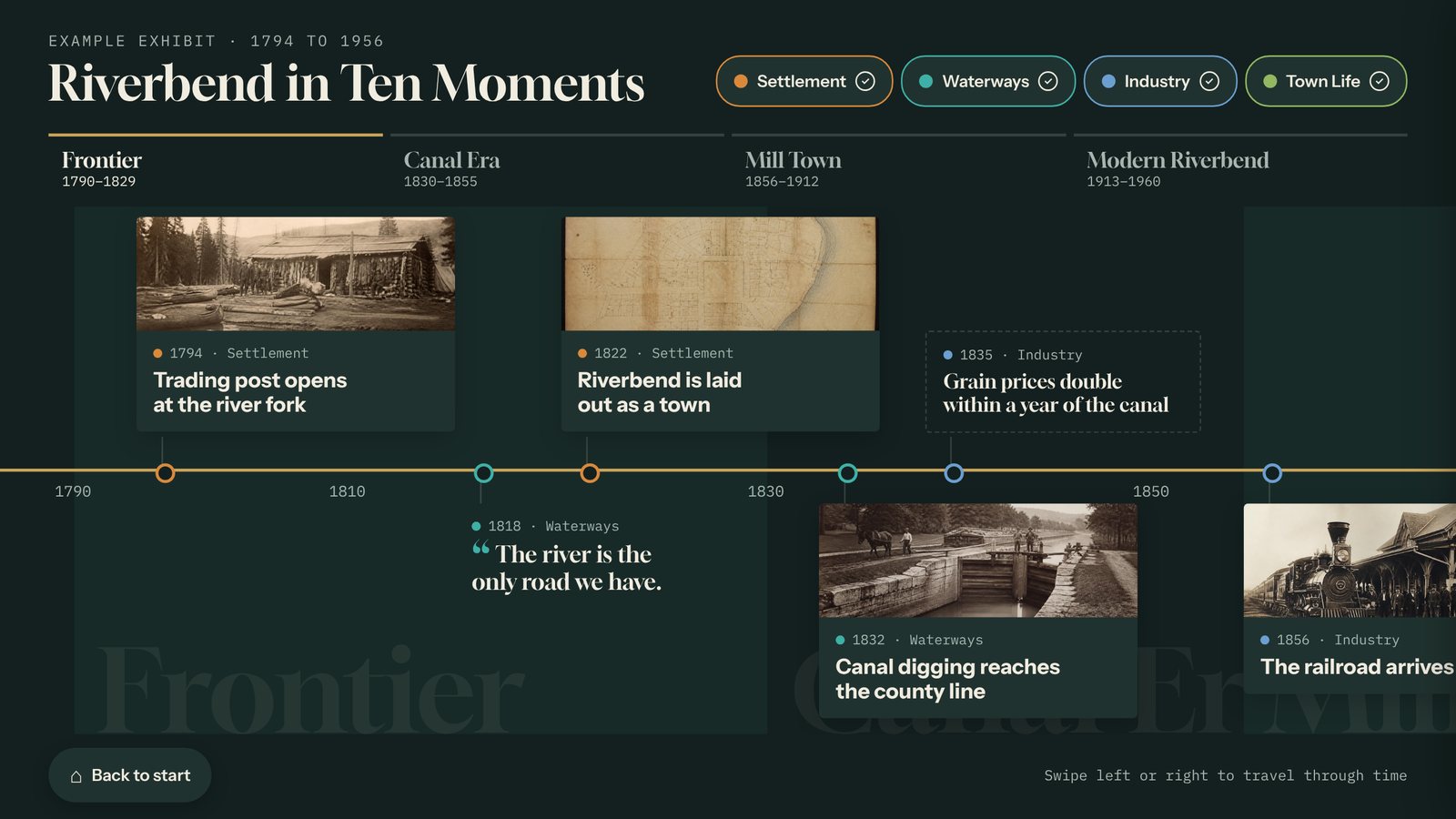
Timeline
Build an interactive touchscreen timeline from your own dates, photos, and stories, with eras and filters. Update it from any browser. Runs with or without internet.
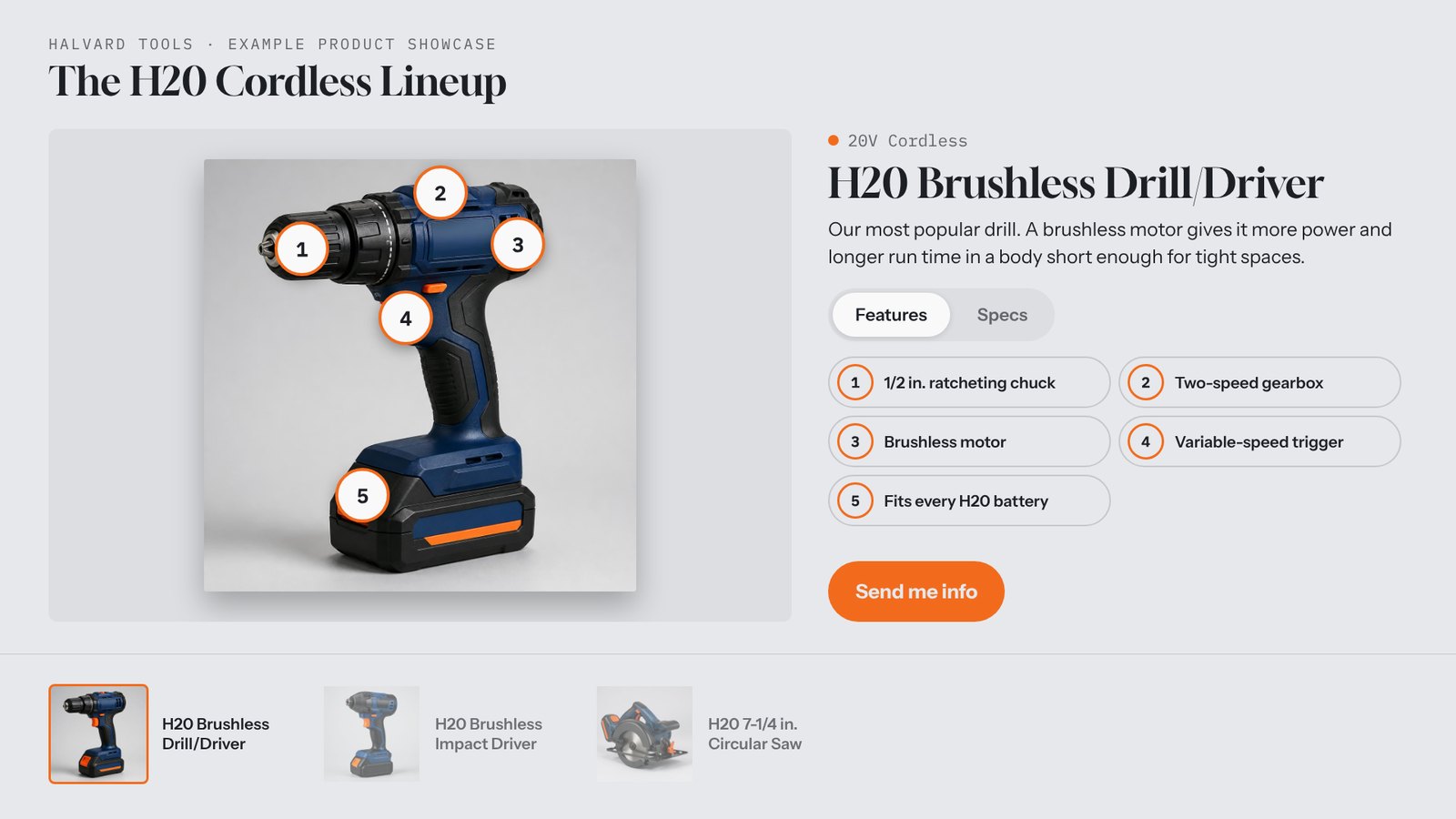
Product Showcase
Show your products on a booth touch table or kiosk with feature hotspots, specs, video, and a "Send me info" button that records which product each lead wants.
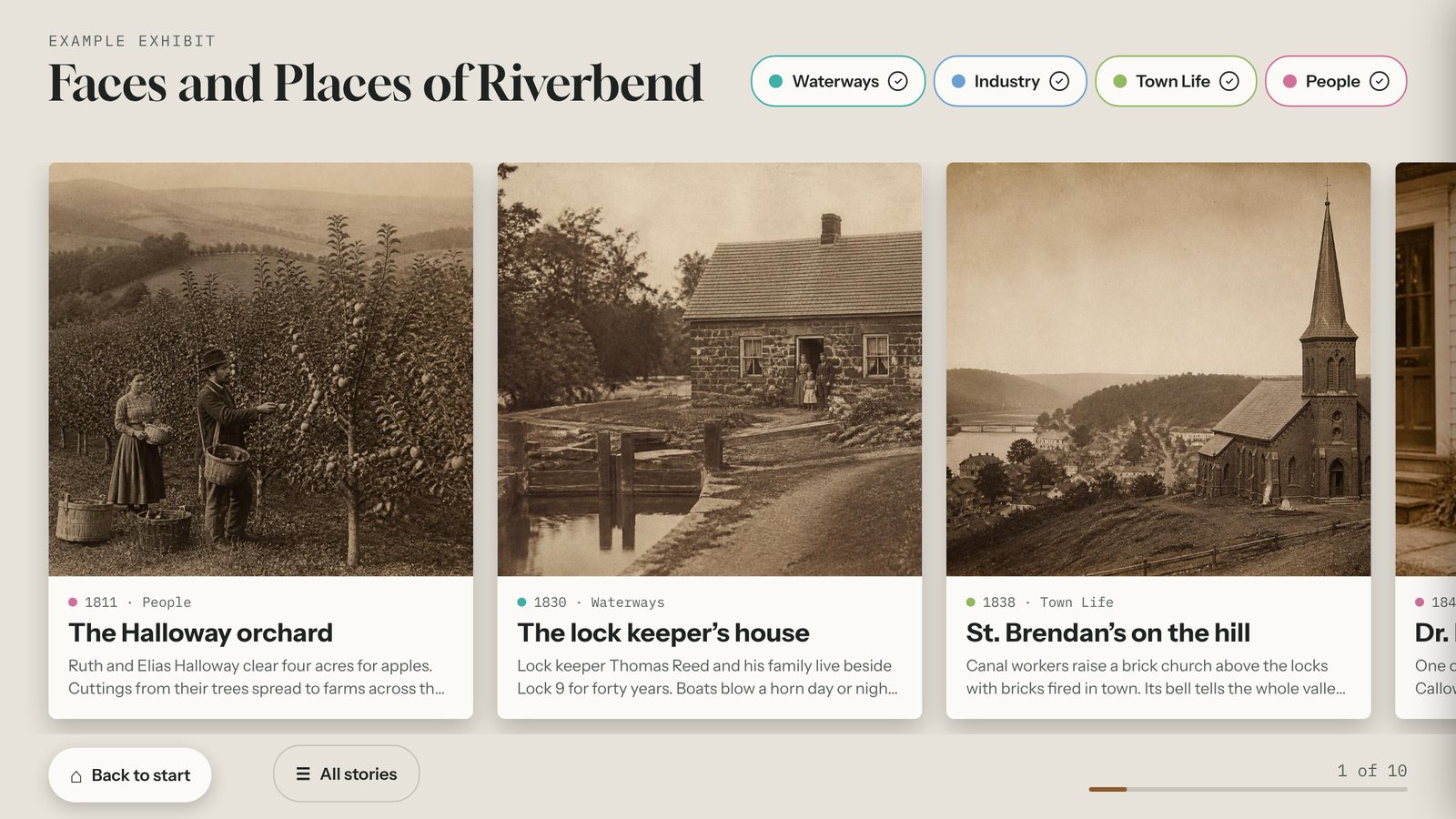
Story Gallery
A swipeable touchscreen wall of large photo cards about people, places, and objects. Build it from your own photos and stories and update it from any browser.
Build your first object explorer today.
Start free for 14 days with example content already in place. No card needed.