
A digital guest book that maps where your visitors come from.
Visitors type their first name and hometown, and a pin drops on a map of the US or the world. The map fills up as people sign, and while nobody is at the screen it shows how many have signed and from where. Your kiosks and your website share one map.
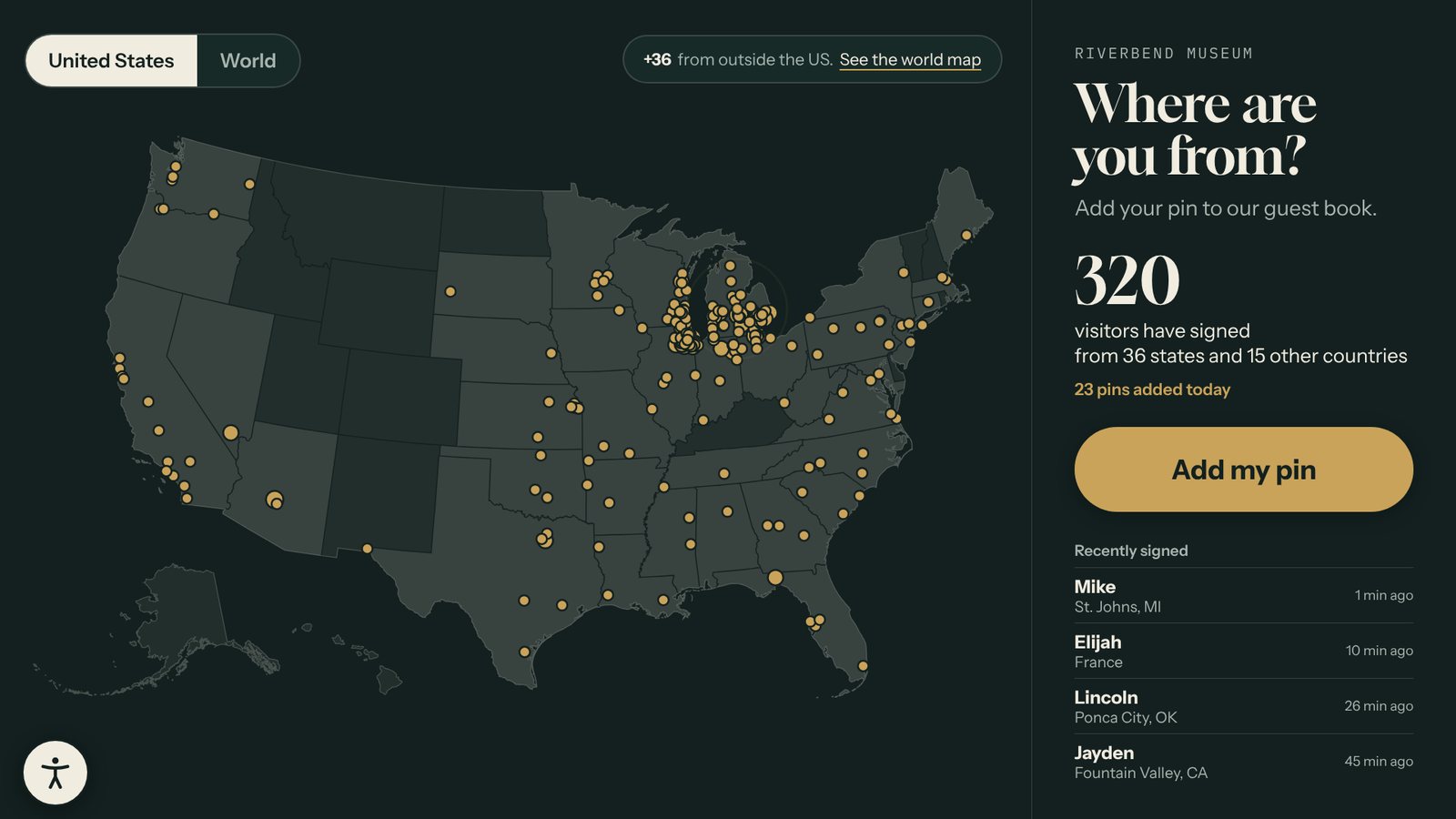
A real screen from a sample interactive built with the Guest Book template. Yours uses your own content, photos, and brand.
What the Guest Book template does
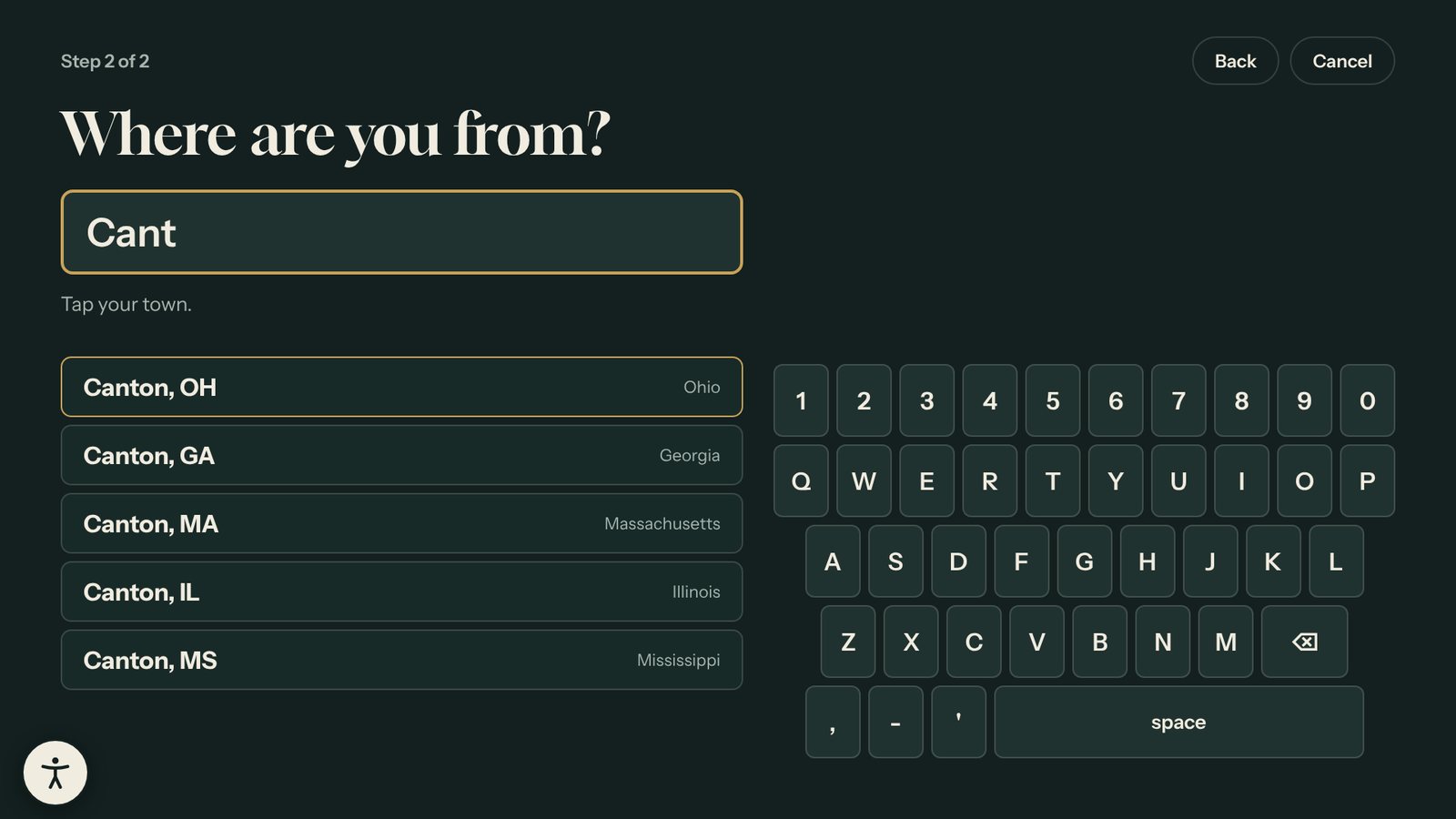
- Visitors add a first name (or skip it) and pick their town from a list, so every pin lands in the right place.
- Search by town, ZIP code, city outside the US, or country. The list is built in, so it works on a kiosk with no internet.
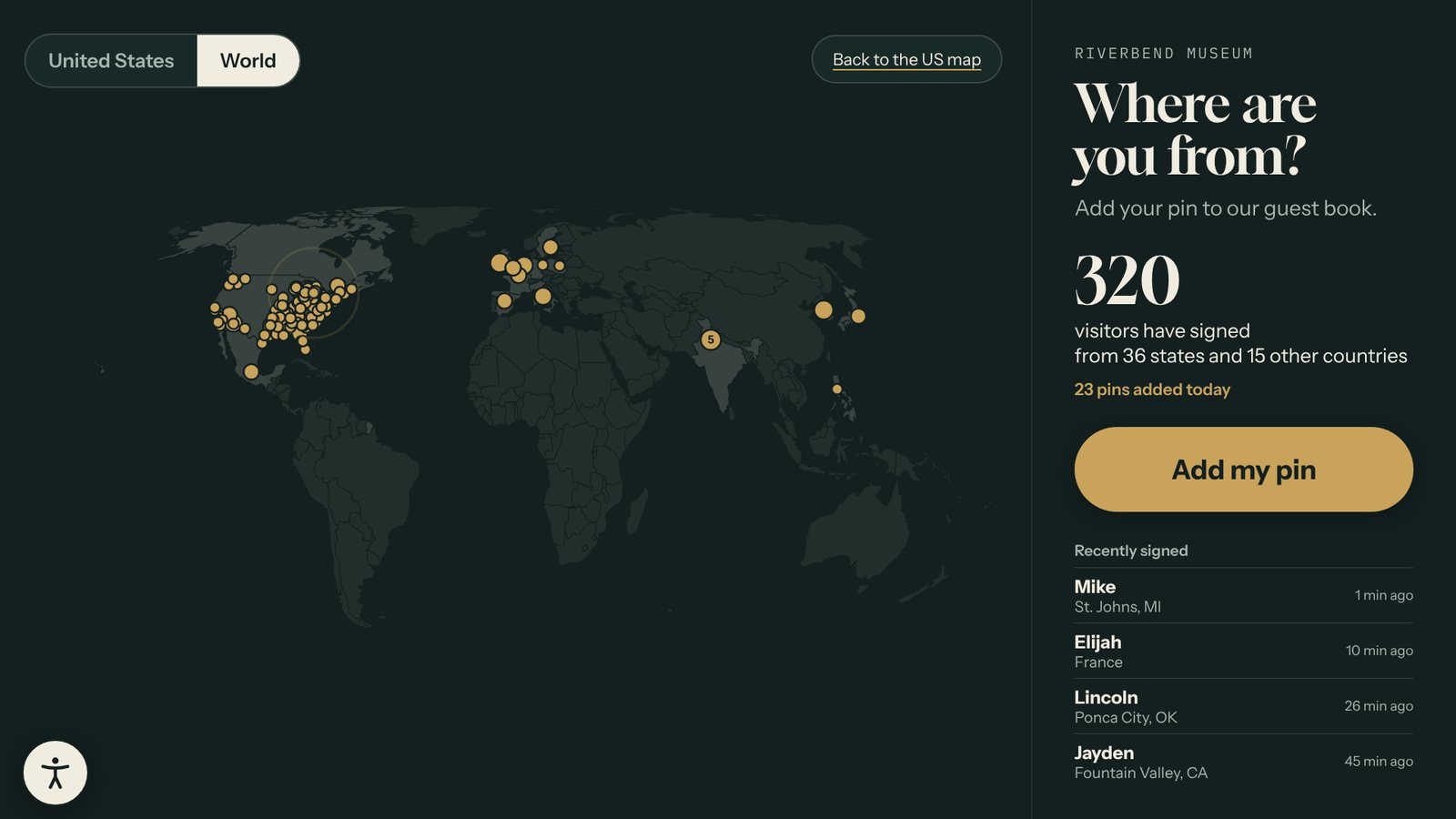
- A US map and a world map. Visitors can switch, and the screen goes back to your choice when nobody is using it.
- Names pass a word filter. With "Check names before they show" on, a new name waits for your OK while the pin shows right away.
- While nobody is signing, the screen shows the visitor count, how many states and countries, and who signed recently.
- An optional email step adds a sign-up to your Leads list, along with the town the visitor picked.
- Download every entry as a spreadsheet.
Where it works best
- Museum and visitor center lobbies
- Historical societies and heritage sites
- Libraries and community events
- Trade show booths that ask "Where are you from?"
Made for museums and visitor centers, schools and libraries and trade shows.
Three steps. No developer.
Start from the example
The Guest Book opens with sample visitors so you can see the map fill up. Your own map starts empty.
Choose your settings
Pick whether names wait for your OK, which map it opens on, and the words on the button. Turn on the email step if you want sign-ups.
Publish and watch it fill
Put it on a kiosk, your website, or both. Check new names from the editor, even from your phone.
Every Tellcase template comes with
Your brand
Your logo, colors, and fonts on every screen, plus large text and reduced motion options.
Runs without internet
Connected kiosks keep playing when the network drops, and offline packages run from a USB stick. How it runs
Landscape or portrait
Fits a wall screen, a touch table, or a standing kiosk, and returns to a welcome screen when visitors walk away.
On your website too
Share any interactive by link or embed it on your site. One update changes the kiosk and the web page.
Unlimited interactives
Every plan includes unlimited interactives. Plans start at $49 a month, or $7,000 once for Lifetime. See pricing
Mac, Windows, or BrightSign
Runs on a Mac mini, a small Windows PC, or a BrightSign player with a touchscreen. Our kiosk setup guide walks through it.
Guides for the Guest Book template
Guest Book questions
Do visitors have to give their name?
No. The name is optional, and the pin goes on the map either way. A visitor with no name shows as "A visitor".
How do you keep rude names off the screen?
Every name passes a word filter on the screen and again on our server. With "Check names before they show" on, which is the default, a new name also waits for your OK. The pin shows right away and the name appears once you approve it.
Does it work without internet?
Yes. The town list and maps are built in. A kiosk or offline package with no internet keeps every new pin on that computer and sends them once it can reach the internet.
Can I collect email addresses too?
Yes. Turn on the lead form and it becomes an optional last step. Each sign-up lands in your Leads list with the town the visitor picked.
Can I see where my visitors came from?
Yes. Every entry is listed in the editor under Guest Book, and you can download them all as a spreadsheet with the town, state or country, and date.
Town and city names come from GeoNames (CC BY 4.0) and the US Census Bureau. Map outlines are from Natural Earth.
Pairs well with
Timeline
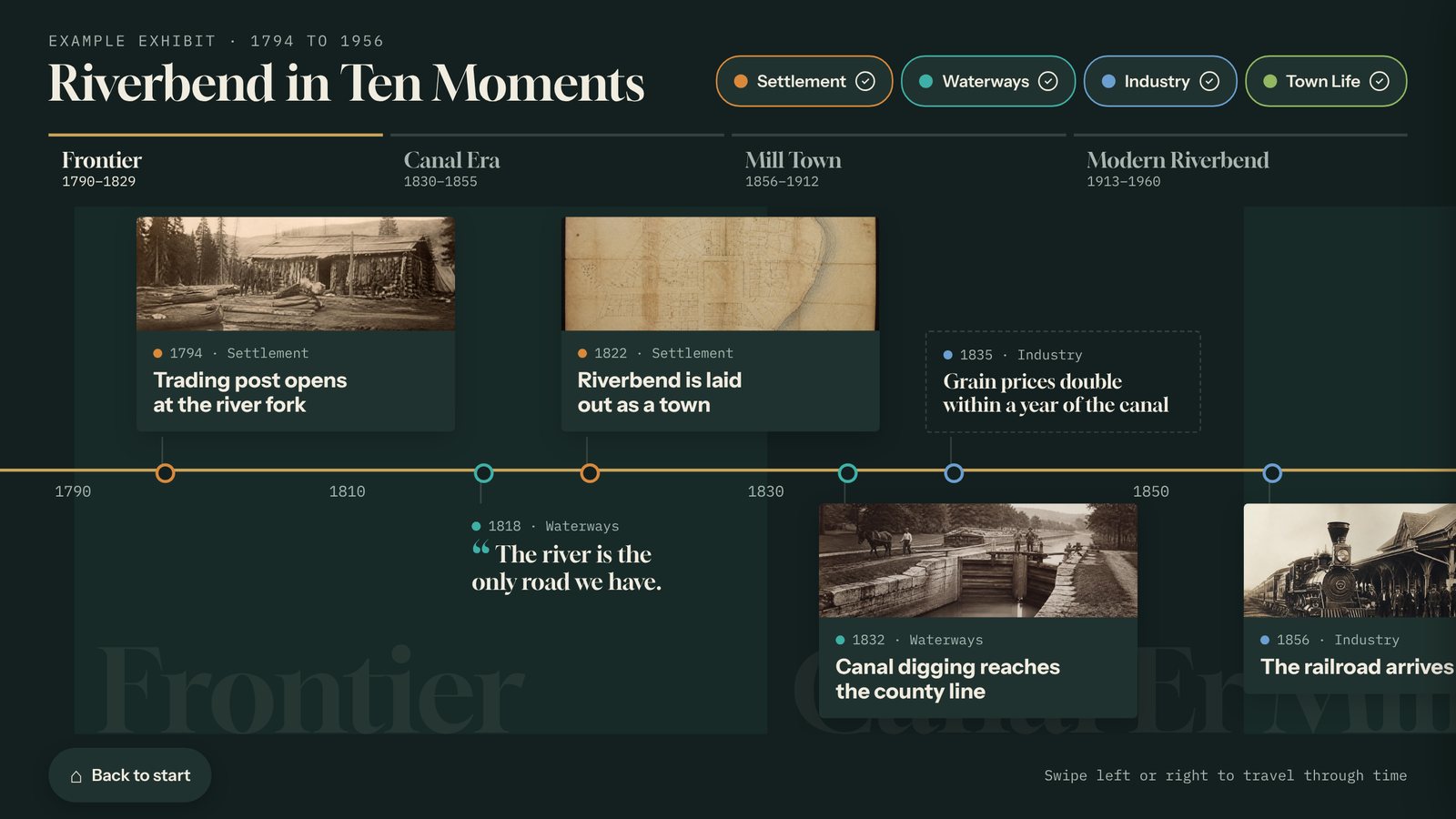
Build an interactive touchscreen timeline from your own dates, photos, and stories, with eras and filters. Update it from any browser. Runs offline too.
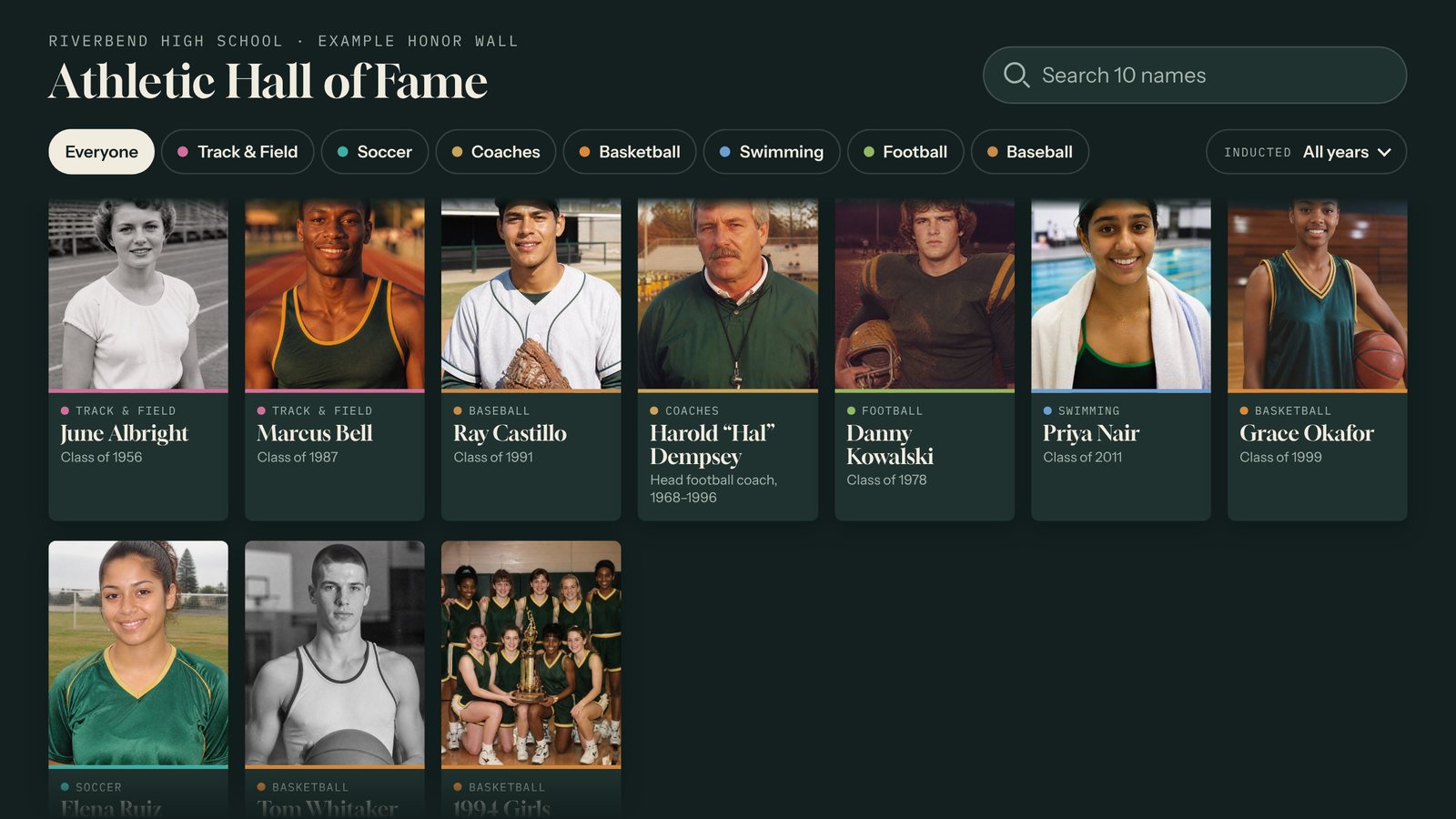
Honor Wall
A searchable touchscreen honor wall for donors, alumni, athletes, and veterans, with photos, bios, and video for every name. Import names from a spreadsheet.
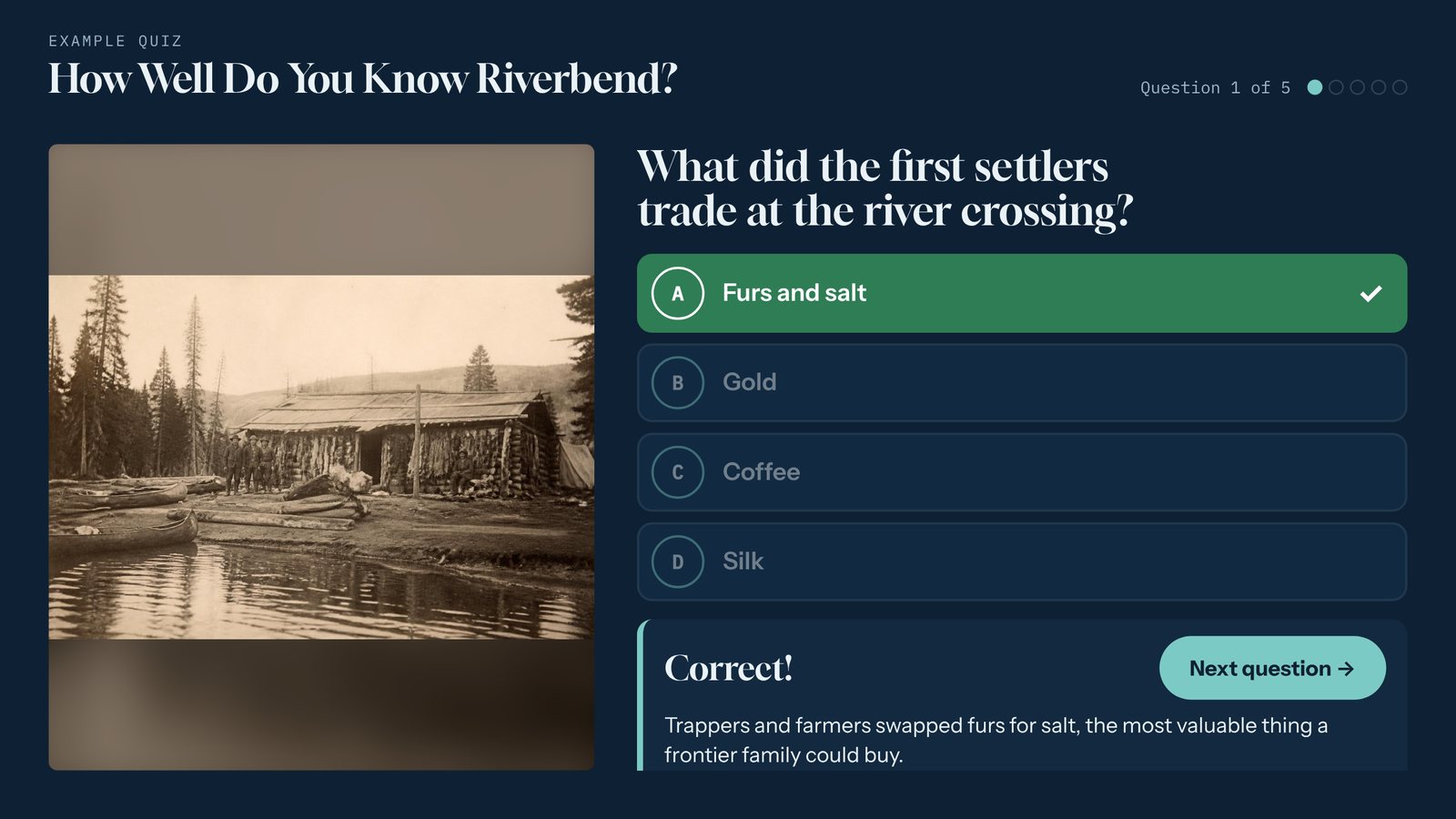
Quiz
Build a touchscreen trivia game with instant feedback, short explanations, and a final score. Optional "Enter to win" lead form for booths. Works offline.
Build your first guest book today.
Start free for 14 days with example content already in place. No card needed.