
Museum kiosk software: the 4 types, what each costs, and what to ask
The four kinds of museum kiosk software, what each one costs per screen and over five years, and the questions that tell them apart. Price ranges from published price lists, checked November 2026.
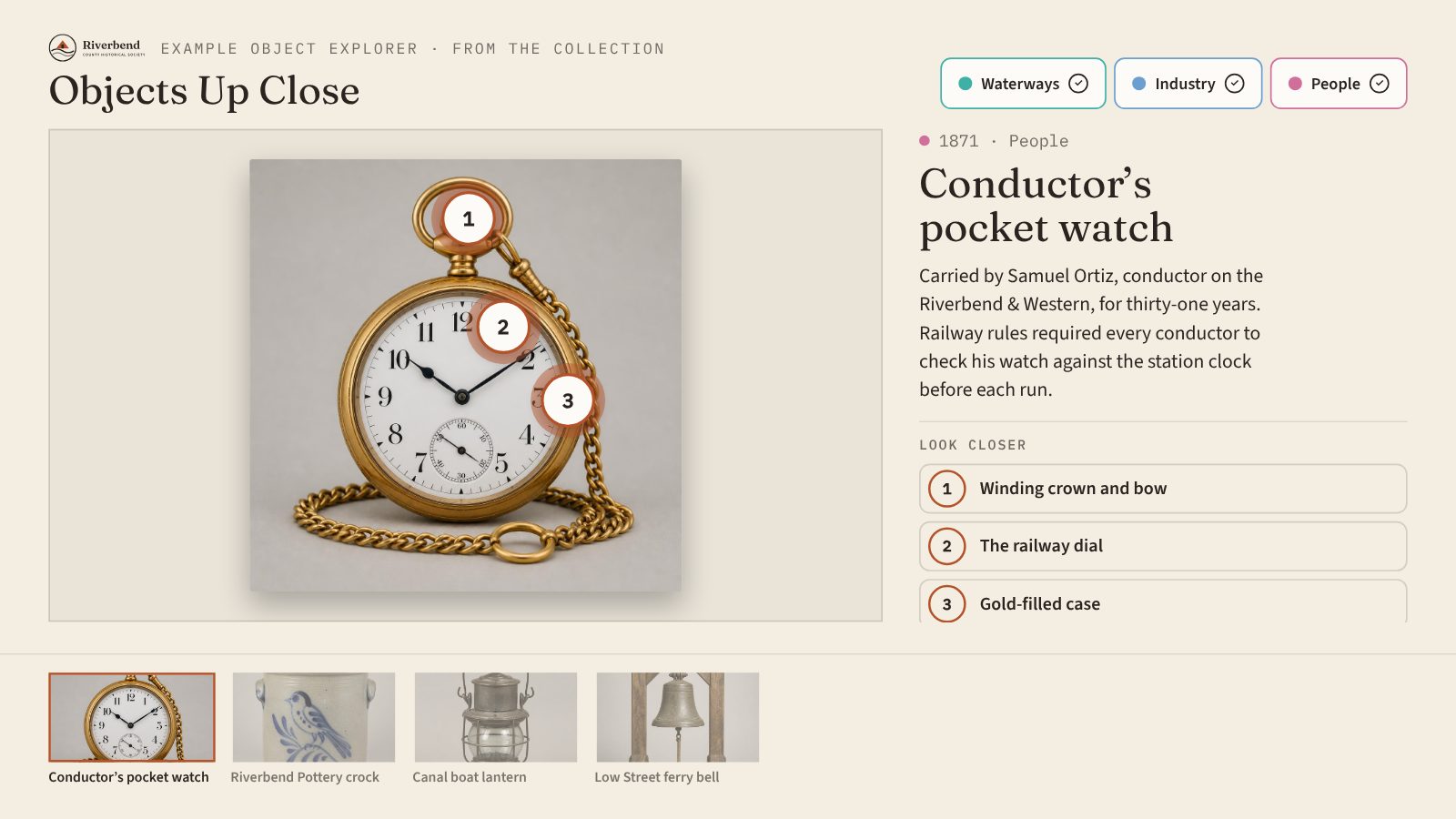
Search for “museum kiosk software” and you’ll find four very different kinds of products under the same name. They range from about $100 a year to well over $20,000, and they do different jobs. This guide sorts them into four types, shows what each costs, and lists the questions that tell them apart.
Price ranges come from published vendor price lists and software directory listings, checked in November 2026. They change often, so confirm before you budget.
The four types at a glance
| Type | What it does | Typical software cost | Who builds the content |
|---|---|---|---|
| Kiosk lockdown software | Locks a computer to one web page or app so visitors can’t wander off | About $125 to $240 per kiosk per year, or a one-time license | You, or a developer you hire |
| Digital signage | Plays slides, videos, and menus on a schedule | About $8 to $30 per screen per month | Your staff, from templates |
| Interactive exhibit builders | Lets you build touch experiences like timelines, galleries, and quizzes | From a few hundred dollars per screen per year to one-time licenses of several thousand dollars | Your staff, from templates or a design tool |
| Custom studio builds | A studio designs and programs a one-off interactive | Usually $20,000 to $50,000 for a single station | The studio |
Hardware is extra for all four. A 43-inch commercial touchscreen runs roughly $750 to $2,100 at retail, and a new Mac mini starts at $799. Here’s what you need to run a touchscreen kiosk in a museum.
1. Kiosk lockdown software
What it is. Software that turns a computer or tablet into a single-purpose kiosk. It hides the desktop, blocks other websites, and restarts the app if something goes wrong.
What it costs. Directory listings put common tools at about $125 to $240 per kiosk per year, and some sell a one-time license for under $200.
The catch. It doesn’t make an exhibit. It locks the screen to something you already have, usually a web page. Someone still has to design, build, and update that page, so the real cost is the developer’s time. Many exhibit tools include their own lockdown, and computers have free built-in options too, like Assigned Access on Windows or Guided Access on an iPad.
Good fit when you already have a finished web-based interactive and just need to keep visitors in it.
2. Digital signage
What it is. Cloud software for scheduling slides, videos, and announcements on screens. Many museums already use it in the lobby.
What it costs. Published plans run about $8 to $30 per screen per month, so roughly $100 to $360 a year for one screen. Several offer a free plan for a single screen.
The catch. Signage is made to be watched, not explored. Some tools add touch buttons, but they’re rarely built around a visitor choosing their own path through a timeline or a collection.
Good fit when the screen is for hours, events, donor thank-yous, and wayfinding, not for exhibit content.
3. Interactive exhibit builders
What it is. Software made for touch experiences. This is the type most museums mean when they search. It comes in two flavors:
- Design platforms. A blank-canvas design tool plus a player license for each screen. They’re very flexible, but someone has to learn the design tool. Published pricing starts around $300 per screen per year, with a separate license for each designer.
- Template tools. You pick a format, such as a timeline or a story gallery, and fill in your own photos and text. Less design work, faster to update. Some sell one-time licenses, starting around $3,000. Others are subscriptions.
Where Tellcase fits. Tellcase is a template tool. It has eight templates (Timeline, Story Gallery, Object Explorer, Honor Wall, Quiz, Prize Wheel, Lead Capture, and Product Showcase), and every plan includes unlimited interactives. Starter is $49 a month or $490 a year for one kiosk. Pro is $149 a month for up to 5 kiosks. Tellcase Lifetime is $7,000 one time for up to 5 kiosks, and its kiosks keep playing for good. Every plan starts with a 14-day free trial.
The catch. Templates trade flexibility for speed. If you need a one-of-a-kind game or a 3D model, a template won’t stretch that far.
Good fit when your staff or volunteers will keep the content current, and you’d rather spend the budget on content than on code.
4. Custom studio builds
What it is. An exhibit design or software studio designs, builds, and installs a one-off interactive for your space.
What it costs. Published studio budget guides put a single touchscreen station at roughly $20,000 to $50,000. Simple kiosks can come in lower, and room-scale installations run well into six figures.
The catch. Changes usually go back to the studio as a new quote, and support can end when the contract does. Ask who owns the source files and what happens if the studio closes.
Good fit when the interactive is the centerpiece of a major gallery and needs something no template offers.
What five years really costs
Opening-day price is misleading. Here’s the software cost for one kiosk over five years, using the ranges above. Hardware, staff time, and content aren’t included.
| Type | Five-year software cost, one kiosk | Who pays to change it |
|---|---|---|
| Kiosk lockdown | About $625 to $1,200, plus building the content | Your developer |
| Digital signage | About $480 to $1,800 | Your staff |
| Design platform | From about $1,500 per screen, plus designer licenses | Your staff, once trained |
| Template tool, one-time license | From about $3,000, plus any support renewals | Your staff |
| Tellcase Starter, billed yearly | $2,450 | Your staff and volunteers |
| Tellcase Lifetime | $7,000 once, covering up to 5 kiosks | Your staff and volunteers |
| Custom studio build | About $20,000 to $50,000, plus each change | The studio |
The cheapest row isn’t the answer on its own. A signage plan costs less than an exhibit tool, but visitors can’t explore with it. A lockdown tool is cheap until you count the developer. The question is which type matches the job, then which option in that type you can keep current.
Questions to ask any vendor
- Who updates the content, and how? Ask them to show a non-technical person fixing a typo and publishing it, live.
- Does it keep playing with no internet? Galleries lose Wi-Fi. Ask how updates reach an offline kiosk.
- What happens if we stop paying? Do kiosks keep playing, pause, or go blank?
- What’s priced per screen, per designer, or per project? Add a second kiosk and a second editor to the quote and see what changes.
- What hardware does it run on? Can you use a computer or player you already own?
- How does it help visitors with disabilities? Look for larger text, high contrast, a reachable layout, and captions.
For the full list with what to look for in each answer, see how to choose touchscreen exhibit software: 10 questions to ask.
See one working
The quickest way to tell these types apart is to tap one. Try the live demo to explore a sample timeline, story gallery, and object explorer, or see how Tellcase works as museum kiosk software your staff can update. Running a small museum on volunteers? Here’s a guide to interactive exhibits on a volunteer budget.
Quick answers
How much does museum kiosk software cost?
It depends on the type. Kiosk lockdown tools run about $125 to $240 per kiosk per year. Digital signage runs about $8 to $30 per screen per month. Interactive exhibit builders range from a few hundred dollars per screen per year to one-time licenses of several thousand dollars. A custom build from a studio usually runs $20,000 to $50,000 for a single station.
What is the difference between digital signage and museum kiosk software?
Digital signage plays slides and videos on a loop for people to watch. Museum kiosk software is built for visitors to touch, so they can explore a timeline, open a story, or zoom into an object. Some signage tools add basic touch, but most aren't designed around exploring.
Is a one-time license cheaper than a subscription?
Sometimes. Add up five years of each, including updates, support, and any fee to keep editing. Then ask what happens to your kiosks if you stop paying, because some keep playing and some pause.
Does museum kiosk software need internet?
It shouldn't. Galleries often have weak Wi-Fi. Look for software that keeps playing when the network drops and can run fully offline from files you copy to the kiosk.
Do I need a developer to use museum kiosk software?
Not for every type. Lockdown tools and custom builds need someone with web or development skills. Exhibit builders with templates are made for staff and volunteers to fill in and update themselves.